clever-tasks
 Samprikta Ghosh
make a to do list website using index.php. features- add new tasks, mark tasks as completed, delete task, view all tasks
Comments (0)
Sign in to leave a comment
System Requirements
System Requirements Document (SRD)
Project Name: clever-tasks
1. Introduction
The clever-tasks project is a simple, efficient, and user-friendly to-do list website designed for personal use. Developed specifically for Samprikta Ghosh in India, this platform will enable users to manage their tasks effectively without the need for user authentication. The system will focus on core functionalities such as adding, completing, deleting, and viewing tasks.
This document outlines the system requirements for the clever-tasks project, including functional and non-functional specifications, user personas, design concepts, and technical details.
2. System Overview
The clever-tasks website will provide a streamlined interface for users to manage their daily tasks. The system will utilize a single database table named tasks to store task-related information. The platform is scoped for personal use, meaning no user authentication or multi-user functionality is required.
The core features include:
- Adding new tasks
- Marking tasks as completed
- Deleting tasks
- Viewing all tasks
The system will be built using PHP for the backend and will leverage a MySQL database for task storage.
3. Functional Requirements
- As a User, I should be able to add new tasks to my to-do list.
- As a User, I should be able to mark tasks as completed.
- As a User, I should be able to delete tasks from my to-do list.
- As a User, I should be able to view all tasks, sorted by creation date.
4. User Personas
Persona 1: Personal User
- Description: An individual managing their personal tasks.
- Goals: To efficiently add, complete, delete, and view tasks without unnecessary complexity.
- Pain Points: Overly complicated interfaces or features that are irrelevant for personal use.
5. Visuals Colors and Theme
Since clever-tasks is scoped for personal use, the design will focus on simplicity and clarity. The proposed color theme is:
- Primary Color: Sky Blue (#87CEEB) — for headers and buttons, evoking calm and focus.
- Secondary Color: White (#FFFFFF) — for the background, ensuring a clean and uncluttered interface.
- Accent Color: Lime Green (#32CD32) — for task status indicators (e.g., completed tasks).
- Text Color: Dark Gray (#333333) — for readability.
The theme will use a minimalist design with rounded buttons and smooth transitions to ensure a pleasant user experience.
6. Signature Design Concept
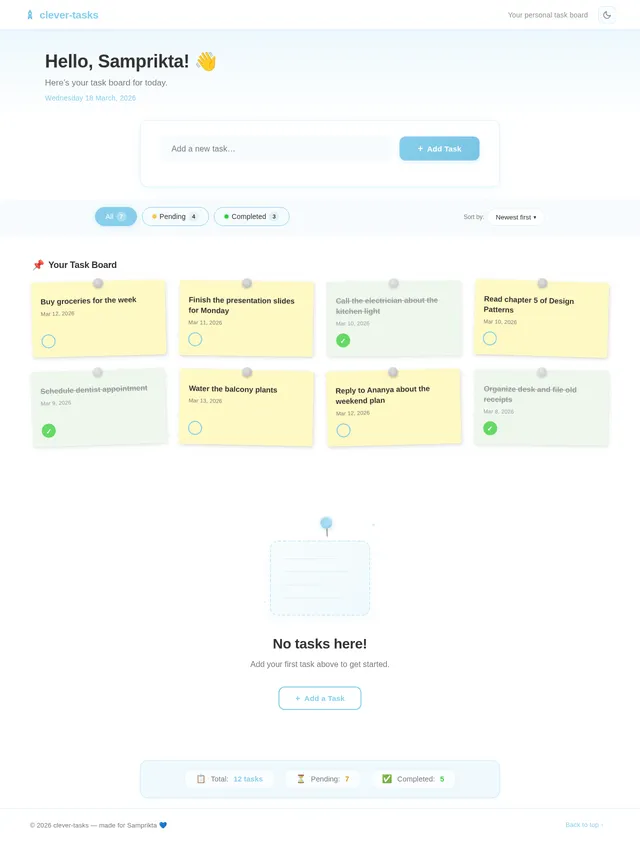
The clever-tasks homepage will feature a dynamic task board interface that visually represents tasks as sticky notes pinned to a virtual corkboard.
Key Features:
- Interactive Sticky Notes: Each task will appear as a draggable sticky note. Users can rearrange notes to prioritize tasks visually.
- Completion Animation: When a task is marked as completed, the sticky note will "fold" and disappear with a subtle paper-folding animation.
- Color-coded Notes: Tasks will be color-coded based on their status (e.g., green for completed, yellow for pending).
- Hover Effects: Hovering over a task will display additional details like creation date and status.
- Smooth Transitions: All interactions (adding, deleting, marking as completed) will feature smooth fade-in/out animations to enhance the user experience.
This design concept ensures the homepage is not only functional but also visually engaging, making task management enjoyable and memorable.
7. Non-Functional Requirements
- Performance: The system should load and display tasks within 2 seconds.
- Scalability: While scoped for personal use, the system should handle up to 1,000 tasks efficiently.
- Usability: The interface should be intuitive and require minimal learning curve.
- Availability: The system should have 99.9% uptime.
- Security: Basic measures like input validation to prevent SQL injection.
8. Tech Stack
Frontend
- HTML, CSS, JavaScript
Backend
- PHP
Database
- MySQL (using Alembic for migrations)
Local Orchestration
- Docker
- docker-compose
9. Assumptions and Constraints
Assumptions
- The system will be used by a single user for personal task management.
- Tasks will not require complex metadata beyond the fields specified in the
taskstable. - The user will access the system via a web browser.
Constraints
- No user authentication or multi-user functionality.
- The system will be built using PHP and MySQL only.
- The design will prioritize simplicity and clarity over advanced features.
10. Glossary
- Task: An item in the to-do list that the user can add, complete, delete, or view.
- Status: Indicates whether a task is completed or pending.
- Created_at: The timestamp when the task was added to the system.
- Sticky Note: A visual representation of a task on the homepage.
- SQL Injection: A security vulnerability that allows attackers to interfere with database queries.
This document provides a comprehensive overview of the clever-tasks project requirements. Let me know if there are any additional features or adjustments you'd like, Samprikta!
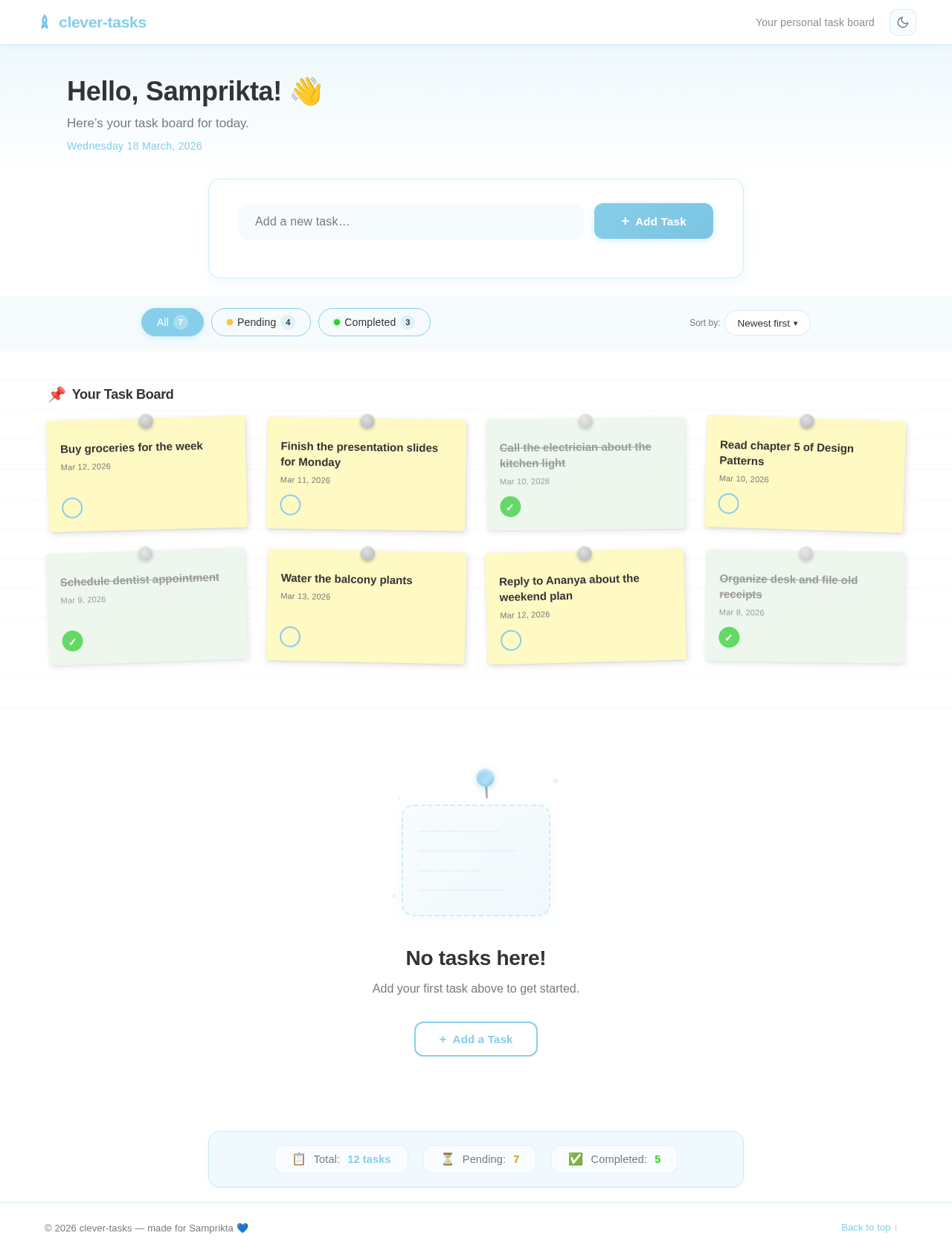
Hello, Samprikta! 👋
Here’s your task board for today.
Saturday 11 July, 2026
No tasks here!
Add your first task above to get started.
No comments yet. Be the first!