Page 1 of 5
chat_bot System Requirements Document (SRD)
1. Introduction
The purpose of this document is to outline the system requirements for the "chat_bot" project, which aims to develop a Personal AI WhatsApp Assistant. This assistant is designed to be lightweight, modular, and capable of generating human-like responses while being easy to integrate with the WhatsApp Cloud API.
2. System Overview
The chat_bot project is a production-ready Personal AI WhatsApp Assistant that processes incoming messages via a webhook, generates natural replies, and maintains a lightweight conversation history. The system is designed to be modular, allowing for easy future enhancements, and is optimized for low token usage and API costs.
2a. Source Content Inventory
- Profile Information: Stored in
profile.json to maintain a small memory footprint.
- Database: SQLite with tables for Users, Conversations, Messages, and Settings.
- System Prompt: Ensures the assistant behaves like the user, avoiding AI-specific language.
- API Endpoints: Includes
/chat, /webhook, /history/{phone}, and /health.
Page 2 of 5
3. Functional Requirements as Story Points
- As a User, I should be able to send messages to the assistant via WhatsApp and receive human-like replies.
- As a Developer, I should be able to configure the AI model and other settings via a
.env file.
- As a User, I should be able to view the conversation history with the assistant.
- As a Developer, I should be able to easily integrate the assistant with the WhatsApp Cloud API.
- As a User, I should receive replies that match my texting style, including tone and formality.
- As a Developer, I should be able to maintain and update the assistant's modular components easily.
4. User Personas
- User: An individual interacting with the AI assistant via WhatsApp.
- Developer: A technical user responsible for configuring and maintaining the assistant.
5. Core User Flows
-
Message Processing:
- User sends a message via WhatsApp.
- Webhook receives the message.
- Load user profile and recent conversation.
- Build a prompt based on the profile and recent messages.
- Generate a reply using the AI model.
- Save the conversation and return the response to the user.
-
Configuration and Setup:
- Developer configures settings in the
.env file.
- Developer sets up the SQLite database.
- Developer deploys the application and connects it to the WhatsApp Cloud API.
Page 3 of 5
6. Visuals Colors and Theme
[Default — not specified by user]
- primary: #007bff (blue)
- primary_light: #66b2ff (light blue)
- secondary: #6c757d (gray)
- accent: #28a745 (green)
- highlight: #ffc107 (yellow)
- bg: #f8f9fa (light gray)
- surface: #ffffff (white)
- text: #212529 (dark gray)
- text_muted: #6c757d (muted gray)
- border: #dee2e6 (light gray)
7. Signature Design Concept
Interactive Chat Interface
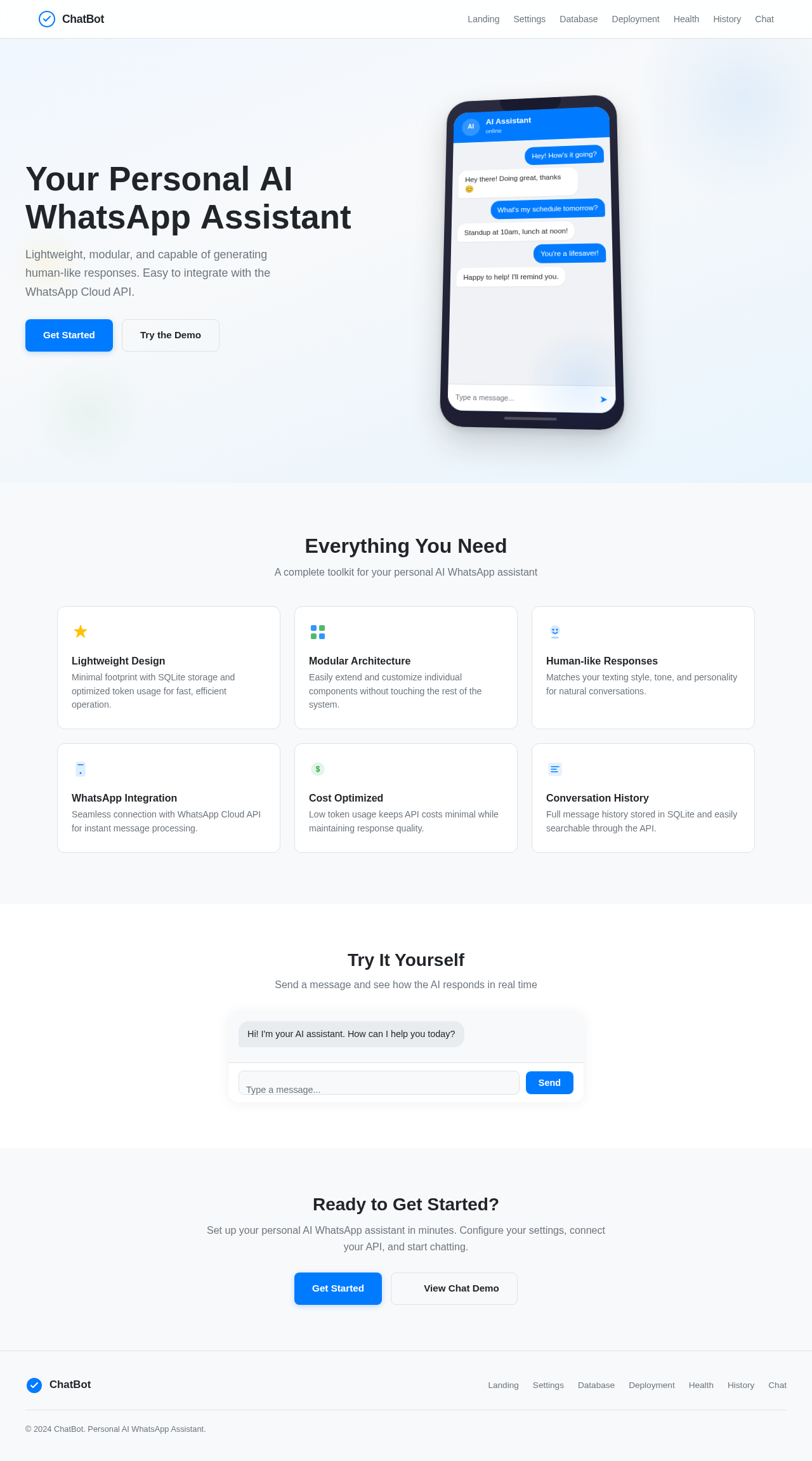
The homepage will feature an interactive chat interface that mimics a real WhatsApp conversation. Users can click on messages to see how the AI generates responses in real-time. The interface will include subtle animations, such as message bubbles expanding and contracting, and a typing indicator that mimics human typing speed.
- Animations: Message bubbles will animate into view with a slight bounce effect using
motion/react.
- Interaction: Users can hover over messages to see timestamps and additional options.
- Responsive Design: The interface will adjust to different screen sizes, maintaining usability on both desktop and mobile devices.
Page 4 of 5
LANDING HERO MOTION BRIEF
The landing page will feature a dynamic illustration of a smartphone screen displaying a conversation. As users scroll, the conversation bubbles will animate into view, showcasing the AI's ability to generate human-like responses. The animation will loop every 10 seconds, highlighting different texting styles and tones.
8. Interaction Model & Motion Direction
- Intended Interaction Model: Animated
- Internal Pages: Static for configuration and settings pages.
- Distinctive Core Mechanic: The landing page will feature a kinetic typography effect, where key phrases animate into view as users scroll.
9. Non-Functional Requirements
- The system must be lightweight and optimized for low token usage.
- The assistant must generate responses within 2 seconds.
- The system must be modular to allow easy integration of new features.
Page 5 of 5
10. Tech Stack
- Frontend: Not applicable (backend-focused project)
- Backend: Python, FastAPI
- Database: SQLite with SQLAlchemy ORM
- AI: OpenAI Compatible API
- Configuration: python-dotenv
- Logging: Built-in logging
- HTTP: httpx
- Validation: Pydantic
11. Assumptions and Constraints
- The assistant will not handle complex memory or RAG.
- The system will not use vector databases or embeddings.
- The assistant will not perform semantic searches.
12. Glossary
- AI: Artificial Intelligence
- API: Application Programming Interface
- LLM: Large Language Model
- RAG: Retrieval-Augmented Generation
- Webhook: A method of augmenting or altering the behavior of a web page or web application with custom callbacks.


No comments yet. Be the first!