cedar-webapp
build a webapp with single page design and minimal design for calculator

Comments (0)
Sign in to leave a comment
System Requirements
cedar-webapp System Requirements Document
Introduction
The purpose of this document is to outline the system requirements for the "cedar-webapp," a single-page web application designed to function as a simple calculator. This document will detail the functional and non-functional requirements, user personas, visual design elements, and technical specifications necessary to develop the cedar-webapp.
System Overview
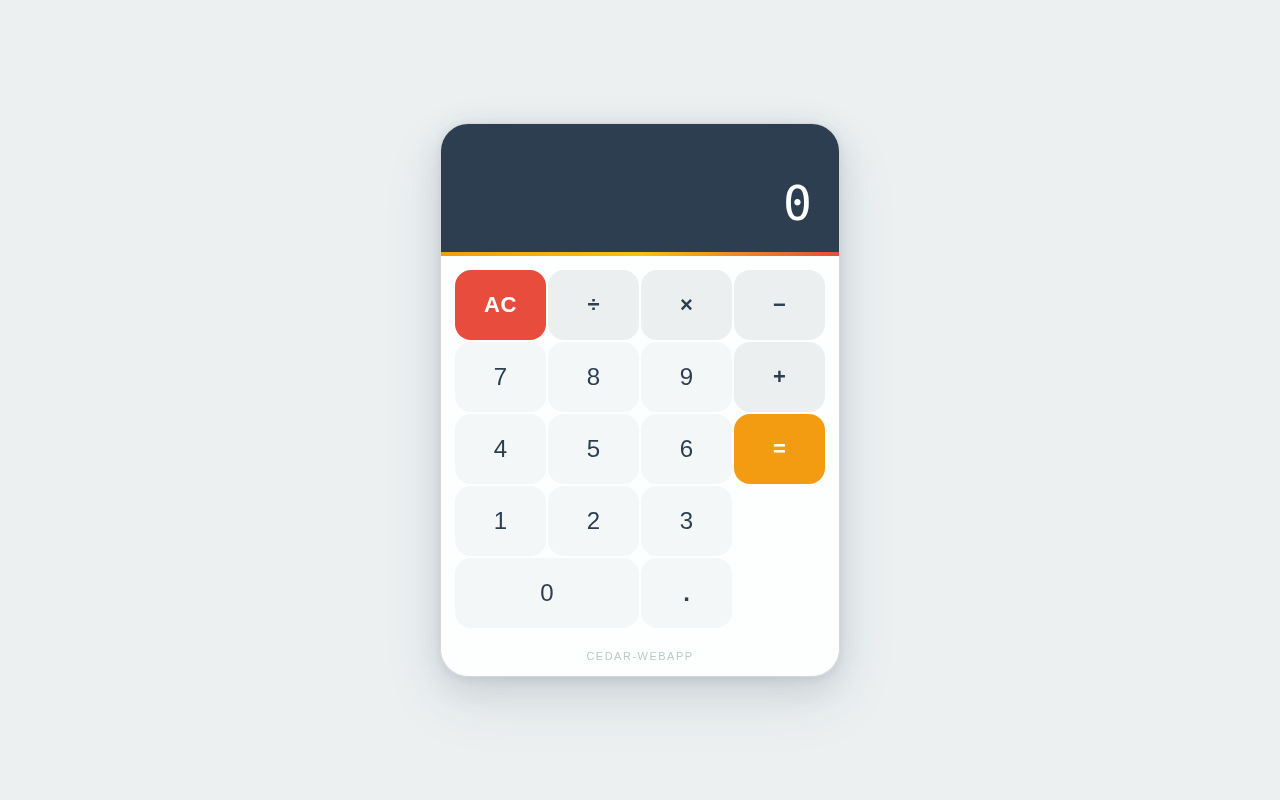
The cedar-webapp is a minimalistic, single-page web application designed to perform basic arithmetic operations. The focus is on providing a clean, intuitive user interface that allows users to perform calculations without any additional complexity or distractions. The application will be responsive and accessible, ensuring usability across various devices and screen sizes.
Functional Requirements
- As a User, I should be able to perform basic arithmetic operations (addition, subtraction, multiplication, division).
- As a User, I should be able to clear the current calculation.
- As a User, I should be able to view the result of the calculation immediately after input.
User Personas
- User: A general user who needs to perform simple arithmetic calculations quickly and efficiently.
Visuals Colors and Theme
The cedar-webapp will feature a unique color palette to enhance the user experience while maintaining a minimalistic design:
- primary: #2C3E50 (a deep, calming blue)
- primary_light: #34495E (a lighter tint of the primary color for hover states)
- secondary: #E74C3C (a vibrant coral for emphasis and links)
- accent: #F39C12 (a bright orange for call-to-action buttons and active states)
- highlight: #F1C40F (a warm yellow for hover states and notifications)
- bg: #ECF0F1 (a light, neutral background color)
- surface: rgba(255, 255, 255, 0.9) (a soft white for card/panel backgrounds)
- text: #2C3E50 (the primary text color)
- text_muted: #95A5A6 (a softer gray for secondary text and labels)
- border: rgba(44, 62, 80, 0.2) (a subtle border color)
Signature Design Concept
The cedar-webapp will feature a unique interactive design concept: a "Floating Calculator" interface. This design will allow the calculator to appear as if it is floating above the background, with subtle shadow effects and smooth animations. Users can interact with the calculator by clicking and dragging it across the screen, providing a tactile and engaging experience. The buttons will have a spring-like animation using framer-motion, giving feedback with each press. The background will subtly change colors based on the time of day, using gsap for smooth transitions, enhancing the user's experience without overwhelming them.
Interaction Model & Motion Direction
The landing page of the cedar-webapp will employ a "static" interaction model, focusing on clarity and ease of use. The calculator will be the central feature, with minimal motion to ensure that users can perform calculations quickly without distraction. Internal pages, if any, will maintain this static approach to prioritize functionality and speed.
Non-Functional Requirements
- The application must load within 2 seconds on a standard broadband connection.
- The application must be responsive and function correctly on devices with screen sizes ranging from 320px to 1920px.
- The application must be accessible, adhering to WCAG 2.1 AA standards.
Tech Stack
- Frontend: React for Web
- Backend: Not applicable (as the application is a simple calculator without server-side logic)
- Database: Not applicable
- AI Models: Not applicable
- Local Orchestration: Docker for containerization
- Server-side Orchestration: Not applicable
Assumptions and Constraints
- The application will be a single-page web app with no server-side components.
- The design will remain minimalistic, focusing solely on basic arithmetic operations.
- The application will not store any user data or calculation history.
Glossary
- Single-page application (SPA): A web application that interacts with the user by dynamically rewriting the current page rather than loading entire new pages from the server.
- WCAG: Web Content Accessibility Guidelines, a series of guidelines for improving web accessibility.
This document outlines the requirements and design specifications for the cedar-webapp, ensuring a focused and efficient development process.
No comments yet. Be the first!