calculator-fortnite
 CJ
make me a calculator but if typed in code mode 420 then it will unlock a realistic almost identical game to Fortnite the pics attached are my thing I want the Fortnite to look like these pics and also make there an in-game currency named C bucks and make them have to buy stuff but also make there an admin password guessing game in the top right and the password it CJisthebest and if got right will give admin panel and allow them to ban people get infite currency and anything they want in game


Comments (0)
Sign in to leave a comment
System Requirements
System Requirements Document for Calculator
1. Introduction
Calculator is a web application that combines a usable calculator with a code-mode unlock for a vivid, Fortnite-like game. Players enter 420 in code mode to unlock the game, where they can play and spend the in-game currency named C bucks on items. A password-guessing game in the top-right area provides a route to an administrator panel.
This document specifies the product’s current requirements, user journeys, page coverage, visual direction, and implementation constraints. The accepted active human users are Players and Administrators.
Success Criteria
- Players can calculate, enter code mode, and unlock the game by entering
420. - Players can use the game and purchase in-game items with C bucks.
- An administrator who enters the correct password,
CJisthebest, can access the admin panel and its accepted controls.
2. System Overview
Calculator provides a public entry, calculator, game, shop, and identity-access pages, plus a protected administrator panel. The game is unlocked through the calculator’s code mode. Player accounts are required to preserve durable game records and C bucks. The administrator’s password-guessing interaction is presented in the top-right area of the game; administrator access is verified before protected controls are available.
The current scope includes the calculator, game, C bucks purchases, and administrator controls. The game should evoke the supplied visual references without copying Fortnite logos, characters, or exact screen layouts.
2a. Product Interpretation and Delivery Boundary
The React application provides the custom user interface. The shared FastAPI backend provides application APIs, and MariaDB stores application-owned durable data. The application owns player identity and durable game records. Players establish identity through Sign Up and verify access when returning to protected game state. Administrator access is verified through Admin Login before the protected Admin Panel is available.
The supplied images are visual inspiration only: use them for vivid game-world color, character-art mood, item-panel styling, and outdoor play atmosphere. Do not treat them as sources of product facts or copy their exact layouts. The game is Fortnite-like, not a reproduction of Fortnite branding, characters, or screens.
2c. Page Content and Component Coverage
Landing
- Information and state: Public introduction to the calculator and its unlockable game.
- Primary action: “Open calculator” navigates to Calculator.
- Components: Left-aligned hero with the headline “Calculate. Enter the game.” and subline “Use code mode to unlock the game, then spend C bucks on in-game items.” A large game-world image sits beside the copy on desktop and below it on mobile.
- States: Loading and image failure must leave the headline, subline, and CTA readable and usable; recovery retains the CTA to Calculator.
Calculator
- Information and state: Calculator display, entered values, and code-mode state.
- Primary actions: Perform calculator use; enter code mode and submit
420. - Components: Clear numeric display and controls; code-mode entry and submission.
- Success: Correct code unlocks the game and provides a continuation to Game.
- Failure and recovery: An incorrect code does not unlock the game; the player can correct the entry and try again. Calculator use remains available.
- Access: Public; no identity is required to use the calculator or enter the unlock code.
Game
- Information and state: Unlocked game view, player-facing game controls, and the player’s durable game record and C bucks balance.
- Primary actions: Play the game; use the top-right password-guessing interaction to submit an administrator password guess.
- Components: Wide game view with compact controls around its edges; vivid blue game ground, green outdoor play imagery, and character-art styling. The password entry remains in a compact top-right panel when space allows and moves below the game view on narrow screens.
- Success: A player can continue into the game after unlocking it and signing in. A correct administrator password guess proceeds to Admin Login for access verification.
- Failure and recovery: An incorrect administrator guess does not grant panel access; the user can try again. If game data cannot load, show an error and allow retry without implying that the unlock or durable records were lost.
- Access: Protected by player identity for durable game records. The administrator’s password-guessing interaction is available in the game’s top-right area; protected administrator controls remain unavailable until access is verified.
Shop
- Information and state: In-game items, their C bucks prices, and the player’s available C bucks.
- Primary action: Select an item and purchase it using C bucks.
- Components: Red item panels with white item names and prices; clear balance and purchase controls.
- Success: A successful purchase deducts the applicable C bucks and records the purchased item for the player.
- Failure and recovery: If the player lacks sufficient C bucks or a purchase cannot be completed, do not report success or deduct currency; show the failure and allow the player to continue or retry when possible.
- Access: Player identity is required to bind purchases and currency to the correct durable player record.
Admin Panel
- Information and state: Administrator controls for banning players, obtaining unlimited currency, and controlling anything in the game.
- Primary actions: Select a player to ban; enable unlimited currency; apply game controls.
- Components: Player-ban control, unlimited-currency control, and controls for game items or features.
- Success: Each accepted administrator action produces an observable updated game state.
- Failure and recovery: If an action cannot be applied, show that it did not succeed and allow retry. A banned player must not be shown as successfully banned unless the ban state is recorded.
- Access: Protected; administrator access must be verified before controls are available.
Sign Up
- Information and state: Player identity-enrollment form and submission status.
- Primary action: Enroll as a player to preserve durable game records and C bucks.
- Success: Successful enrollment establishes the identity needed to use durable player state and continue to Game.
- Failure and recovery: If enrollment fails, explain that identity was not established and allow correction or retry.
- Access: Public entry boundary; protected player state is unavailable until identity is established.
Admin Login
- Information and state: Administrator access-verification form and result.
- Primary action: Verify administrator access after the correct password guess in Game.
- Success: Successful verification permits continuation to Admin Panel.
- Failure and recovery: Failed verification does not expose administrator controls; allow another verification attempt.
- Access: Public entry boundary for verification; Admin Panel remains protected until verification succeeds.
3. Functional Requirements
-
As a Player, I should be able to use a calculator.
Provenance: explicit. Access: Public. Lifecycle: The player enters calculator input and receives the calculator result. Acceptance: Calculator use is available independently of game unlock. If input cannot be processed, the player can correct it and continue using the calculator. -
As a Player, I should be able to unlock the game by entering
420in code mode.
Provenance: explicit. Access: Public for the unlock interaction; player identity is required before using durable game records. Lifecycle: The player enters code mode, submits420, and receives an observable unlocked result with a continuation to Game. An incorrect code does not unlock the game and can be corrected and resubmitted. -
As a Player, I should be able to play the unlocked Fortnite-like game.
Provenance: explicit. Access: Player identity is required for durable game records. Lifecycle: The player enters Game after unlocking and establishing or verifying identity, interacts with the game, and sees the game state. If game state fails to load, the player receives an error and can retry or continue when possible. The game’s visual treatment follows the supplied references without copying Fortnite logos, characters, or exact screen layouts.
-
As a Player, I should be able to buy in-game items using C bucks.
Provenance: explicit. Access: Player identity is required to bind currency and purchases to the correct player. Lifecycle: The player views an item and its price, selects it, and confirms the purchase. A successful purchase deducts C bucks and records the item. If the balance is insufficient or the purchase fails, no successful purchase or deduction is reported; the player can continue or retry when possible.
Required inference: A durable balance and purchase result are necessary to make the accepted currency and buying behavior usable. -
As a Player, I should be able to enroll and verify access before using durable game records.
Provenance: required_inference. Access: Sign Up is public; durable player state requires established and verified identity. Lifecycle: The player enrolls, receives success or failure, and continues to Game after successful enrollment. On return, the player verifies access to resume the correct durable records. Failed enrollment or verification does not expose another player’s records and can be retried. -
As an Administrator, I should be able to guess the password in the top-right area of the game.
Provenance: explicit. Access: The guessing interaction is in Game; protected administrator controls require verified administrator access. Lifecycle: The administrator enters a guess in the top-right password interaction. A correct guess proceeds to Admin Login; an incorrect guess does not grant access and can be retried.
-
As an Administrator, I should be able to verify access before using administrator controls.
Provenance: required_inference. Access: Admin Login is the public verification boundary; Admin Panel is protected. Lifecycle: The administrator verifies access after the correct password guess. Success permits continuation to Admin Panel; failure leaves controls unavailable and allows another attempt. -
As an Administrator, I should be able to ban players from the admin panel.
Provenance: explicit. Access: Verified administrator access is required. Lifecycle: The administrator selects a player and applies a ban. The affected player’s account state reflects the ban; the administrator sees whether the action succeeded. If it fails, the ban is not reported as applied and the administrator can retry.
Required inference: A recorded ban state and an observable result for the affected player are necessary to make banning effective. -
As an Administrator, I should be able to get unlimited currency.
Provenance: explicit. Access: Verified administrator access is required. Lifecycle: The administrator enables unlimited currency and sees the resulting currency state. The affected player’s currency behavior reflects the applied state. If the change fails, neither party is shown a successful change; the administrator can retry.
Required inference: The currency state must reflect the accepted unlimited-currency control.
- As an Administrator, I should be able to control anything in the game.
Provenance: explicit. Access: Verified administrator access is required. Lifecycle: The administrator applies an available game control and sees the resulting game state. Players affected by the change see its outcome in the game. If a change fails, it is not shown as applied and the administrator can retry.
Required inference: The panel must expose controls that can change game state and provide observable results for affected players; this does not add unrelated capabilities beyond game control.
4. User Personas
Player
Provenance: Explicit. The Player uses the calculator, enters code mode to unlock the game, plays, and buys items with C bucks. The Player’s distinct responsibilities are calculator use, code entry, game participation, and spending the player’s own durable currency. Relevant inputs include calculator entries, the unlock code, and item selections. The Player enrolls and verifies access to preserve and resume game records and currency. Success is observable as a usable calculator, an unlocked game after the correct code, and completed purchases reflected in the player’s balance and owned items.
Administrator
Provenance: Explicit. The Administrator uses the top-right password-guessing interaction and, after successful access verification, manages player bans, unlimited currency, and game controls. The Administrator’s work differs from the Player’s because it changes game or player state for other participants. Relevant inputs include the password guess, access verification, player selection, and game-control choices. Success is observable when the intended ban, currency state, or game change is applied and affected players see the resulting state.
5. Core User Flows
Player: Calculate
- The Player opens Calculator from Landing or directly.
- The Player enters calculator input and receives the calculator result.
- If input cannot be processed, the Player corrects it and continues.
Player: Unlock and enter the game
- The Player opens Calculator and enters code mode.
- The Player submits
420. - On a correct entry, the application shows that the game is unlocked and offers continuation to Game. An incorrect entry leaves the game locked and can be corrected and resubmitted.
- Before using durable game records, the Player opens Sign Up and enrolls. On success, the Player continues to Game; on failure, the Player can correct the submission or retry.
- On a later visit, the Player verifies access before resuming the correct durable game records.
- The Player enters Game and interacts with the game. If game data fails to load, the Player can retry.
Player: Buy an in-game item
- The Player opens Shop with verified player identity.
- The Player reviews the available item, its C bucks price, and the current balance.
- The Player selects an item and initiates its purchase.
- On success, the balance is reduced and the item is recorded for the Player.
- If the balance is insufficient or the purchase fails, the Player sees that it did not complete and can continue or retry when possible.
Administrator: Guess the password and access the panel
- The Administrator opens Game and uses the password-guessing interaction in the top-right area.
- The Administrator enters a guess. An incorrect guess does not grant access and can be retried.
- The Administrator enters
CJisthebest. A correct guess continues to Admin Login. - The Administrator verifies access. On success, the Administrator continues to Admin Panel; on failure, the panel remains unavailable and verification can be retried.
Administrator: Ban a player
- The Administrator opens Admin Panel after access verification.
- The Administrator selects a player and applies a ban.
- The Administrator sees whether the ban was recorded. The affected Player sees the resulting ban state.
- If the action fails, it is not shown as successful and the Administrator can retry.
Administrator: Enable unlimited currency
- The Administrator opens Admin Panel after access verification.
- The Administrator enables unlimited currency.
- The Administrator sees the resulting currency state; the affected Player sees the corresponding currency behavior.
- If the change fails, it is not shown as successful and the Administrator can retry.
Administrator: Control game state
- The Administrator opens Admin Panel after access verification.
- The Administrator applies an available game control.
- The Administrator sees the resulting game state, and affected Players see the change in Game.
- If the change fails, it is not shown as applied and the Administrator can retry.
6. Visuals Colors and Theme
Muse: Jessica Walsh. Headline: “Calculate. Enter the game.”
Use a vivid game world with bold, playful energy. The supplied images are visual references for vivid blue menus, red item panels, character-art styling, and green outdoor play. Do not copy Fortnite logos, characters, or exact screen layouts.
- Dark-mode palette: background
#071B3B; surface#103B70; text#FFFFFF; primary#20B8E6; accent#FF3B30; muted#A9C9E8. - Color roles: Deep blue grounds the game view; cyan marks key controls; red distinguishes item panels; white text remains readable against surfaces.
- Typography: Archivo Black for headings, with heavy uppercase treatment and tight spacing; DM Sans for readable body text and controls.
- Type scale: Display 40px on mobile to 88px on desktop; supporting sizes 32px, 24px, 18px, and 16px. Use a 1.25 scale.
- Shape language: Sharp game panels, bright item frames, and compact HUD labels. Keep text and controls inside their panels.
- Spacing and layout: Wide game view with compact controls around its edges. Stack panels on mobile. Keep the password entry at the top right when space allows.
- Imagery: Use game-world imagery and character art inspired by the supplied references. Do not use unrelated imagery or substitute imagery with gradients or emoji.
- Responsive readability: At 375px, 768px, and 1280px, keep all readable text and controls within the viewport and their containers. Wrap or scale content as needed; no element may cover readable text or controls.
7. Signature Design Concept
The Landing hero uses a deep-blue field with a two-line, left-aligned Archivo Black headline: “Calculate. Enter the game.” A large, vivid game-world image sits beside the headline on desktop and below it on mobile. The subline explains the code-mode unlock and C bucks purchases, with the “Open calculator” CTA clearly visible. Red item panels appear below the hero content as a visual preview of the accepted shop experience. The composition uses only accepted product content and does not reproduce the reference screenshots’ layouts.
8. Interaction Model & Motion Direction
Interaction Model: Animated
Motion Tempo: expressive
Hero Dimensionality: layered_2d
Landing Hero Motion Brief
- Focal subject: The vivid game-world image beside the headline.
- Input → transformation → outcome: The visitor selects “Open calculator”; the interface reveals Calculator as the next accepted destination. Motion communicates the transition without implying that the game is already unlocked.
- Motion vocabulary: Expressive, short panel reveals and restrained button feedback.
- First frame: Deep-blue field, complete two-line headline and subline on the left, game-world image on the right, and the CTA fully visible.
- Reduced motion: Use a static layout with all content and controls available; do not rely on animation to communicate the CTA or destination.
9. Non-Functional Requirements
- Responsive readability — Provenance: explicit creative direction. At 375px, 768px, and 1280px, readable text and controls must remain entirely within the viewport and their containers. Content may wrap or scale; decoration must not cover text or controls.
- Reduced motion — Provenance: explicit creative direction. When reduced motion is enabled, provide a usable static arrangement.
- Durable player state — Provenance: required_inference. Player identity must bind durable game records, C bucks, and purchases to the correct player so they can be resumed after access verification.
- Protected administrator controls — Provenance: required_inference. Administrator controls must remain unavailable until administrator access is verified.
- Visual fidelity — Provenance: explicit. Use the supplied images as visual inspiration for the game’s appearance, without copying Fortnite logos, characters, or exact screen layouts.
10. Tech Stack
- Frontend: React application UI, as provisioned.
- Backend: Shared FastAPI process for application APIs and domain modules, as provisioned. Reuse it for calculator/game-related APIs, player records, purchases, and administrator actions.
- Database: MariaDB for application-owned persistent data, as provisioned.
- Additional infrastructure: None specified or required by the accepted scope.
11. Assumptions and Constraints
- The project name is Calculator; the selected project identifier is
calculator-fortnite. - The exact current page inventory is Landing, Calculator, Game, Shop, Admin Panel, Sign Up, and Admin Login.
- The active human personas are exactly Player and Administrator.
- The code-mode unlock value is
420; the administrator password isCJisthebest. - The game is Fortnite-like and uses the supplied images as visual inspiration, not as a request to reproduce Fortnite branding, characters, or exact screen layouts.
- The source does not specify a catalog of purchasable items, item prices, starting C bucks balance, or detailed game mechanics; these remain unspecified.
- The source does not specify a particular identity-verification method; the implementation must support enrollment and returning verification without adding unrelated account-management features.
12. Glossary
- C bucks: The in-game currency used to buy in-game items.
- Code mode: Calculator mode in which entering
420unlocks the game. - Durable game records: Player-specific game and currency state retained for later access.
- Unlimited currency: The administrator-controlled currency state that provides unlimited currency.
- Game control: An administrator action that changes an available game state.
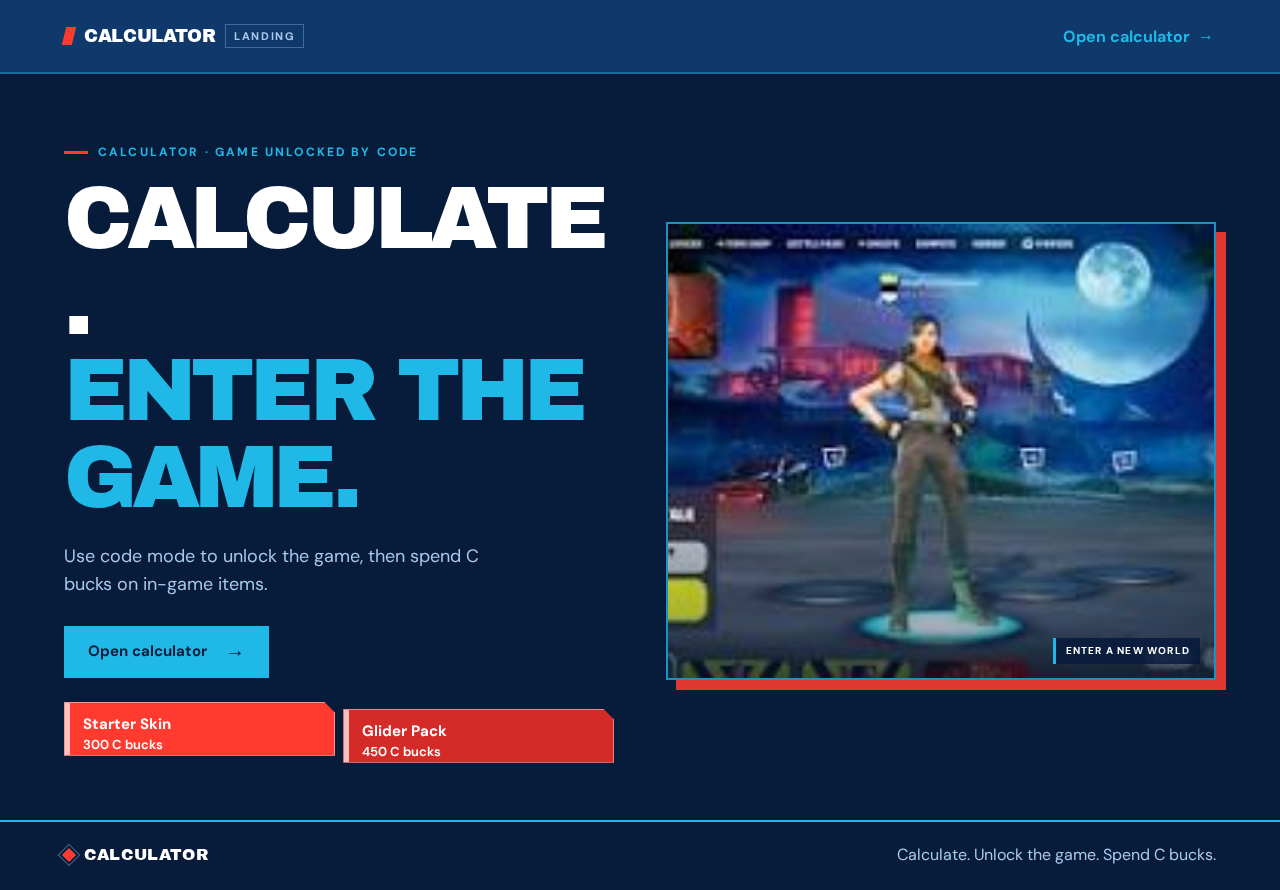
Calculate.Enter the game.
Use code mode to unlock the game, then spend C bucks on in-game items.
Open calculator Enter a new world
Calculate.Enter the game.
Use code mode to unlock the game, then spend C bucks on in-game items.
Open calculatorEnter a new world
No comments yet. Be the first!