Bug management
BUG-001Create, edit, delete, and review full defect records with auto-generated IDs, project, type, assignee, due date, environment, steps to reproduce, and expected versus actual results.
CriticalHighMediumLow
 Naina Garg
Create a professional, responsive **Bug Tracker Pro** using only **HTML, CSS and Vanilla JavaScript**. No backend, React, Node.js, MongoDB or Firebase. Use **LocalStorage** for all data. Build a modern dark SaaS dashboard with sidebar navigation: Dashboard, All Bugs, Kanban Board, Reports, Projects, Settings. Features: * Create, edit, delete and view bugs * Auto-generate IDs: BUG-001, BUG-002... * Fields: title, description, project, priority, status, type, assignee, due date, environment, steps to reproduce, expected/actual result * Priority: Critical, High, Medium, Low * Status: Open, In Progress, Resolved, Closed * Search, filter and sort bugs * Drag-and-drop Kanban board * Dynamic dashboard statistics * Charts for status, priority and projects using Chart.js * Project management * Bug activity timeline * Notifications and toast messages * Dark/light mode * JSON import/export * Demo data on first launch * Fully responsive mobile/tablet/desktop UI * Confirmation modal before deletion * Accessible, clean and polished UI with subtle animations Ensure every button and feature is functional and data persists after refresh.


Sign in to leave a comment
The Bug Tracker Pro is a professional, responsive bug tracking application designed to manage software defects efficiently. It is built using HTML, CSS, and Vanilla JavaScript, leveraging LocalStorage for data persistence. The application is intended for QA testers, developers, and project managers to create, view, edit, and manage bugs within a modern dark SaaS dashboard interface.
Bug Tracker Pro is a client-side application with no backend dependencies, ensuring all data is stored locally using LocalStorage. The application features a sidebar navigation with destinations for Dashboard, All Bugs, Kanban Board, Reports, Projects, and Settings. It supports comprehensive bug management, including creation, editing, deletion, and viewing of bugs, with auto-generated IDs and various fields for detailed bug tracking. The application also includes dynamic statistics, charts, and a Kanban board for workflow management. It is fully responsive and offers both dark and light modes.
The application is delivered as a standalone client-side solution using HTML, CSS, and Vanilla JavaScript. It does not include any backend services or external data storage, relying solely on LocalStorage for data persistence. The application is designed to be accessed anonymously, with no user authentication required. It supports mobile, tablet, and desktop layouts, ensuring accessibility and usability across devices.
Not applicable as no content source directive was provided.
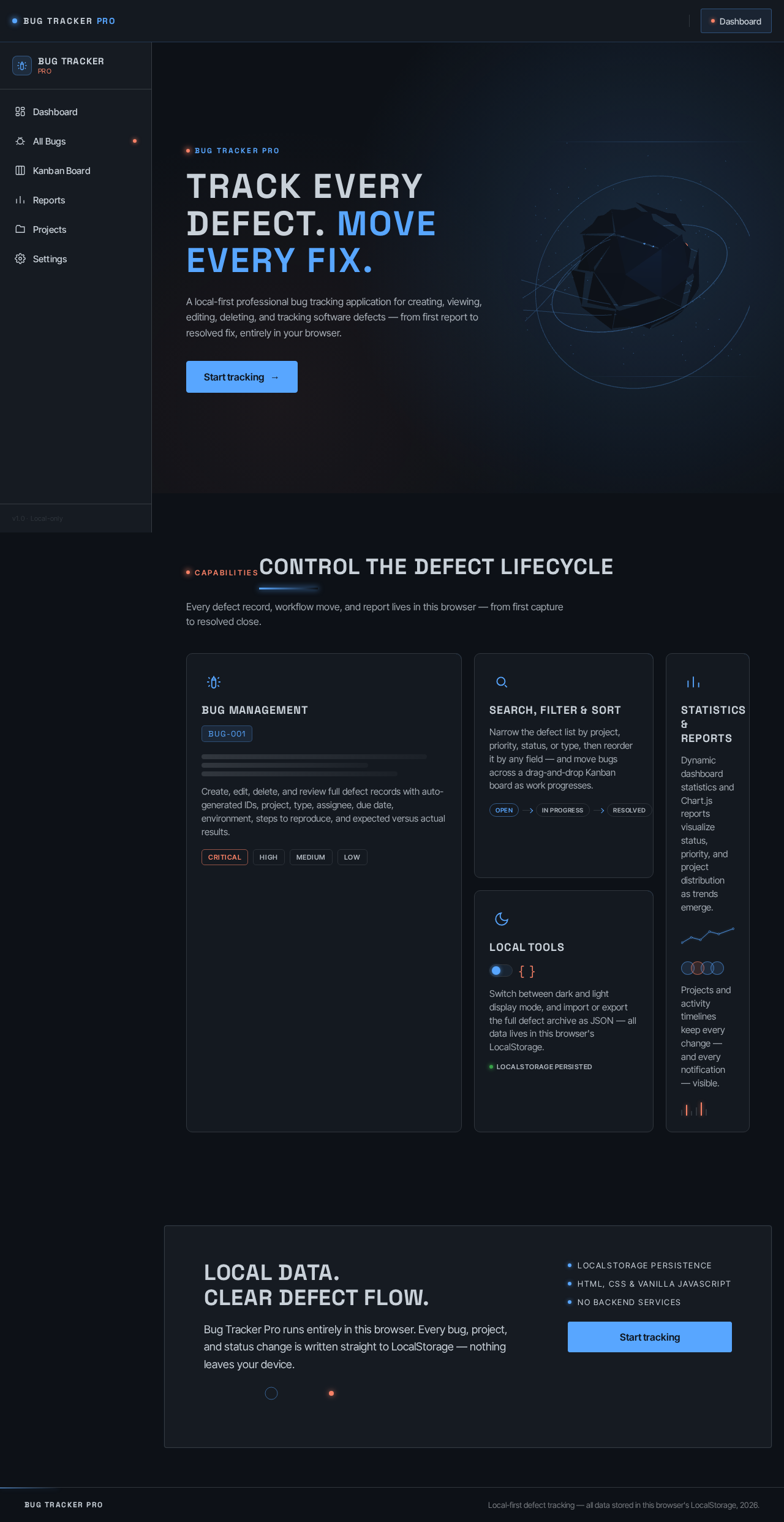
A full-bleed hero with a floating 3D abstract object on load, creating an immersive entry into the application. Sidebar navigation features glowing hover effects, and charts display luminous lines and data points. Dynamic statistics transition smoothly, and hoverable cards exhibit light sweeps and parallax effects.
Bug Tracker Pro
A local-first professional bug tracking application for creating, viewing, editing, deleting, and tracking software defects — from first report to resolved fix, entirely in your browser.
Start trackingCapabilities
Every defect record, workflow move, and report lives in this browser — from first capture to resolved close.
Create, edit, delete, and review full defect records with auto-generated IDs, project, type, assignee, due date, environment, steps to reproduce, and expected versus actual results.
Narrow the defect list by project, priority, status, or type, then reorder it by any field — and move bugs across a drag-and-drop Kanban board as work progresses.
Dynamic dashboard statistics and Chart.js reports visualize status, priority, and project distribution as trends emerge.
Projects and activity timelines keep every change — and every notification — visible.
Switch between dark and light display mode, and import or export the full defect archive as JSON — all data lives in this browser's LocalStorage.
LocalStorage persistedBug Tracker Pro runs entirely in this browser. Every bug, project, and status change is written straight to LocalStorage — nothing leaves your device.
Bug Tracker Pro
A local-first professional bug tracking application for creating, viewing, editing, deleting, and tracking software defects — from first report to resolved fix, entirely in your browser.
Start trackingCapabilities
Every defect record, workflow move, and report lives in this browser — from first capture to resolved close.
Create, edit, delete, and review full defect records with auto-generated IDs, project, type, assignee, due date, environment, steps to reproduce, and expected versus actual results.
Narrow the defect list by project, priority, status, or type, then reorder it by any field — and move bugs across a drag-and-drop Kanban board as work progresses.
Dynamic dashboard statistics and Chart.js reports visualize status, priority, and project distribution as trends emerge.
Projects and activity timelines keep every change — and every notification — visible.
Switch between dark and light display mode, and import or export the full defect archive as JSON — all data lives in this browser's LocalStorage.
LocalStorage persistedBug Tracker Pro runs entirely in this browser. Every bug, project, and status change is written straight to LocalStorage — nothing leaves your device.
No comments yet. Be the first!