bright-avatar
 Param Bhavsar
build avatar generator and user can download in svg format which should be funny and charcterized

Comments (0)
Sign in to leave a comment
System Requirements
System Requirements Document (SRD)
Project Name: bright-avatar
1. Introduction
The bright-avatar project aims to create a user-friendly, highly customizable avatar generator that allows users to design funny and characterized avatars. The avatars will be downloadable in SVG format, ensuring high-quality and scalable outputs. The system will cater to a wide audience, including individuals and businesses, by offering customization options for various features such as hairstyles, expressions, accessories, and professional attire.
This document outlines the updated system requirements for bright-avatar, incorporating the request to make profession selection fully customizable rather than restricted to a predefined list.
2. System Overview
The bright-avatar system will provide an interactive platform where users can create personalized avatars. The platform will include:
- A user-friendly interface for designing avatars.
- Customization options for hairstyles, facial expressions, accessories, and attire.
- Profession-based customization, allowing users to define their own professions and associated attributes.
- The ability to download avatars in SVG format for scalability and quality.
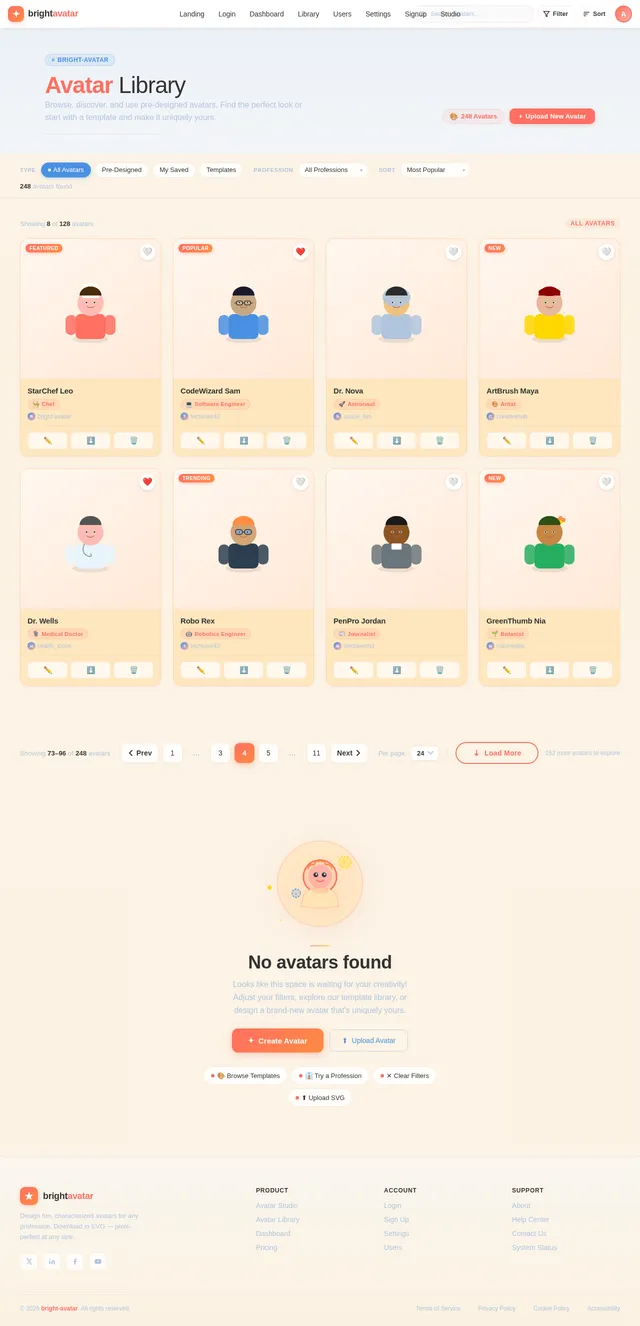
- A library of pre-designed avatars for inspiration or quick edits.
The system will be accessible via web and mobile platforms, ensuring a seamless experience across devices.
3. Functional Requirements
As a User:
- I should be able to create a fully customizable avatar.
- I should be able to customize features like hairstyle, facial expressions, accessories, and attire.
- I should be able to define my own profession and customize attributes related to it.
- I should be able to save my avatar designs for future editing.
- I should be able to download my avatar in SVG format.
- I should be able to start with a pre-designed avatar from a library.
As an Admin:
- I should be able to manage the library of pre-designed avatars.
- I should be able to monitor user activity and manage system performance.
4. User Personas
1. General User:
- Description: Individuals looking to create personalized avatars for social media, gaming, or personal use.
- Goals: Create funny, characterized avatars that reflect their personality or profession.
2. Business User:
- Description: Professionals or businesses needing avatars for branding, presentations, or team profiles.
- Goals: Create avatars that align with their professional identity or company branding.
3. Admin:
- Description: System administrators managing the platform.
- Goals: Ensure smooth operation, manage content, and oversee user activity.
5. Visuals Colors and Theme
Color Palette:
The bright-avatar project will use a vibrant and playful color palette to reflect its fun and creative nature:
- Background:
#F9F9F9(Soft White) - Surface:
#FFE4B5(Peach Puff) - Text:
#333333(Charcoal Black) - Accent:
#FF6F61(Coral Red) - Muted:
#B0C4DE(Light Steel Blue)
6. Signature Design Concept
Interactive Avatar Studio with Dynamic Profession Customization
The homepage will feature an Interactive Avatar Studio where users can see a live preview of their avatar as they customize it. The standout feature will be a dynamic profession customization tool:
- Profession Selector: Users can type in any profession (e.g., "Astronaut," "Chef," "Artist") and the system will generate a default look based on that profession.
- Customization Options: Users can then tweak every detail—uniforms, tools, accessories, and more—to make the avatar uniquely theirs.
- Interactive Animations: As users adjust features, the avatar will animate subtly (e.g., a chef’s hat bouncing, an artist’s brush painting a stroke).
- Background Themes: Users can select or design a background that complements their avatar’s profession.
The landing page will also feature a carousel of pre-designed avatars, showcasing the diversity and creativity possible with the tool.
7. Non-Functional Requirements
- Performance: The system should render avatars and apply customizations in real-time with minimal latency.
- Scalability: The platform should support a large number of concurrent users.
- Accessibility: The interface should be intuitive and accessible to users of all skill levels.
- Cross-Platform Compatibility: The system should work seamlessly on both web and mobile platforms.
8. Tech Stack
Frontend:
- React for Web
- React Native for Mobile
Backend:
- Python
- FastAPI
Database:
- MySQL (with Alembic for migrations)
AI Models:
- GPT 5.4 for user-friendly responses
- Google Nano Banana for image generation
AI Tools:
- Litellm for LLM Routing
- Langchain
Orchestration:
- Docker and docker-compose for local development
- Kubernetes for server-side orchestration
9. Assumptions and Constraints
Assumptions:
- Users will have basic familiarity with avatar customization tools.
- The platform will primarily target users in India (IN), but will be accessible globally.
- The system will support English as the primary language initially.
Constraints:
- The system must adhere to SVG standards for avatar downloads.
- The platform must be optimized for both desktop and mobile devices.
10. Glossary
- Avatar: A digital representation of a user, often used in online platforms.
- SVG: Scalable Vector Graphics, a format for high-quality, scalable images.
- Profession Customization: The ability to define and personalize avatars based on specific professions.
- Interactive Avatar Studio: The main interface for designing and customizing avatars.

Create Funny Avatars in Minutes
Customize professions, expressions, and style. Design unique, characterized avatars and download them in high-quality SVG format.
Why Choose Bright Avatar?
Everything you need to create unique, professional avatars in minutes.
Fully Customizable
Tweak every detail of your avatar — hairstyles, expressions, accessories, and professional attire. Type any profession and watch it come to life.
Endless OptionsDownload SVG
Export your creation in crisp, scalable SVG format. Perfect for social media, presentations, team profiles, or print at any size.
High QualityPre-designed Library
Browse hundreds of ready-made avatars for inspiration. Pick a template, customize it to match your personality, and make it yours.
Quick StartPre-Designed Avatars
Browse our collection and start customizing in seconds
Design Your Avatar in Real Time
Customize every detail and watch your avatar come to life instantly
Make It Uniquely Yours
Every detail is in your hands. Tweak hairstyles, expressions, accessories, and attire to build an avatar that truly represents you.
Hairstyles
Choose from dozens of hairstyle options — curly, straight, braided, or buzzed. Every avatar deserves a signature look that matches your personality.
Facial Expressions
Bring your avatar to life with expressive faces. From a confident grin to a playful wink, set the mood for any occasion.
Accessories
Add the finishing touches with glasses, hats, headphones, or jewelry. Mix and match to craft a truly unique look.
Professional Attire
Dress your avatar for any profession. Type in a role — Chef, Astronaut, Doctor — and get outfit suggestions tailored to it.
Choose Your Profession, Own Your Look
Start with a profession template and customize every detail. From astronauts to designers, your avatar reflects who you are.
How It Works
From landing page to finished avatar — see the journey for every type of user.
Loved by Creators Everywhere
See what our users are saying about their experience creating personalized, funny avatars with Bright Avatar.
Bright Avatar made our team profiles so much more fun! The profession customization is incredible — I typed in my role and got a perfect starting point. Downloaded the SVG and it looked sharp everywhere.
I use these avatars for all my gaming profiles. The expressions and accessories are hilarious — my astronaut avatar with oversized sunglasses is a hit with my friends!
Finally, an avatar tool that exports clean SVGs! The quality is perfect for our client presentations. The customization depth rivals tools costing 10x more.
We created unique avatars for our entire 30-person team in under an hour. The pre-designed library gave us great starting points, and everyone loved personalizing theirs.
The animated previews while customizing are so satisfying! My chef avatar with the bouncing hat is my new brand mascot. Absolutely worth it.
Ready to Create Your Avatar?
Design unique, funny avatars with custom professions, expressions, and accessories. Download in SVG format — free to start.
No spam, ever. We’ll only send you launch updates and new features.
No comments yet. Be the first!