bright-app
 Jigar khatri
Create a app for children to play
Comments (0)
Sign in to leave a comment
System Requirements
System Requirements Document (SRD)
Project Name: bright-app
1. Introduction
The bright-app is a game application designed for children aged 9–12, developed by Jigar Khatri in India. The app aims to provide an engaging and entertaining experience while fostering creativity, problem-solving, and interactive gameplay. Additionally, the app integrates educational elements in math and science, offering live practical guides to enhance learning through hands-on activities. This document outlines the system requirements for the bright-app, ensuring it meets the needs of its target audience and adheres to the highest standards of functionality and design.
2. System Overview
The bright-app is a mobile game application tailored for children aged 9–12. It combines interactive gameplay with educational content in math and science, providing a unique blend of entertainment and learning. The app will feature levels, challenges, rewards, and live practical guides to make learning engaging and fun. It will support both Android and iOS platforms and utilize modern technologies to ensure smooth performance, scalability, and security.
Key features include:
- Interactive gameplay with levels and challenges.
- Rewards system to encourage progression.
- Live practical guides for math and science learning.
- Vibrant and child-friendly design.
- Support for multiple languages and locale-specific settings (e.g., Indian timezone, INR currency for in-app purchases).
- Selective re-run capability for user-triggered regeneration of the System Requirements Document (SRD).
3. Functional Requirements
Story Points:
- As a User, I should be able to play interactive games with levels and challenges.
- As a User, I should be able to earn rewards for completing levels.
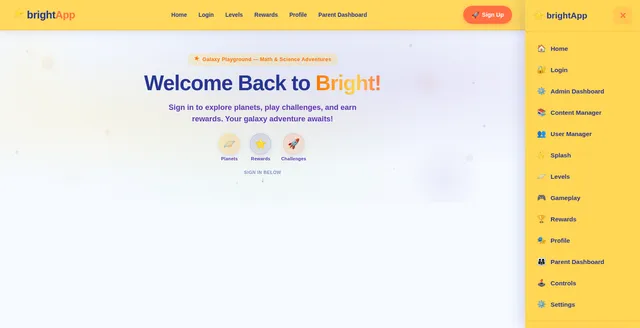
- As a User, I should be able to navigate the app easily with intuitive controls.
- As a User, I should be able to customize my avatar or profile within the game.
- As a User, I should be able to view my progress and achievements.
- As a User, I should be able to access help or tutorials for gameplay.
- As a User, I should be able to access live practical guides for math and science learning.
- As a Parent, I should be able to monitor my child’s activity and set time limits.
- As a Parent, I should be able to review the educational content for relevance and safety.
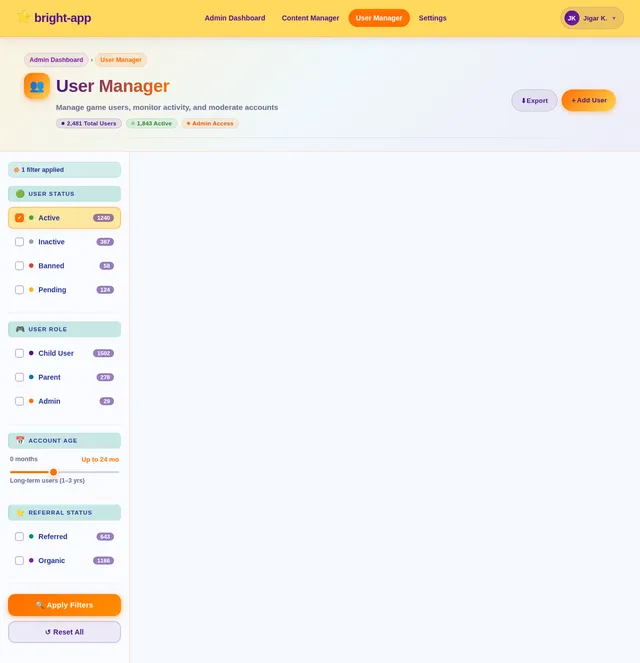
- As an Admin, I should be able to manage game content, levels, user data, and educational guides.
- As an Admin, I should be able to trigger selective re-run capability for regenerating the System Requirements Document (SRD).
- As a User, I should be able to manually trigger the regeneration of the SRD to ensure updated documentation.
4. User Personas
1. Child User (Primary Persona)
- Age: 9–12 years old.
- Interests: Interactive games, challenges, rewards, customization, and learning math and science through practical guides.
- Goals: To play, progress, and enjoy the game while earning rewards and learning new concepts.
2. Parent (Secondary Persona)
- Age: 30–45 years old.
- Interests: Monitoring child’s activity, ensuring safe and age-appropriate content, and reviewing educational material.
- Goals: To set time limits, ensure the app is educational and entertaining, and verify the relevance of learning guides.
3. Admin (Tertiary Persona)
- Role: Game administrator or developer.
- Goals: To manage game content, monitor user data, ensure smooth app functionality, and regenerate the SRD when needed.
4. User with SRD Trigger Capability
- Role: Any user with the ability to manually regenerate the SRD.
- Goals: To ensure the documentation remains updated and reflects the latest system requirements.
5. Visuals Colors and Theme
Unique Color Palette:
The bright-app will feature a vibrant and playful color palette to appeal to children aged 9–12 while maintaining an educational tone.
- Background: #F5F9FF (Soft Sky Blue)
- Surface: #FFF176 (Bright Lemon Yellow)
- Text: #283593 (Deep Indigo Blue)
- Accent: #FF7043 (Warm Coral Orange)
- Muted Tones: #C5E1A5 (Fresh Green)
These colors are chosen to evoke a sense of fun, energy, and creativity while maintaining readability and visual balance, with an added focus on clarity for educational content.
6. Signature Design Concept
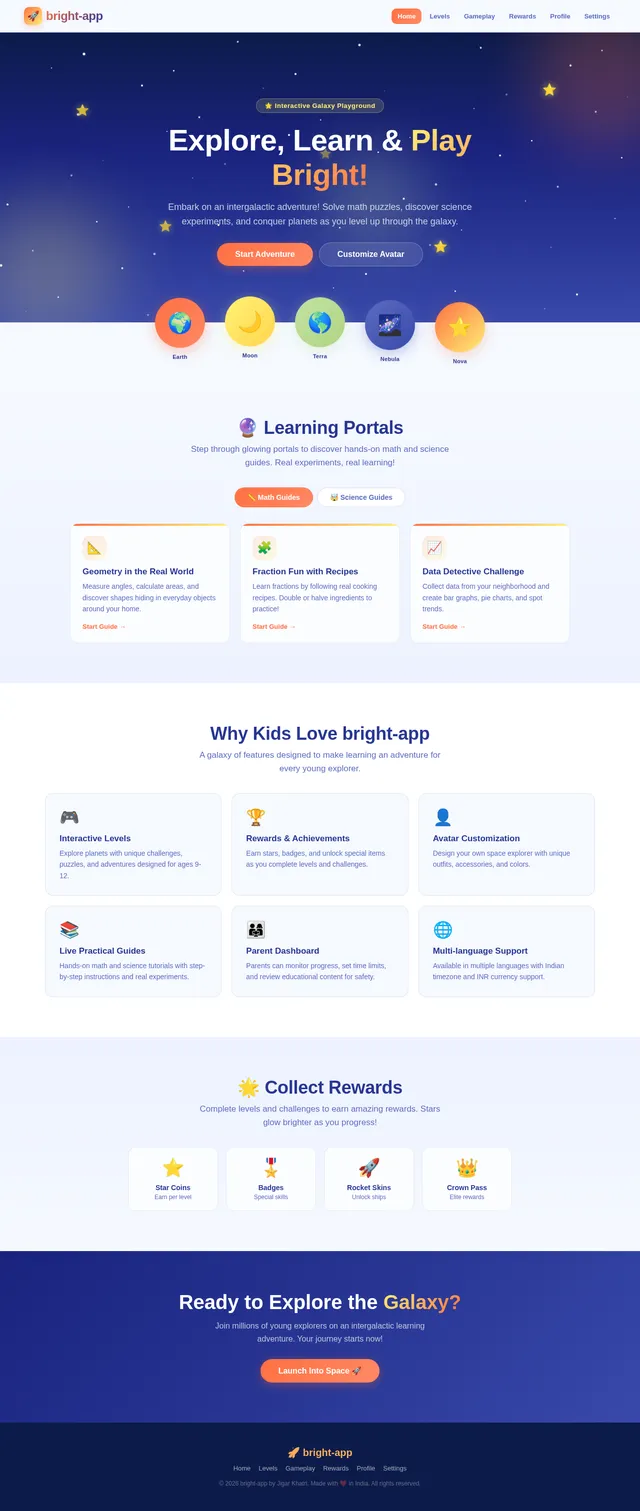
Interactive Galaxy Playground with Learning Portals
The bright-app’s homepage will feature an Interactive Galaxy Playground with Learning Portals. Upon opening the app, users will be greeted with a dynamic galaxy scene where planets represent different game levels or challenges, and portals represent live practical guides for math and science learning.
-
Visuals:
- The galaxy background will subtly shift colors based on the time of day (e.g., brighter during the day, darker at night).
- Planets will have playful animations, such as spinning or bouncing, to attract attention.
- Learning portals will glow and pulse, inviting users to explore educational content.
-
Interactions:
- Users can tap on a planet to zoom in and explore the level or challenge it represents.
- Tapping on a portal will open an interactive guide with step-by-step tutorials and practical exercises.
- Stars scattered across the galaxy will act as collectible rewards, glowing brighter as users progress.
-
Micro-Interactions:
- Hovering over a planet or portal will display a preview of the level or guide.
- Completing a level or guide will trigger a celebratory animation, such as fireworks or a shooting star.
This design concept ensures the app is visually captivating and encourages exploration, making the first impression unforgettable while seamlessly integrating educational content.
7. Non-Functional Requirements
- Performance: The app must load within 3 seconds and maintain smooth gameplay without lag.
- Scalability: The system should support up to 1 million users simultaneously.
- Security: User data must be encrypted and comply with GDPR and Indian data protection laws.
- Localization: Support for Indian timezone (IST) and currency (INR).
- Accessibility: Ensure the app is accessible to children with disabilities, including visual and motor impairments.
- Selective Re-run Capability: The system must allow admins and users to regenerate the SRD on demand, ensuring updated documentation.
8. Tech Stack
Frontend:
- React Native for mobile app development.
Backend:
- Python with FastAPI for server-side logic.
Database:
- MySQL for structured data (e.g., user profiles, game progress).
- MongoDB for unstructured data (e.g., game logs).
AI Models:
- GPT 5.4 for user-friendly responses and in-game hints.
- Google Nano Banana for generating dynamic visuals and animations.
AI Tools:
- Litellm for LLM routing.
- Langchain for advanced AI workflows.
Orchestration:
- Docker and docker-compose for local development.
- Kubernetes for server-side orchestration.
9. Assumptions and Constraints
Assumptions:
- The target audience has access to smartphones or tablets.
- Internet connectivity is available for gameplay, updates, and live guides.
- Parents are comfortable with in-app purchases for additional features.
Constraints:
- The app must comply with child safety and privacy regulations.
- Limited screen time features must be implemented for parental control.
- The app must be optimized for low-end devices to ensure accessibility.
10. Glossary
- Interactive Gameplay: Game mechanics that require user input to progress.
- Rewards System: A feature that provides incentives for completing levels or challenges.
- Avatar Customization: The ability for users to personalize their in-game character.
- Live Practical Guides: Interactive tutorials and exercises for learning math and science concepts.
- Micro-Interactions: Small, subtle animations or feedback that enhance user experience.
- Selective Re-run Capability: A feature allowing admins and users to regenerate the SRD on demand.
- Orchestration: The automated arrangement and coordination of system components.
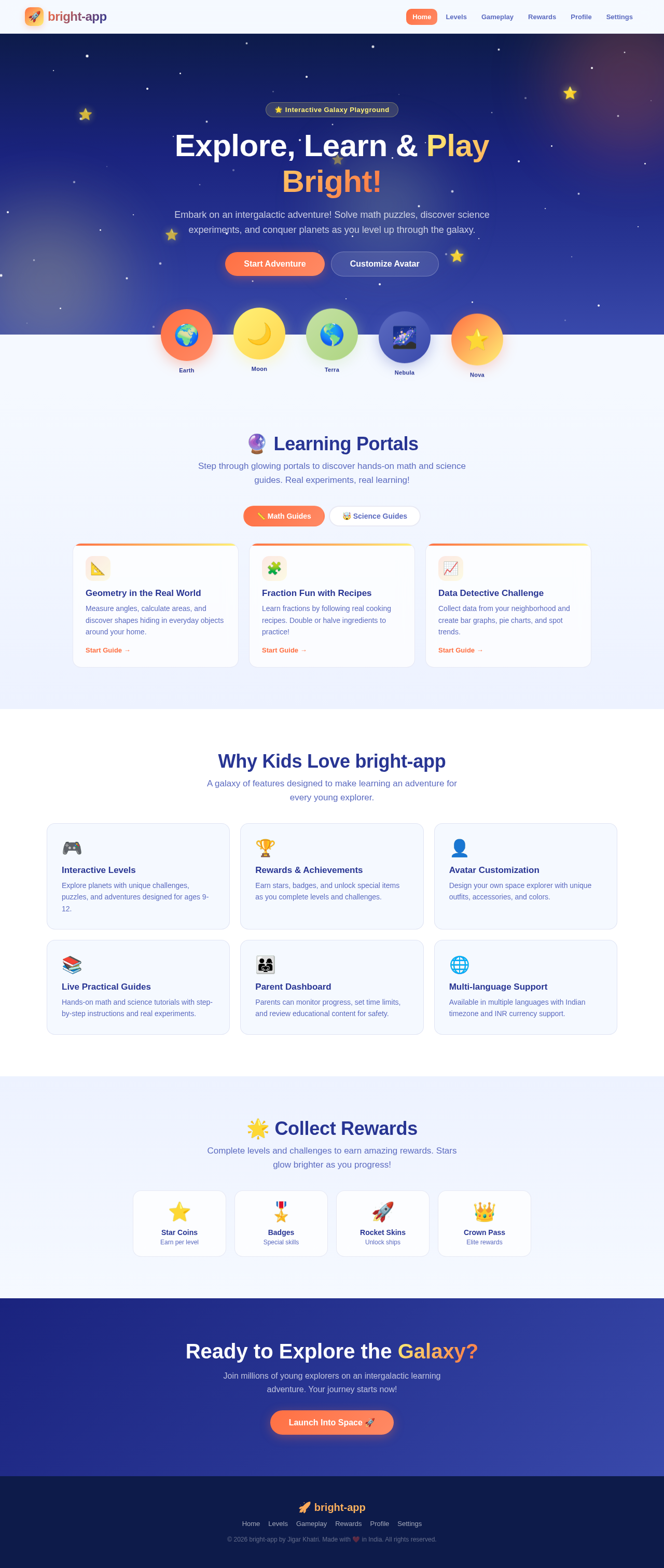
Explore, Learn & Play Bright!
Embark on an intergalactic adventure! Solve math puzzles, discover science experiments, and conquer planets as you level up through the galaxy.
🔮 Learning Portals
Step through glowing portals to discover hands-on math and science guides. Real experiments, real learning!
Geometry in the Real World
Measure angles, calculate areas, and discover shapes hiding in everyday objects around your home.
Fraction Fun with Recipes
Learn fractions by following real cooking recipes. Double or halve ingredients to practice!
Data Detective Challenge
Collect data from your neighborhood and create bar graphs, pie charts, and spot trends.
Why Kids Love bright-app
A galaxy of features designed to make learning an adventure for every young explorer.
Interactive Levels
Explore planets with unique challenges, puzzles, and adventures designed for ages 9-12.
Rewards & Achievements
Earn stars, badges, and unlock special items as you complete levels and challenges.
Avatar Customization
Design your own space explorer with unique outfits, accessories, and colors.
Live Practical Guides
Hands-on math and science tutorials with step-by-step instructions and real experiments.
Parent Dashboard
Parents can monitor progress, set time limits, and review educational content for safety.
Multi-language Support
Available in multiple languages with Indian timezone and INR currency support.
🌟 Collect Rewards
Complete levels and challenges to earn amazing rewards. Stars glow brighter as you progress!
Star Coins
Earn per level
Badges
Special skills
Rocket Skins
Unlock ships
Crown Pass
Elite rewards
Ready to Explore the Galaxy?
Join millions of young explorers on an intergalactic learning adventure. Your journey starts now!
Launch Into Space 🚀
No comments yet. Be the first!