brave-webapp
 Shashwat
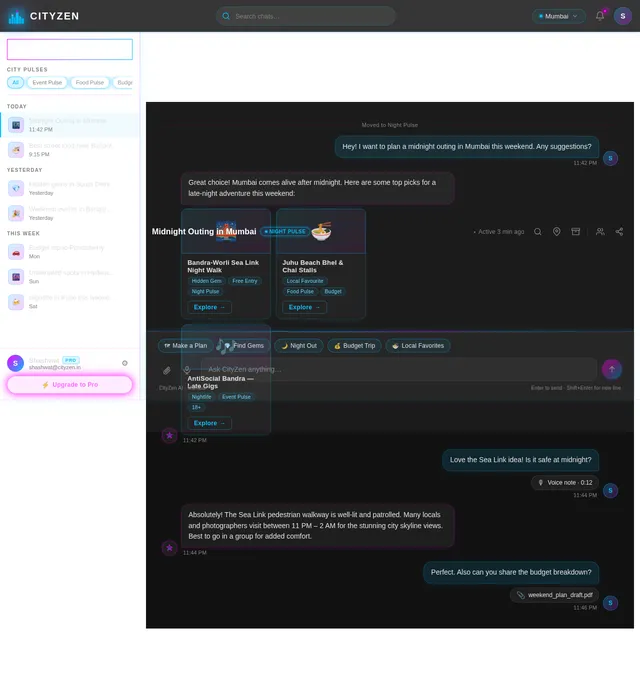
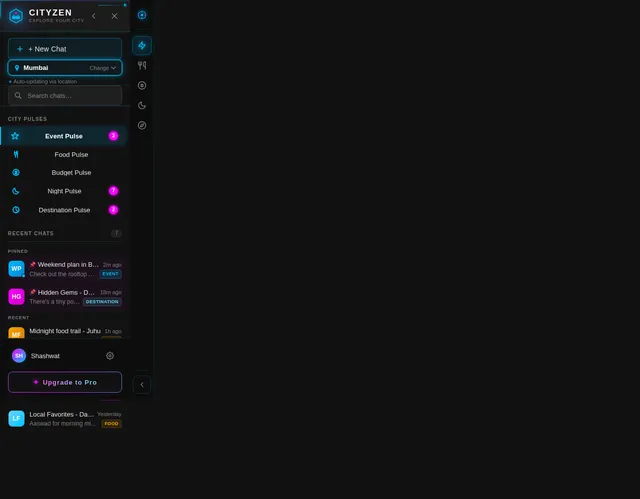
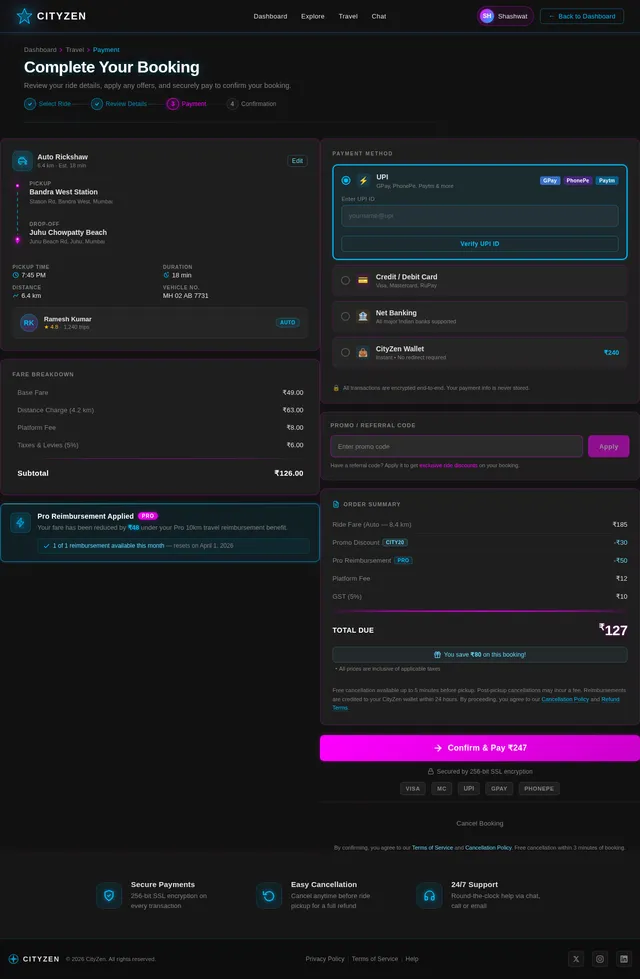
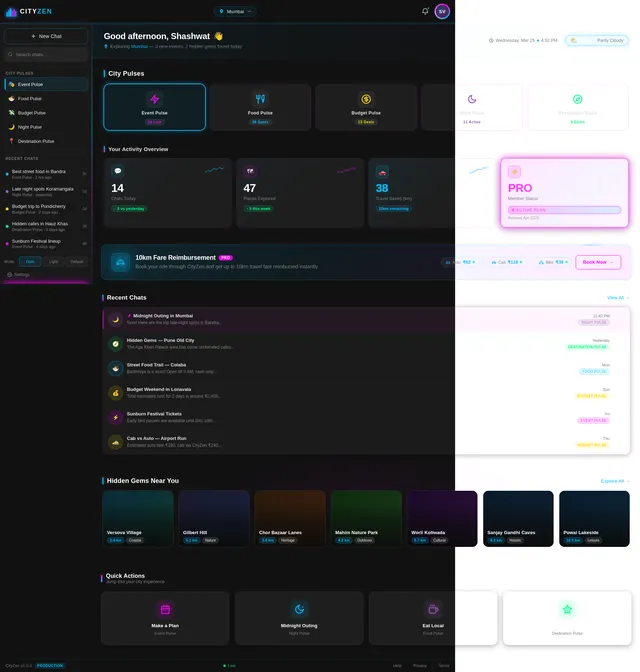
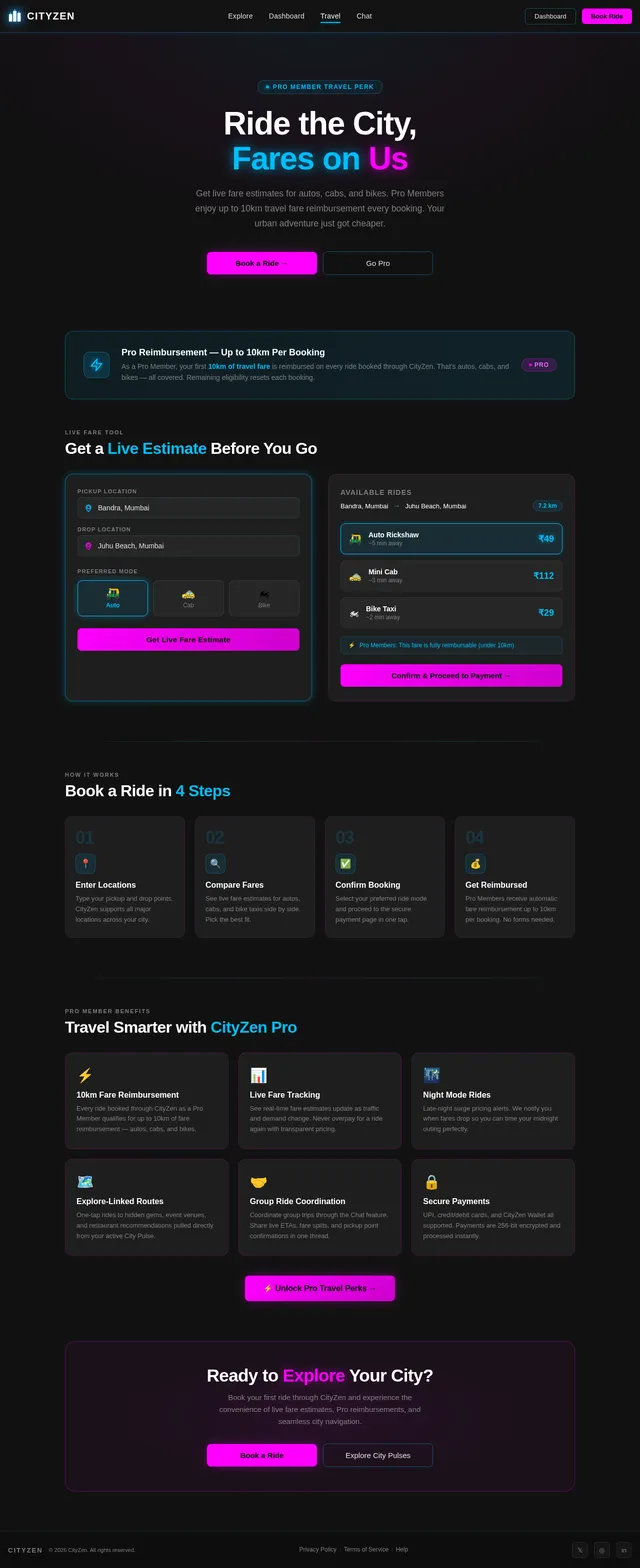
Prepare a webapp CityZen 1) PAGE LOGIN • Basic details a) Email b) Password OR Continue with google OR New Here? Sign up • Name • Phone no. • Email id • Password • Etc ( if I’m missing something) 2) Directing Page Directing page a) Directing you to the main page ( loading Interface) 3) Left SideBar a) Top side – logo b) Close sidebar option c) New chat d) City Pulse For example - 📍 Ahmedabad Tonight - 9:30PM e) City Name – ( Changeable) Event Pulse - (Unsung GEM Events , Trending Events) Food Pulse - (Underrated café’s / restaurants / Spots) Budget Pulse – (Street Secrets / Modern Stores) Night Pulse – (City after 9PM - Local Favorites - Under the Radar- Offbeat Picks - Insider Finds) Destination Pulse – ( Hidden Gems / Local Favorites – Undisclosed / Top Rated Places) f) My Chats – Searchbar g) Account – Become a pro h) Settings 4) Main interface A) Make a Plan B) Explore Underrated destinations C) Plan Your Midnight D) Visit Hidden Gems E) Eat Local Favourites CHATBAR – Add files – etc - Voice recording ( CityZen can make mistakes – Cookie prefrences) Right corner – top : THREE DOTS Start a group chat Explore Outings ( for pro members) Pin chat Archive Delete chat Share Chat Move to Pulses a) City Pulse b) Event Pulse c) Destination pulse d) Food pulse e) Budget pulse f) Night Pulse 5) Traveling Offer / interface Will Provide Upto 10km Traveling fares in any city to our pro members for their subscriptions a Will also provide one time upto 10km cost for every member who books ride through us FOR EXAMPLE Here’s your hidden gem with Maps and fares THOL – 17KMS FROM YOUR LOCATION (will pay upto 10km for your ride Via any mode you choose) BOOK NOW Redirect to payment page like bms and others

Comments (0)
Sign in to leave a comment
System Requirements
System Requirements Document (SRD)
Project Name: brave-webapp
1. Introduction
The brave-webapp, envisioned as CityZen, is a dynamic web application designed to revolutionize city exploration for users in India and beyond. By blending curated insights into events, food, nightlife, and hidden gems with modern features like chatbars, travel cost reimbursements, and personalized city experiences, CityZen aims to become the go-to platform for urban adventurers.
This document outlines the system requirements for the brave-webapp, incorporating Shashwat's vision for a sleek, user-friendly interface with multiple modes and a prototype featuring black-and-white aesthetics enhanced by animated neon lights, including blue neon accents.
2. System Overview
CityZen is a web application that provides users with curated city experiences, including event recommendations, hidden gems, local favorites, and travel offers. The system will feature:
- A login and registration system with multiple authentication options.
- A dynamic sidebar showcasing city-specific pulses and user options.
- A main interface for planning and exploring city experiences.
- Chat functionalities for seamless communication.
- Travel offers to incentivize exploration.
- Three UI modes: light, dark, and default.
- A visually striking prototype with black-and-white aesthetics and animated neon lights, including blue neon accents.
3. Functional Requirements
Login and Registration
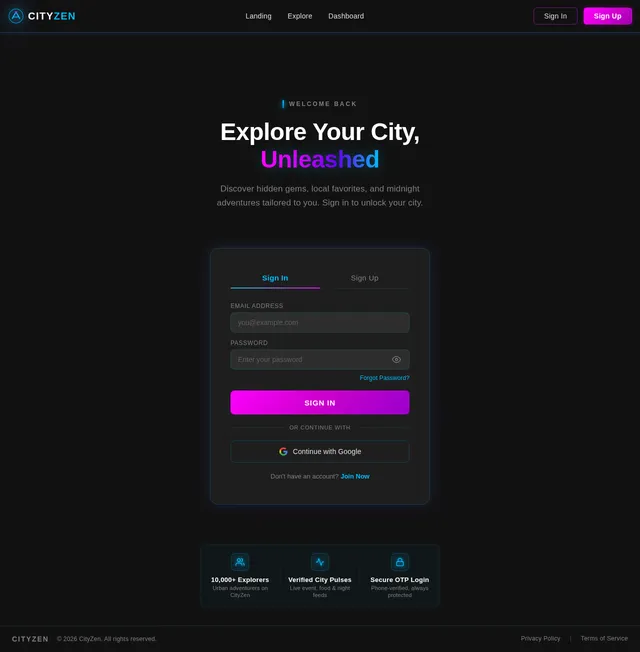
- As a User, I should be able to log in using email and password or Google authentication.
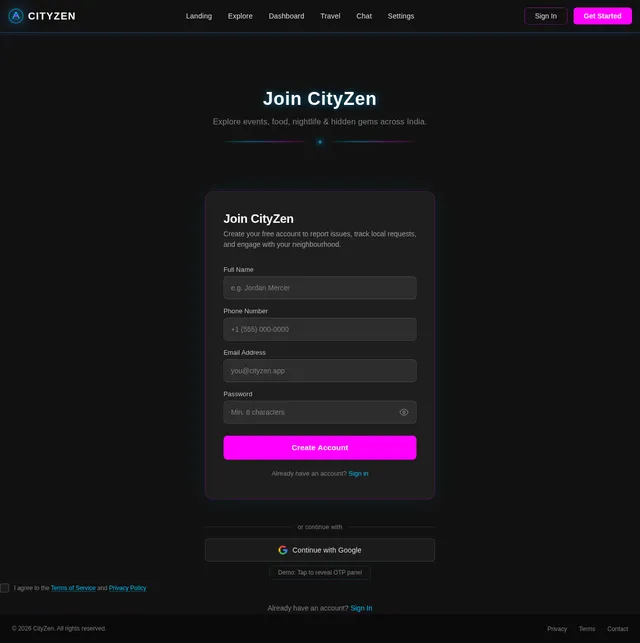
- As a User, I should be able to sign up by providing my name, phone number, email ID, and password.
- As a User, I should be able to reset my password using a "Forgot Password?" option.
- As a User, I should receive OTP validation for phone numbers during sign-up for added security.
Sidebar Navigation
- As a User, I should see a logo at the top of the sidebar.
- As a User, I should be able to close the sidebar using a dedicated option.
- As a User, I should be able to start a new chat.
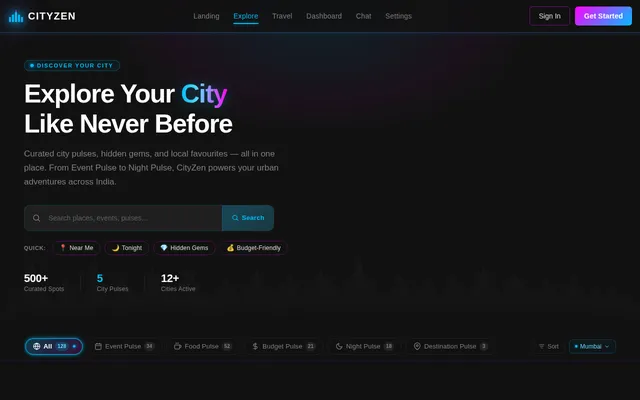
- As a User, I should see city-specific pulses (Event Pulse, Food Pulse, Budget Pulse, Night Pulse, Destination Pulse).
- As a User, I should be able to change the city manually or allow dynamic updates based on my location.
- As a User, I should be able to search for chats using a search bar.
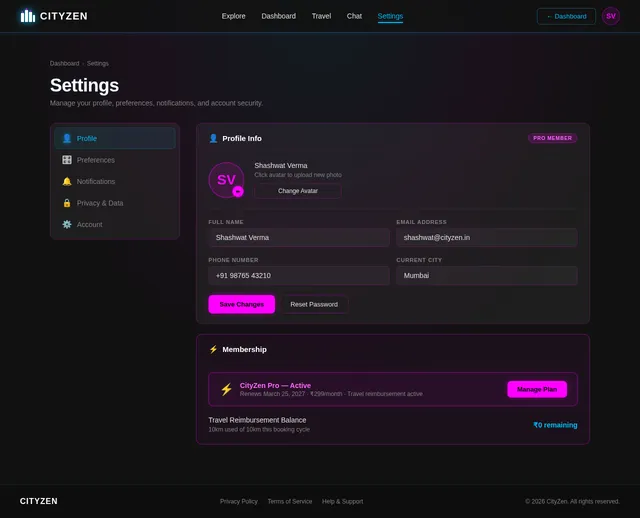
- As a User, I should be able to access account settings and upgrade to a pro membership.
Main Interface
- As a User, I should be able to make a plan.
- As a User, I should be able to explore underrated destinations.
- As a User, I should be able to plan midnight outings.
- As a User, I should be able to visit hidden gems.
- As a User, I should be able to eat at local favorites.
Chatbar
- As a User, I should be able to add files and voice recordings to chats.
- As a User, I should be able to start a group chat.
- As a User, I should be able to pin, archive, delete, share, and move chats to specific pulses.
Travel Offers
- As a User, I should receive up to 10km travel fare reimbursement for pro members.
- As a User, I should receive one-time 10km travel fare reimbursement for booking rides through the app.
- As a User, I should see live fare estimations for different ride modes (autos, cabs, bikes).
- As a User, I should be redirected to a payment page for booking rides.
UI Modes
- As a User, I should be able to switch between light mode (white and black), dark mode, and default mode.
Selective Re-run Capability
- As a User, I should be able to trigger a selective regeneration of the System Requirements Document (SRD) to reflect updated inputs or requirements.
4. User Personas
Admin
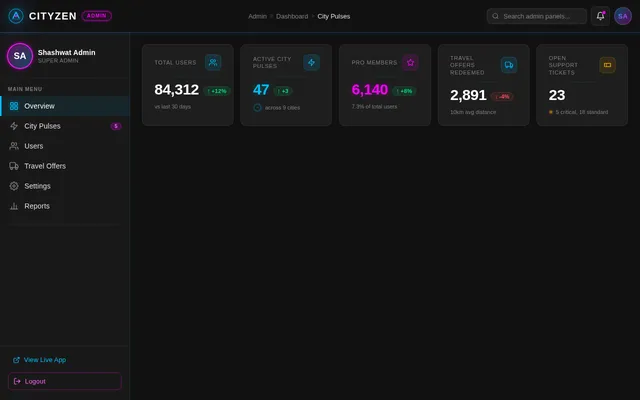
- Responsible for managing city pulses, user accounts, and travel offers.
Pro Member
- A subscribed user with access to exclusive features like travel reimbursements and premium city pulses.
Regular User
- A non-subscribed user who can explore city pulses and use basic features.
Guest
- A visitor who can browse limited features without logging in.
5. Visuals Colors and Theme
Color Palette
- Background: #121212 (Black)
- Surface: #FFFFFF (White)
- Text: #E0E0E0 (Light Gray)
- Accent: #00BFFF (Blue Neon)
- Muted Tones: #808080 (Gray)
6. Signature Design Concept
Black-and-White Prototype with Animated Neon Lights (Including Blue Neon Accents)
The homepage will feature a black-and-white interface with animated neon lights, including blue neon accents running across key elements.
Details:
- Logo Animation: The logo will glow and pulse with blue neon light, creating a futuristic vibe.
- Sidebar Transition: When the sidebar opens or closes, blue neon lights will trace the edges, giving the impression of a digital circuit board.
- Button Hover Effects: Buttons will emit a subtle blue neon glow when hovered over, with smooth transitions.
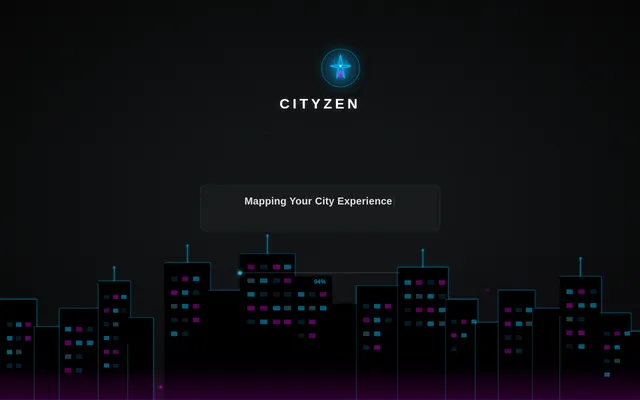
- Loading Interface: The directing page will feature a dynamic animation of blue neon lights forming a city skyline, symbolizing exploration.
- Interactive Elements: Pulses will have animated blue neon outlines that flicker slightly, mimicking city lights.
This design will captivate users, making the app feel modern, energetic, and immersive.
7. Non-Functional Requirements
- The system should support dynamic updates for city pulses based on user location.
- The system should ensure secure authentication using OTP validation.
- The system should provide seamless animations without compromising performance.
- The system should be responsive across devices.
- The system should allow selective re-run capability for regenerating the SRD based on updated inputs.
8. Tech Stack
Frontend
- React for Web
Backend
- Python
- FastAPI
Database
- MySQL (preferred) or MariaDB with Alembic for migrations
AI Models
- GPT 5.2 for user-friendly responses
- Google Nano Banana for image generation
AI Tools
- Litellm for LLM Routing
- Langchain
Local Orchestration
- Docker
- docker-compose
Server-Side Orchestration
- Kubernetes
9. Assumptions and Constraints
- Users will have access to stable internet connections for dynamic updates.
- Travel reimbursements will be limited to 10km per user per booking.
- Neon animations will be optimized to ensure smooth performance across devices.
- Selective re-run capability will be limited to authorized users.
10. Glossary
- Pulse: A curated collection of city-specific insights (e.g., Event Pulse, Food Pulse).
- Pro Member: A subscribed user with access to exclusive features.
- OTP Validation: One-time password verification for secure authentication.
- Neon Animation: Animated glowing effects used for visual elements.
- Selective Re-run Capability: A feature allowing user-triggered regeneration of the SRD based on updated inputs.
This SRD reflects the updated requirements for the brave-webapp, incorporating Shashwat's vision for CityZen. Let me know if further refinements are needed!

Your City. Reimagined.
CityZen is the urban explorer’s companion — discover curated events, iconic street food, electric nightlife, and hidden gems across cities in India and beyond.
Feel the City Pulse:
Everything Your City Offers
Let our intelligent engine craft the perfect day or night out, tailored to your mood, budget, and vibe preferences across your city.
Uncover the underrated spots locals swear by but guidebooks miss entirely.
Plan the perfect late-night adventure with curated spots that come alive after dark.
From legendary street stalls to cozy cafes, find the food spots that define your city.
Rally your crew, share plans in real-time, and coordinate outings without leaving the app.
See real-time ride costs for autos, cabs, and bikes before you step out the door.
How CityZen Works
Create Account
Sign up with your email or Google in seconds. Your urban adventure starts here.
Set Your City
Choose your city or let CityZen detect your location for tailored recommendations.
Explore Pulses
Dive into Event, Food, Night, Budget, and Destination Pulses curated for your city.
Plan & Go
Build your itinerary, grab travel offers, and hit the city with confidence.
Built for the Night Owl and the Hidden Explorer
From midnight outing plans to discovering underrated destinations, CityZen wraps the entire urban experience into one sleek, neon-powered interface. AI-driven recommendations, live city pulses, and group coordination — all designed for the way you actually explore.
Ride the City on Us
Pro Members get up to 10km of travel fare reimbursement when booking rides through CityZen. Autos, cabs, or bikes — explore your city without worrying about the fare.
Live Fare Estimates
Choose Your Urban Journey
Whether you're a casual explorer or a dedicated urban adventurer, CityZen has a plan that fits your lifestyle.
Start exploring your city with essential tools and curated recommendations.
- ✓Access to 5 City Pulses
- ✓Explore underrated destinations
- ✓Basic midnight outing plans
- ✓Local food favorites listings
- ✓Standard chat support
- ✓Community-curated hidden gems
Unlock the full CityZen experience with travel perks, exclusive pulses, and AI planning.
- ✓Everything in Free, plus:
- ✓Up to 10km travel fare reimbursement
- ✓Exclusive premium City Pulses
- ✓AI-powered personalized planning
- ✓Priority group chat & coordination
- ✓Live fare estimates for autos, cabs & bikes
- ✓Early access to new city launches
- ✓Pro badge & profile customization
Explorers Are Talking
Your City is Waiting.
Discover hidden gems, midnight adventures, and local favorites. Join thousands of urban explorers already redefining how they experience their city with CityZen.
No credit card required. Start exploring in seconds.
No comments yet. Be the first!