azure-vpn
 Mitra DA Swag (silent killer)
Creat a VPN app



Comments (0)
Sign in to leave a comment
System Requirements
System Requirements Document (SRD)
Project Name: azure-vpn
1. Introduction
The azure-vpn project is a cutting-edge Virtual Private Network (VPN) application designed to prioritize security, privacy, and ease of use for a broad audience. Developed with the needs of users in Pakistan (PK) in mind, this project aims to deliver a seamless and secure internet experience. The application will cater to both individual users and businesses, ensuring robust encryption, reliable server connections, and user-friendly controls.
This document outlines the system requirements for the azure-vpn project, including functional and non-functional requirements, user personas, design concepts, and technical specifications.
2. System Overview
The azure-vpn application will provide users with a secure and private internet browsing experience by encrypting their online traffic and masking their IP addresses. The system will include features such as:
- User authentication for secure access.
- A wide selection of VPN servers across multiple regions.
- High-speed connections with minimal latency.
- A user-friendly interface for managing connections and settings.
- Advanced security protocols to ensure data privacy.
The application will be available on both web and mobile platforms, ensuring accessibility and convenience for users.
3. Functional Requirements
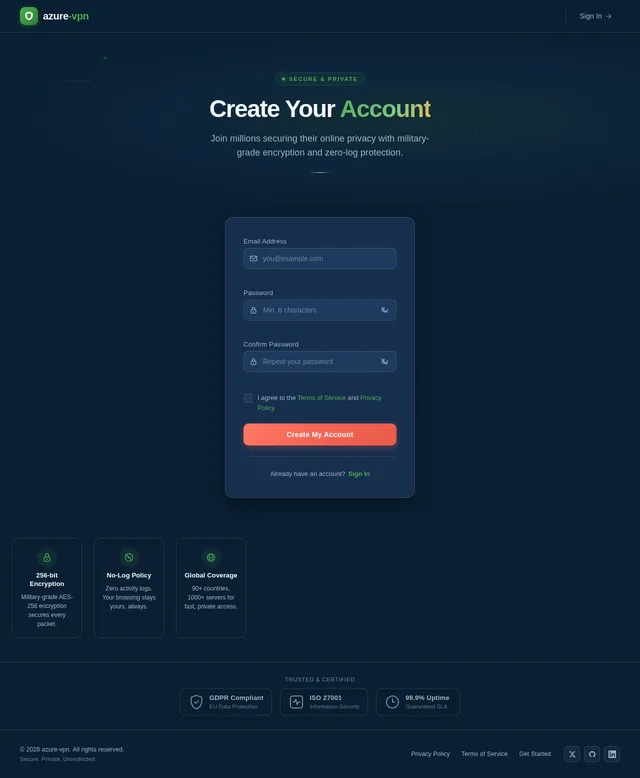
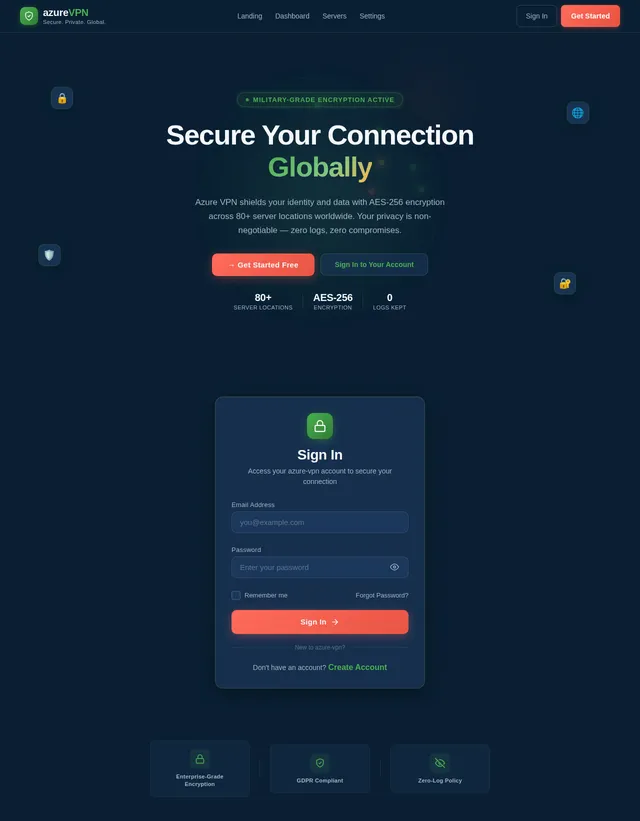
- As a User, I should be able to create an account and log in securely.
- As a User, I should be able to select a VPN server from a list of available regions.
- As a User, I should be able to connect to and disconnect from the VPN with a single click.
- As a User, I should be able to view my connection status, including IP address and server location.
- As a User, I should be able to configure basic settings such as auto-connect and protocol preferences.
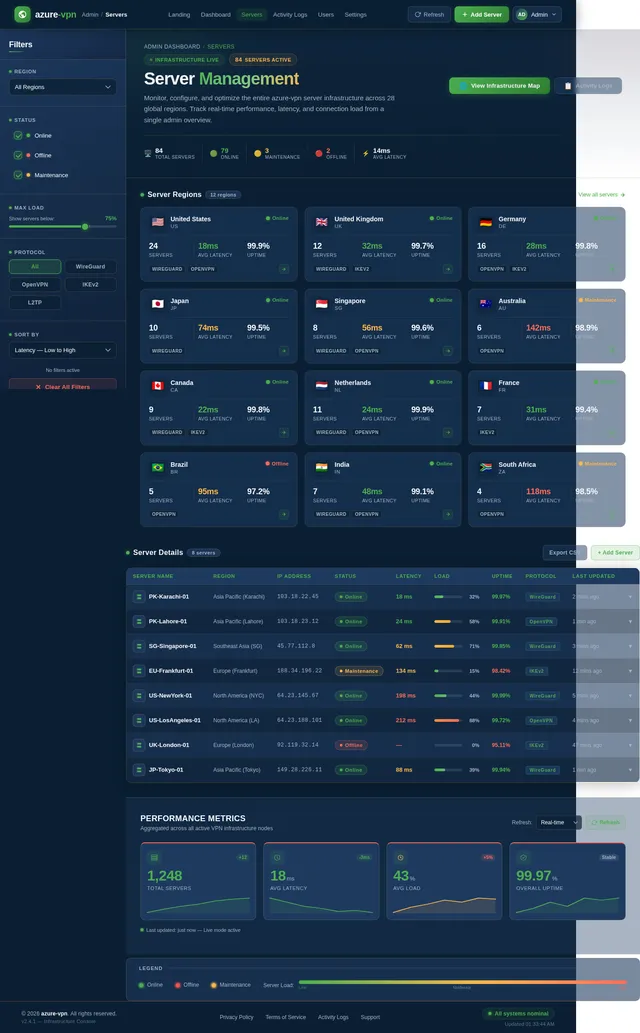
- As an Admin, I should be able to manage server configurations and monitor server performance.
- As an Admin, I should be able to view user activity logs for troubleshooting purposes (with privacy safeguards).
4. User Personas
4.1 Individual User
- Description: A general consumer looking for a secure and private browsing experience.
- Goals: Protect personal data, access geo-restricted content, and browse anonymously.
- Pain Points: Complex interfaces, slow connection speeds, and unreliable servers.
4.2 Business User
- Description: A small-to-medium business owner or employee requiring secure remote access to company resources.
- Goals: Ensure secure communication, protect sensitive business data, and maintain productivity.
- Pain Points: Lack of centralized control, limited server options, and inadequate encryption.
4.3 Admin
- Description: A system administrator responsible for managing the VPN infrastructure.
- Goals: Monitor server performance, ensure system reliability, and troubleshoot user issues.
- Pain Points: Limited visibility into system metrics and inefficient management tools.
5. Visuals Colors and Theme
Color Palette
- Background: #0A1F33 (Deep Navy Blue)
- Surface: #1E3A5F (Steel Blue)
- Text: #F5F7FA (Soft White)
- Accent: #4CAF50 (Emerald Green)
- Muted Tones: #A3B4C4 (Muted Gray-Blue)
This palette reflects a professional and secure aesthetic, emphasizing trust and reliability while maintaining a modern and sleek appearance.
6. Signature Design Concept
The azure-vpn homepage will feature an interactive globe visualization.
-
Design Details:
- A 3D rotating globe will dominate the center of the screen, with glowing markers indicating available VPN server locations.
- Users can click on a marker to view server details and connect directly.
- The globe will have smooth animations, with transitions between day and night modes based on the user's local time.
- Hovering over a server marker will display a tooltip with server stats (e.g., latency, load).
-
Micro-Interactions:
- When a user connects to a server, the globe will zoom in on the selected region, and a glowing connection line will animate from the user's location to the server.
- Subtle particle effects will indicate encrypted data flow.
This design will create an engaging and memorable first impression, reinforcing the application's focus on global connectivity and security.
7. Non-Functional Requirements
- The system must support at least 10,000 concurrent users without performance degradation.
- The VPN connection should maintain a latency of less than 50ms for local servers and 150ms for international servers.
- The application must comply with GDPR and local data protection regulations in Pakistan.
- The system should achieve 99.9% uptime, with minimal downtime for maintenance.
- The user interface must be responsive and accessible on both desktop and mobile devices.
8. Tech Stack
Frontend
- React for Web
- React Native for Mobile
Backend
- Python
- FastAPI
Database
- MySQL (with Alembic for migrations)
AI Tools
- GPT 5.4 for user-friendly responses
- Litellm for LLM Routing
Orchestration
- Docker
- Kubernetes
9. Assumptions and Constraints
- The application will primarily target users in Pakistan but will support international server connections.
- The system will rely on third-party VPN server providers for infrastructure.
- User activity logs will be anonymized to ensure privacy compliance.
- The application will support English as the default language, with the option to add Urdu in future updates.
10. Glossary
- VPN (Virtual Private Network): A service that encrypts internet traffic and masks the user's IP address.
- Latency: The time it takes for data to travel between the user's device and the VPN server.
- GDPR: General Data Protection Regulation, a legal framework for data protection and privacy.
- FastAPI: A modern web framework for building APIs with Python.
- Docker: A platform for developing, shipping, and running applications in containers.

Secure Your Internet.
Reclaim Your Privacy.
Enterprise-grade encryption, blazing-fast speeds, zero logs. Browse anonymously with servers in 60+ countries.
Global Server Coverage
Explore our worldwide network of high-speed servers. Click any location to view real-time performance stats and connect instantly.
Why Choose azure-vpn?
Enterprise-grade protection meets effortless simplicity. Four pillars that make us the trusted choice for millions.
Fast Speeds
Experience blazing-fast connections with our optimized network infrastructure. Stream, download, and browse without throttling or buffering delays.
Global Servers
Connect to over 500 servers across 60+ countries. Access content from anywhere with low-latency routes and automatic server selection.
Easy Setup
Get started in under two minutes. One-click connect, intuitive interface, and no technical expertise required. Available on all your devices.
Advanced Security
AES-256 military-grade encryption, strict no-logs policy, and built-in kill switch protect your data and identity at all times.
How It Works
Get connected in four simple steps. From sign-up to secure browsing, azure-vpn makes privacy effortless.
Sign Up
Create your free account in seconds. No credit card required — just enter your email and set a password to get started.
Choose a Server
Browse our global network of high-speed servers across 50+ regions. Pick the location that best suits your needs.
Connect
Tap the connect button and establish a secure, encrypted tunnel in under a second. One click is all it takes.
Browse Securely
Enjoy private, unrestricted internet access with military-grade AES-256 encryption and a strict no-logs policy.
Bank-Grade Security
Enterprise-level protection built into every connection. Your privacy and security are never compromised.
AES-256 Encryption
Your data is protected with military-grade AES-256 encryption, the same standard trusted by governments and financial institutions worldwide. Every packet is secured end-to-end.
Zero-Log Privacy
We maintain a strict no-logs policy, independently audited and verified. Your browsing history, connection timestamps, and IP addresses are never recorded or stored.
Lightning-Fast Speeds
Our optimized WireGuard protocol delivers speeds up to 10 Gbps with minimal latency. Stream, download, and browse without compromise on any of our global servers.
Connect from Any Region
Access 550+ high-speed servers across 6 continents. Ultra-low latency connections wherever you are.
Trusted by Thousands Worldwide
See why users across Pakistan and beyond choose Azure VPN for their security and privacy needs.
Simple, Transparent Pricing
Choose the plan that fits your needs. No hidden fees, no bandwidth surprises. Cancel anytime.
Free
Free forever, no credit card needed
- 1 device connection
- 3 server locations
- Basic AES-256 encryption
- Standard speed (up to 50 Mbps)
- Community support
- No-logs policy
- Auto-connect
- Priority bandwidth
Professional
Billed monthly. Switch to yearly & save.
- Up to 5 device connections
- 40+ server locations worldwide
- AES-256 military-grade encryption
- High speed (up to 500 Mbps)
- Priority email support
- Strict no-logs policy
- Auto-connect & kill switch
- Priority bandwidth allocation
Business
Billed monthly. Switch to yearly & save.
- Unlimited device connections
- 80+ server locations globally
- AES-256 + WireGuard protocols
- Maximum speed (no throttling)
- 24/7 dedicated support
- No-logs + GDPR compliance
- Admin dashboard & user controls
- Centralized team management
Start Your Secure Journey Today
No credit card required. Cancel anytime. Join thousands of users who trust azure-vpn for their online privacy.
No comments yet. Be the first!