arctic-jewellery
 Paresh Mehta
01. Jewellery Brand / Store Standalone copy-paste prompt — replace the bracketed business details before use. ROLE & OBJECTIVE Act as a senior UI/UX designer, creative director and senior React animation engineer. Design and develop a complete premium multi-page website for [BUSINESS / BRAND NAME], a Jewellery Brand / Store. Business description: [DESCRIBE BUSINESS]. Location: [LOCATION]. Target audience: [TARGET AUDIENCE]. Primary goal: [LEADS / SALES / BOOKINGS / BRAND AWARENESS]. VISUAL DIRECTION Luxury editorial: charcoal or warm ivory, restrained gold accents, elegant serif headings and macro product photography. Create a distinctive visual identity for this exact business, not a generic template. REQUIRED PAGES Home; Collections; Collection Detail; Product Detail; Craftsmanship & Materials; About; Artisans; Store Locator; Appointment Booking; FAQ; Contact; optional Wishlist/Cart/Checkout. BUSINESS-SPECIFIC FEATURES Collection filters; product variants; zoomable product imagery; care information; verified material/certification details; appointment form; store locations; functional wishlist/cart/checkout if enabled. LAYOUT & EXPERIENCE Create a cinematic jewellery hero, curated collection tiles, craftsmanship storytelling, editorial product pages, close-up gallery and appointment CTA. Keep layouts uncluttered. Use clear visual hierarchy, consistent spacing, readable typography, responsive grids, accessible CTAs and mobile-first navigation. MANDATORY UI LIBRARIES — DO NOT SKIP ANY MANDATORY UI LIBRARIES — ALL SEVEN MUST BE USED IN THIS PROJECT: 1) 21st.dev — implement at least one suitable component, such as navbar, button, card, form, input or menu. 2) Aceternity UI — implement at least one suitable section/effect, such as hero, parallax, 3D card, animated background or sticky-scroll section. 3) Magic UI — implement at least one suitable animation, such as animated text, shimmer CTA, number ticker or marquee. 4) React Bits — implement at least one suitable interactive effect, such as text, image, cursor or background interaction. 5) Motion — use for real React animations: page transitions, scroll reveals, hover/tap feedback, layout changes or modals. 6) Uiverse — implement at least one suitable CSS UI element, such as a button, loader, toggle, checkbox, input or hover effect. 7) Lenis — integrate smooth scrolling and verify it works with the page navigation and reduced-motion preferences. Do not only list these libraries: inspect their available components, choose suitable ones, adapt their styling to this brand and actually integrate them. Keep all seven present in the finished project. Avoid duplicate effects and maintain a coherent design system. TECH STACK Use React + Vite, Tailwind CSS, React Router, Motion for React, Lenis and Lucide React icons. Use reusable components and a clean project structure. DESIGN INSPIRATION Study Awwwards, Dribbble, Godly and Framer for relevant industry inspiration. Use these as references for layout and visual quality; do not copy a complete site. ANIMATION DIRECTION Use Motion for page transitions, scroll reveals, staggered entrances, hover/tap feedback, layout animation and modal transitions. Use Lenis for smooth scrolling. Add subtle, purposeful effects from the other required libraries. Respect prefers-reduced-motion. FUNCTIONALITY & QUALITY All routes, links, filters, forms, search, booking, cart or checkout features must work when included. Connect real backend/API services for storage, authentication, payments, bookings and submissions. If credentials/backend are unavailable, clearly mark the integration point and never fake success. Optimize and lazy-load images, prevent horizontal overflow, support keyboard navigation and accessible contrast. Test desktop, tablet and mobile. DELIVERY WORKFLOW First propose sitemap and design tokens. Then build shared navigation/footer and homepage. Continue with every remaining page. Implement at least one real component/effect from each of the seven mandatory UI libraries, connect routes and interactions, then Business Website Prompts + Mandatory UI Guide Page 4 test all pages. Do not stop after the homepage. Deliver clean reusable code and list any required backend setup.


Comments (0)
Sign in to leave a comment
Architecture
No Services Diagrams Yet
Home — Fine jewellery
Arctic Jewellery,Cut From Silence
Fine jewellery in gold and stone, made in small numbers by hand.

Curated Collections
Three quiet bodies of work, each kept small enough to be held in the hand.


Craftsmanship
Made slowly, in small numbers

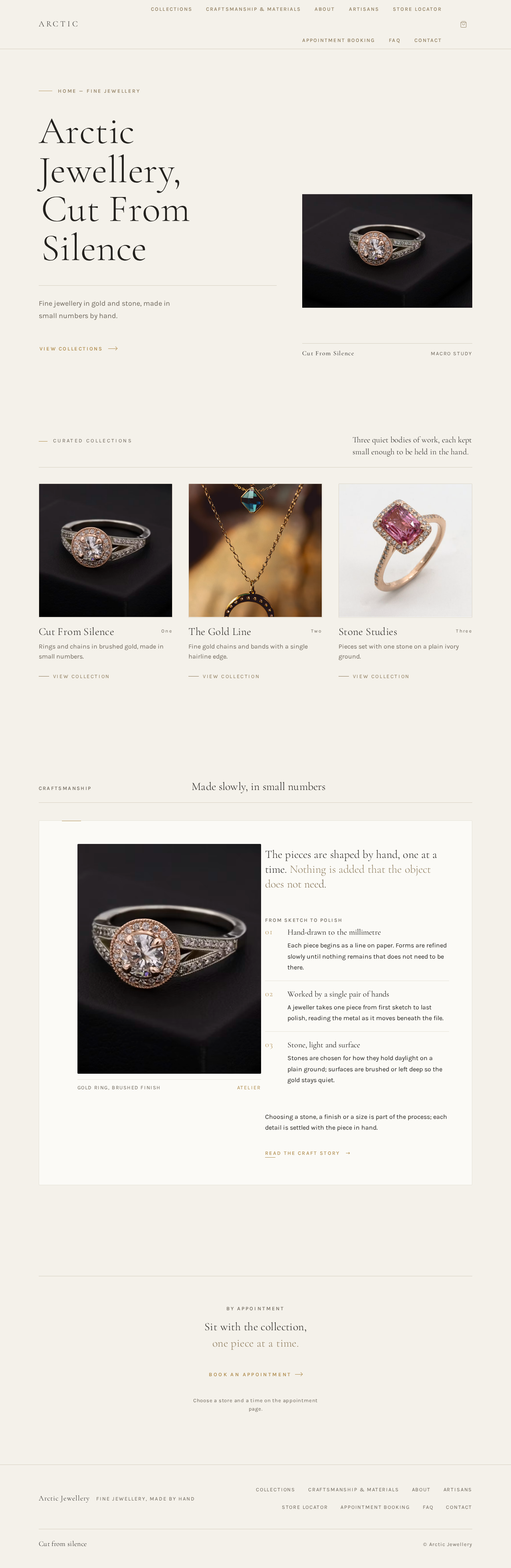
Gold ring, brushed finishAtelier
The pieces are shaped by hand, one at a time. Nothing is added that the object does not need.
From sketch to polish
Hand-drawn to the millimetre
Each piece begins as a line on paper. Forms are refined slowly until nothing remains that does not need to be there.
Worked by a single pair of hands
A jeweller takes one piece from first sketch to last polish, reading the metal as it moves beneath the file.
Stone, light and surface
Stones are chosen for how they hold daylight on a plain ground; surfaces are brushed or left deep so the gold stays quiet.
Choosing a stone, a finish or a size is part of the process; each detail is settled with the piece in hand.
Read the craft storyBy appointment
Sit with the collection, one piece at a time.
Choose a store and a time on the appointment page.
Home — Fine jewellery
Arctic Jewellery,Cut From Silence
Fine jewellery in gold and stone, made in small numbers by hand.
Curated Collections
Three quiet bodies of work, each kept small enough to be held in the hand.
Craftsmanship
Made slowly, in small numbers
Gold ring, brushed finishAtelier
The pieces are shaped by hand, one at a time. Nothing is added that the object does not need.
From sketch to polish
Hand-drawn to the millimetre
Each piece begins as a line on paper. Forms are refined slowly until nothing remains that does not need to be there.
Worked by a single pair of hands
A jeweller takes one piece from first sketch to last polish, reading the metal as it moves beneath the file.
Stone, light and surface
Stones are chosen for how they hold daylight on a plain ground; surfaces are brushed or left deep so the gold stays quiet.
Choosing a stone, a finish or a size is part of the process; each detail is settled with the piece in hand.
Read the craft storyBy appointment
Sit with the collection, one piece at a time.
Choose a store and a time on the appointment page.
No comments yet. Be the first!