arctic-artist
 Shashwat
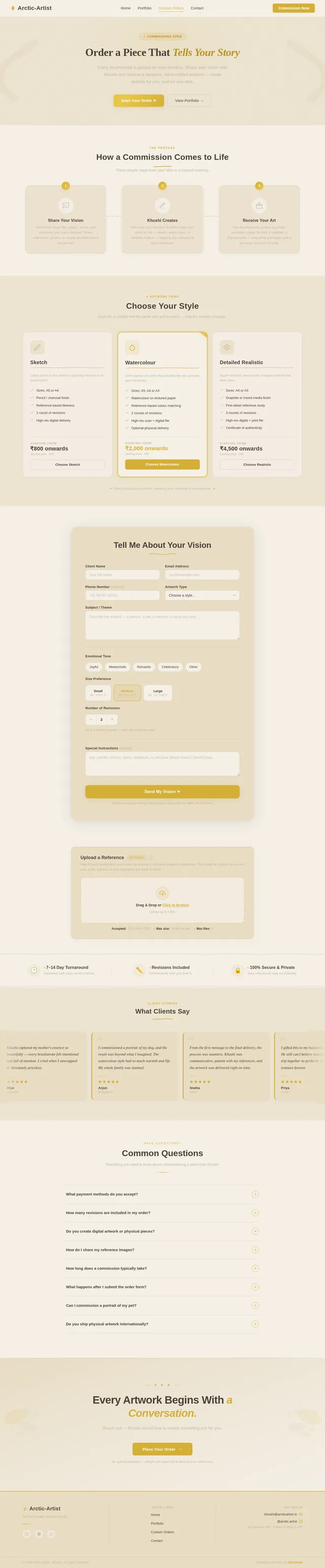
Create a modern, aesthetic, and classy personal portfolio website for an artist named Khushi, who creates custom emotional and realistic artworks. The website should have a soft, elegant, and minimal design with a warm, homely feel. Use neutral tones like beige, off-white, soft brown, and subtle gold accents. The overall vibe should feel premium, artistic, and emotionally engaging, not too loud or flashy. Sections to include: 1. Hero Section (Introduction) Include a clean, centered introduction with soft typography: “Hi, I’m Khushi — an artist who finds beauty in the smallest details. My work is a blend of emotion and perfectionism, where every piece is carefully refined until it feels complete, balanced, and deeply personal.” Add a subtle call-to-action button like: “View My Work” or “Order Your Artwork” ⸻ 2. About My Art Write a short, elegant paragraph explaining that: • I create personalized artworks • I focus on emotions, expressions, and real details • Each artwork is unique and not rushed • My perfectionist nature ensures high-quality and detailed work ⸻ 3. Why Choose Me Highlight in a clean, minimal style: • Attention to detail • Realistic and accurate features • Personalized approach • High-quality, carefully crafted artwork Make this section feel premium and trustworthy. ⸻ 4. Gallery / Portfolio Section Create a visually appealing gallery layout (grid or masonry style) to showcase artworks. Keep spacing clean and minimal. ⸻ 5. Custom Orders Section Explain that clients can order: • Portrait sketches • Couple artworks • Family portraits • Personalized illustrations Keep it simple and inviting. ⸻ 6. Contact Section Write a warm and classy contact message: “Feel free to reach out with your idea, reference, or vision. You don’t need everything planned — I’ll guide you through the process.” Include placeholders for: • Instagram • Email • Contact form ⸻ Design Instructions: • Use elegant fonts (serif + clean sans-serif combination) • Keep lots of white space • Smooth scrolling and subtle animations • Rounded edges and soft shadows • Make it mobile-friendly ⸻ Overall Tone: The website should feel: • Artistic • Calm and welcoming • Emotionally connecting • Premium but personal


Comments (0)
Sign in to leave a comment
Project Tasks14
Implement Theme & Global Styles
As a user I want to see a consistent warm, elegant theme across the entire app. Implement the Arctic-Artist design system: CSS custom properties (--primary: #D4AF37, --bg: #F5EFE6, --surface: rgba(232,220,195,0.85), --text: #4A403A, --text_muted: #C2B8A3, --border: rgba(194,184,163,0.4)), global font stack (Inter + system), smooth scrolling, gold shimmer button micro-interactions (@keyframes shimmer slide), brushstroke reveal animation utilities (opacity 0→1, translateY 12px→0), and watercolor texture SVG overlay at 4% opacity. Remove scaffold pages not needed (signup, welcome). This task must be completed before any page-level UI tasks.
Implement Portfolio API
As a user I want to use backend API for fetching and managing artworks. Implement FastAPI endpoints: GET /artworks (public, returns all artworks ordered for scrolling portfolio), POST /artworks (admin, upload with image file, title, medium, description), PUT /artworks/{id} (admin, update metadata or visibility), DELETE /artworks/{id} (admin). Use MySQL with Alembic migration for artworks table. Serve uploaded images from secure storage. Supports Portfolio page, Portfolio Manager page, and Home PortfolioShowcase section.
Implement Inquiries API
As a user I want to use backend API for submitting and managing inquiries. Implement FastAPI endpoints: POST /inquiries (public, accepts Full Name, Email, Artwork Type, Message, optional reference file upload max 10MB — stored securely), GET /inquiries (admin-only, list all with filters by status), PATCH /inquiries/{id}/status (admin-only, update status to New/InProgress/Completed), GET /inquiries/{id} (admin, full detail including file download URL). Use MySQL with Alembic migration. Enforce SSL. Supports Contact page, Custom Orders page, and Inquiries dashboard page.
Implement Content Management API
As Khushi I want to use backend API to update site content. Implement FastAPI endpoints: GET /content/{section} (public, fetch About/WhyChooseMe/bio text blobs), PUT /content/{section} (admin-only, update content by section key). Use MySQL with Alembic migration for content table. Supports Content Editor page (admin) and Home page dynamic About/Services sections (public).
Build Home Page
As a user I want to experience the full Home page based on the existing JSX design (v2). Implement all sections in order: NavBar (sticky, frosted beige, gold border on scroll), Hero (eyebrow label, 56px headline, watercolor radial bg, brushstroke flourishes, primary+ghost CTAs, scroll indicator), ArtistIntro, PortfolioShowcase (scrolling grid, brushstroke paint-in animations), ServicesOffered, WhyChooseMe, HowItWorks, Testimonials, CommissionCTA, ContactForm, and Footer. Follow the floating canvas design concept — each section reveals with brushstroke animations on scroll entry. Gold shimmer on all CTA buttons (sliding white gradient overlay). Links to: Portfolio page (Explore Portfolio CTA), Custom Orders page (Commission CTA), Contact page (ContactForm). Design is ready (v2).
Build Admin Login Page
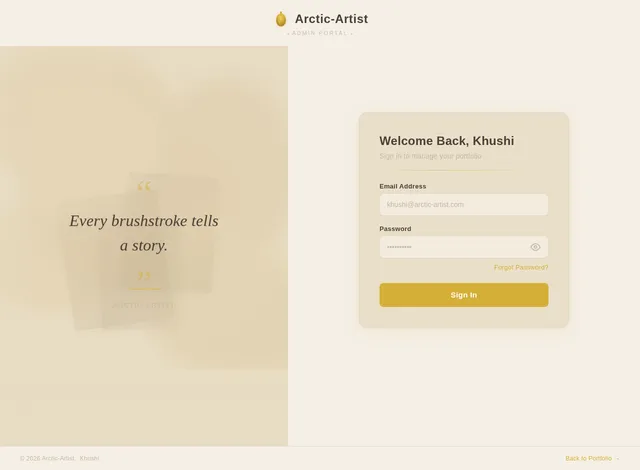
As Khushi I want to sign in via the Admin Login page to access the dashboard. Implement the page based on the existing JSX design (v2): centered card on soft beige bg, Arctic-Artist wordmark with gold-leaf SVG, email/password fields (bottom-border-only style, gold focus ring), gold shimmer 'Sign In' CTA button, forgot password ghost link. Redirect to Dashboard on successful auth. Follows Arctic-Artist warm theme. Entry point for the artist admin flow. Design is ready (v2).
Build Portfolio Page
As a user I want to browse all of Khushi's artworks in a scrolling masonry/grid layout via the Portfolio page based on the existing JSX design (v2). Implement: NavBar (shared public chrome), full scrolling gallery (no pagination), artwork cards with hover captions (title + medium overlay), brushstroke clip-path paint-in reveal animations triggered on scroll entry (Intersection Observer), responsive grid (auto-fill minmax(280px,1fr)), back-link to Home. Reached from Home → Explore Portfolio CTA. Design is ready (v2).
Build Custom Orders Page
As a user I want to place a custom artwork order from the Custom Orders page based on the existing JSX design (v2). Implement: NavBar (shared public chrome), order type selector cards (Portrait, Couple, Family, Pet — gold border on selection), description textarea, optional reference file upload zone (dashed border, drag-and-drop, max 10MB, gold accent), form validation with inline error states, gold shimmer submit CTA that routes to Contact page on submission. Links from Home → ServicesOffered / CommissionCTA. Design is ready (v2).
Build Contact Page
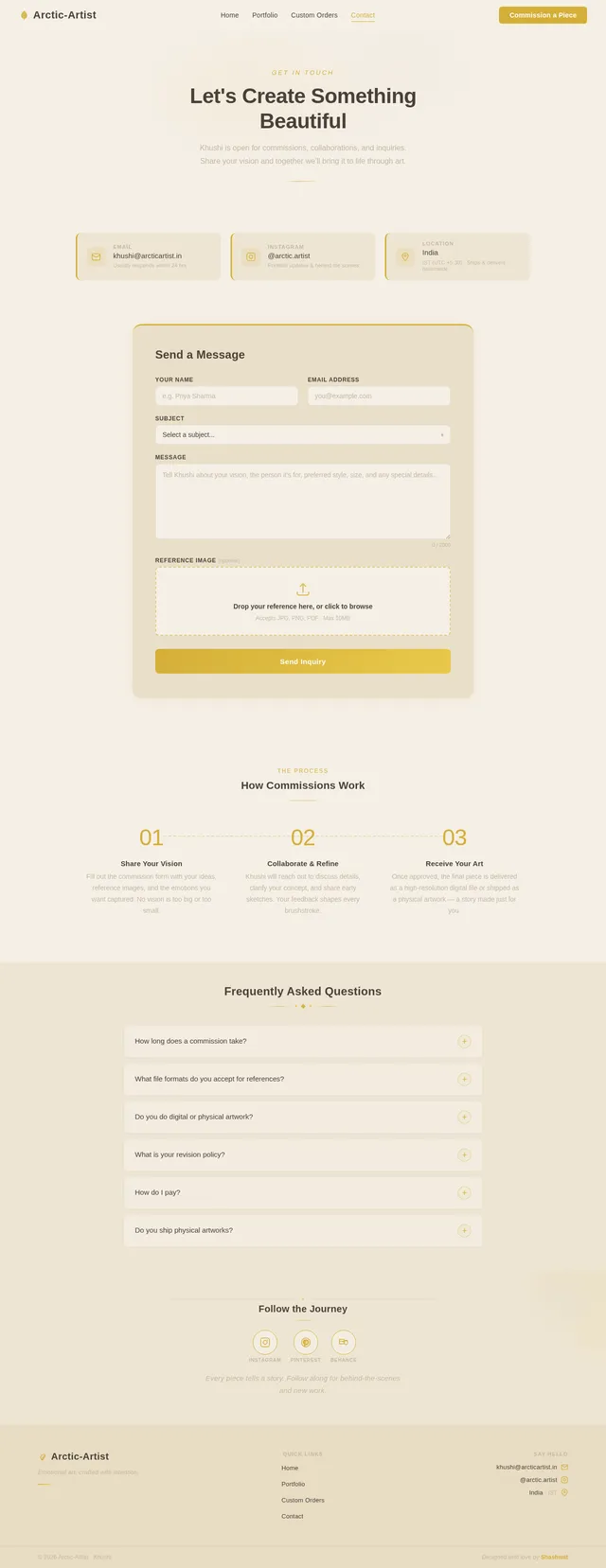
As a user I want to submit an inquiry via the Contact page based on the existing JSX design (v2). Implement: NavBar (shared public chrome), warm two-column layout (left: 'Let's Create Together' messaging, email, Instagram handle, decorative watercolor accent; right: inquiry form — Full Name, Email, Artwork Type dropdown, Message textarea, optional file upload zone max 10MB). Gold shimmer 'Send Message' submit button, inline field validation, animated success state (brushstroke checkmark reveal). Reached from Custom Orders form submission and Home ContactForm section. Design is ready (v2).
Build Dashboard Overview Page
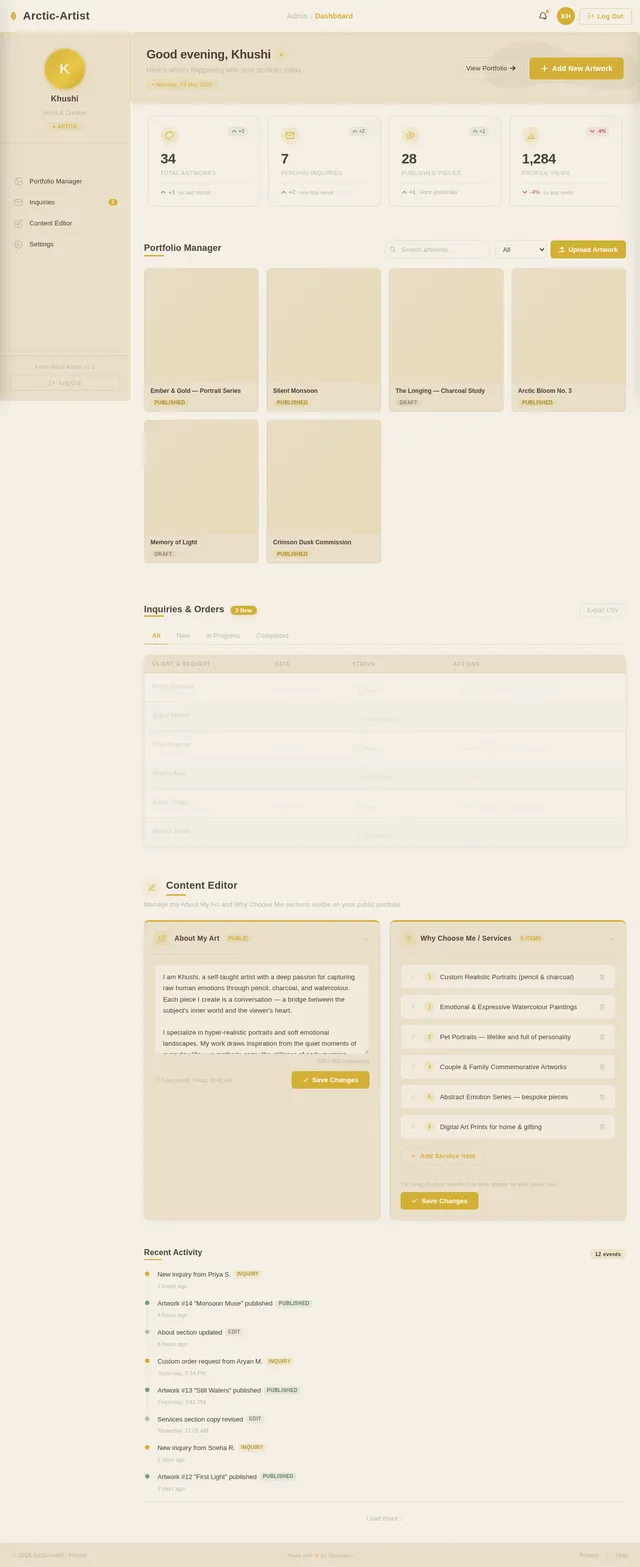
As Khushi I want to see a dashboard overview after logging in. Implement the Dashboard page based on the existing JSX design (v2): sticky TopBar (frosted beige, gold border on scroll, wordmark, breadcrumb, notification bell, avatar chip), 260px Sidebar (artist profile card, nav links with gold active state, collapsible on mobile), WelcomeBanner (greeting, date chip, Add New Artwork CTA, brushstroke SVG accent), StatsCards row (Total Artworks, Pending Inquiries, Published Pieces, Profile Views — gold icon circles, hover lift), PortfolioManager panel, InquiriesPanel, ContentEditor panel, ActivityFeed timeline, and DashboardFooter. Warm surface card layout. Reached from Admin Login → Dashboard. Design is ready (v2).
Build Portfolio Manager Page
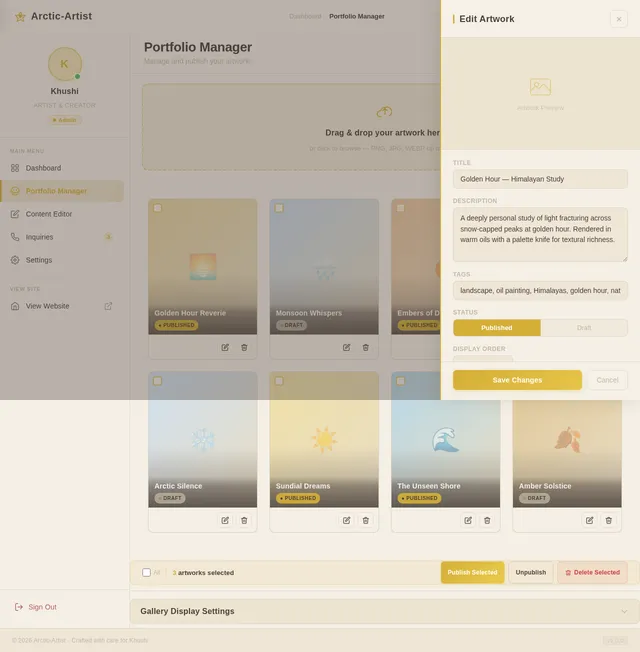
As Khushi I want to upload and manage my artwork gallery via the Portfolio Manager page based on the existing JSX design (v2). Implement: TopBar + Sidebar (shared dashboard chrome), artwork upload panel (drag-and-drop image zone, title/medium/description fields, gold shimmer Upload button), gallery management grid (auto-fill minmax(200px,1fr), brushstroke-reveal card animations staggered on mount), per-card actions (Edit, Delete, Toggle Publish via three-dot menu), status badges (Published=gold, Draft=taupe), search input + filter dropdown. Empty state with watercolor brush illustration. Reached from Dashboard → Portfolio Manager. Design is ready (v2).
Build Content Editor Page
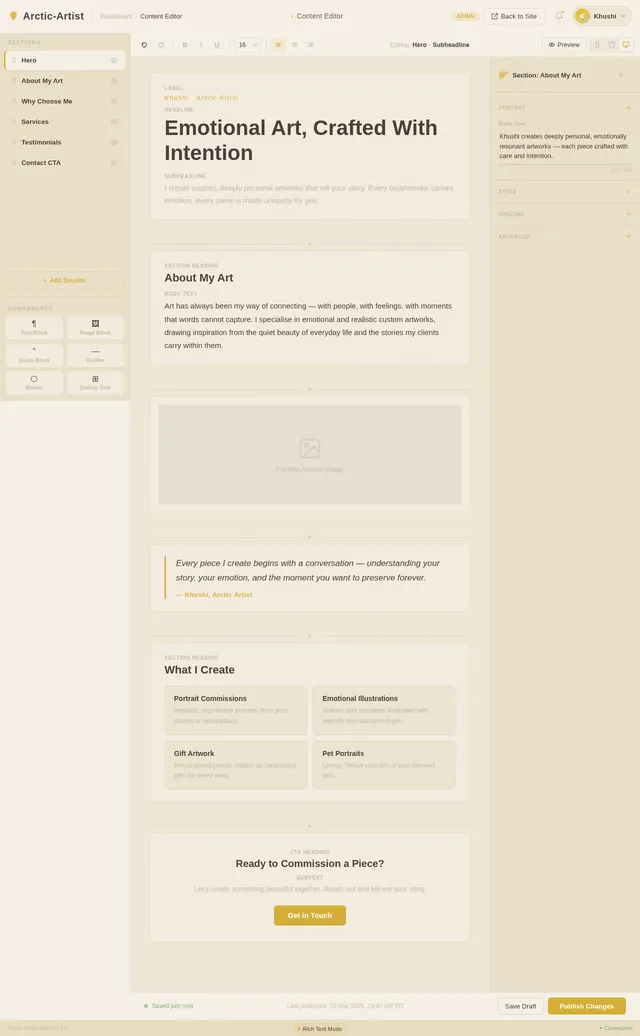
As Khushi I want to update the About My Art and Why Choose Me sections via the Content Editor page based on the existing JSX design (v2). Implement: TopBar + Sidebar (shared dashboard chrome), EditorSidebar (section navigator with drag-handle pills, visibility toggles, component library chips), EditorToolbar (undo/redo, text formatting controls, block breadcrumb, preview button, device switcher), ContentEditingCanvas (live preview with dashed selection frames that solidify gold on focus, contenteditable fields, image upload overlays, '+' block insertion zones, brushstroke insert animation), PropertiesPanel (contextual accordion: Content/Style/Spacing/Advanced, token color swatches, empty-state paintbrush illustration), PublishBar (autosave dot, Save Draft ghost button, Publish Changes gold shimmer button), StatusBar. Reached from Dashboard → Content Editor. Design is ready (v2).
Build Inquiries Page
As Khushi I want to view and manage client inquiries and custom orders via the Inquiries page based on the existing JSX design (v2). Implement: TopBar + Sidebar (shared dashboard chrome), header with count badge ('3 New' gold pill), tab switcher (All / New / In Progress / Completed — active tab gold underline), inquiry table/card list (client name, artwork type, date, color-coded status badge: New=#D4AF37, In Progress=#C2B8A3, Completed=#7A9E7E), 'View Details' button opening a right-side modal drawer (full inquiry text, client email, reference image preview, reply/notes textarea), 'Mark Complete' action, alternating row backgrounds. On mobile: card layout. Reached from Dashboard → Inquiries. Design is ready (v2).
Integrate Frontend with APIs
As a user I want the frontend pages to fetch live data from backend APIs. Wire up: Home PortfolioShowcase → GET /artworks, Portfolio page → GET /artworks, Custom Orders form → POST /inquiries (with file upload), Contact page form → POST /inquiries (with file upload), Portfolio Manager → POST/PUT/DELETE /artworks, Content Editor → GET/PUT /content/{section}, Inquiries page → GET /inquiries + PATCH /inquiries/{id}/status. Handle loading skeletons, error states, and success feedback (gold shimmer checkmark) consistently using the Arctic-Artist design system. Use React Query or axios for data fetching.

Art That Speaks
What Words Cannot
Handcrafted portraits and custom artworks that capture the emotions, memories, and stories closest to your heart.

Hello, I’m Khushi
Every artwork I create begins with an emotion — a feeling that words alone cannot capture. I believe that art is the most honest language we have, and my mission is to translate the unspoken bonds between people into something you can see, touch, and hold forever.
My approach blends hyper-realistic technique with an emotional sensitivity that makes each piece deeply personal. Whether it’s the warmth in a loved one’s eyes or the quiet joy of a shared moment, I pour my heart into every brushstroke so the final artwork resonates on a level that feels almost alive.
I work closely with each client, listening to their stories and understanding the emotions they want to preserve. This collaborative journey is what makes every commission not just a painting, but a piece of someone’s soul rendered on canvas.
Read More→My Work
A Canvas of Emotions
Each piece is crafted to capture the essence of a feeling, a moment, a connection. Explore the artwork that tells stories words cannot.

Eternal Embrace
Oil on Canvas

Whispered Memories
Graphite & Charcoal

Golden Hour Portrait
Acrylic on Canvas

Soulful Gaze
Watercolor on Paper

Together Forever
Oil on Linen

Furry Companion
Soft Pastel on Paper
Art Crafted with Heart & Soul
Each piece is a one-of-a-kind creation, made to hold the emotions and memories that matter most to you.
Portrait Artworks
Deeply personal, hyper-realistic portraits that capture the essence of who you are — every emotion, every story etched in fine detail.
Couple & Family Pieces
Celebrate your most cherished bonds with artwork that preserves the warmth, joy, and connection shared between loved ones.
Pet Portraits
Your furry companions brought to life on canvas with the same love and devotion they bring into your world every day.
Why Clients Love My Work
Reasons to Trust Me With Your Vision
Emotionally Resonant
Every stroke carries feeling. I capture the emotions behind the moment, not just the likeness.
Hyper-Realistic Detail
Precision meets passion. Each artwork is rendered with meticulous attention to texture, light, and expression.
Deeply Personal Process
I collaborate closely with each client to understand the story behind their commission, ensuring every piece is uniquely theirs.
Art has the power to hold a feeling forever — that is what I strive to create for every client who trusts me with their story.
Premium Quality Materials
Archival-grade paper, professional pigments, and careful handling so your artwork stands the test of time.
Transparent Communication
From initial concept to final delivery, you are part of the creative journey with progress updates at every stage.
Made With Soul
This is not mass production. Each piece is a labor of love, crafted with intention and care just for you.
From Your Vision to a Finished Masterpiece
Stories from Clients
Words That Warm My Heart
Khushi captured the soul of my grandmother in ways I never thought possible. Every brushstroke carries so much emotion — it moved my entire family to tears. This artwork is now the heart of our living room.
Priya Sharma
Custom Portrait
We wanted something truly special for our anniversary, and Khushi delivered beyond imagination. The detail, the warmth, the love she poured into our portrait — it feels alive. We treasure it every single day.
Ankit & Meera
Couple Portrait
After losing our beloved dog Bruno, Khushi created the most beautiful memorial portrait. She captured his playful spirit perfectly. It is like having a piece of him still with us. Forever grateful.
Rohit Verma
Pet Portrait
The family portrait Khushi created for my parents’ anniversary was absolutely breathtaking. Her attention to every little expression and detail made the artwork feel so personal and real.
Sneha Kapoor
Family Artwork
Working with Khushi was such a smooth and heartfelt experience. She understood my vision instantly and turned it into a piece of art that speaks volumes. Her talent is truly extraordinary.
Devika Nair
Custom Illustration
I gifted Khushi’s artwork to my wife on her birthday and she was speechless. The hyper-realistic detail combined with that emotional depth is something only a true artist can achieve. Absolutely phenomenal work.
Arjun Patel
Portrait Commission
Ready to Own a Piece of Emotion?
Every artwork is made with love, just for you.
Commission NowGet in Touch
Have a Vision? Let’s Bring It to Life
Let's Create Together
Every piece of art starts with a story. Share your vision with me, and together we'll transform your emotions into a timeless artwork that speaks from the heart.
Whether it's a portrait of a loved one, a cherished memory, or a gift that words can't express — I'm here to bring it to life on canvas.
Click to upload or drag and drop
PNG, JPG or PDF — Max 10MB
No comments yet. Be the first!