arctic-app
 Muhammad Umair
hey i need app can you make for me in react native expo the app is attendence management system
Comments (0)
Sign in to leave a comment
Project Tasks13
Apply Arctic Theme & Colors
As a user, I want the app to visually reflect the Arctic theme so that the experience feels cohesive and on-brand. Implement the global design token system based on the SRD color palette: Background #E8F5FC, Surface #FFFFFF, Text #1A374D, Accent #F28C28, Muted #A3C4DC. Set up a centralized theme/constants file in the React Native Expo project (theme.js or tokens.js) covering colors, typography (font families, sizes, weights), spacing scale, border radii, and shadow styles. Remove scaffold pages not needed (generic welcome page, AI assistant page, generic settings page). Ensure all existing scaffold pages reference this theme file. This task is the foundation for all page-level UI work and must be completed first.
Implement Attendance API Endpoints
As a user, I want the backend to expose attendance management APIs so that the frontend can fetch and save attendance data reliably. Implement FastAPI endpoints: GET /attendance/student/{id} (fetch student records with filters), POST /attendance/mark (bulk mark attendance for a class session with teacher auth), GET /attendance/summary/teacher/{id} (aggregate stats for teacher dashboard), GET /attendance/summary/student/{id} (stats for student dashboard). Include input validation via Pydantic models, JWT auth middleware, MySQL persistence via SQLAlchemy ORM, and proper HTTP error responses. Support offline sync: POST /attendance/sync for batched offline records upload.
Implement Notifications API Endpoints
As a user, I want the backend to handle notification sending and retrieval so that teachers can alert students and students can view their alerts. Implement FastAPI endpoints: POST /notifications/send (teacher sends push notification to student or class group), GET /notifications/{student_id} (fetch all notifications for a student), PATCH /notifications/{notification_id}/read (mark notification as read). Integrate with Expo Push Notification service for delivery to student devices. Include notification persistence in MySQL. Use GPT integration for generating friendly notification message suggestions when teacher inputs a raw alert.
Build Splash Screen Page
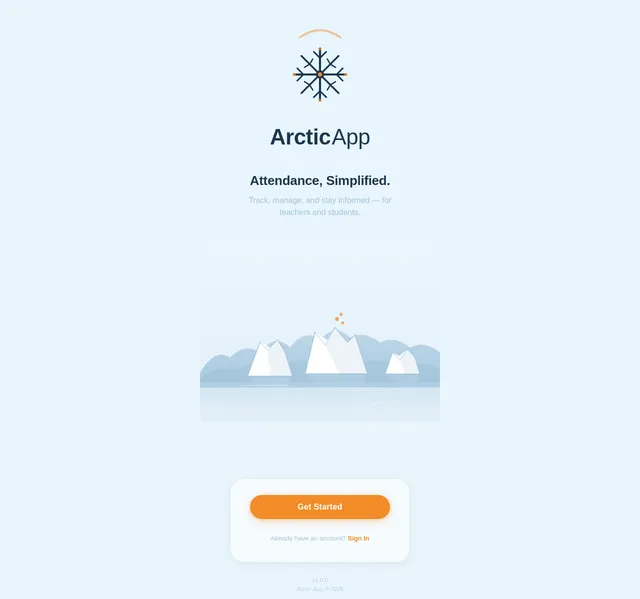
As a user, I want to see an immersive Arctic-themed splash screen when the app launches so that the app feels polished and sets the visual tone. Implement the Splash page based on the existing Splash v2 JSX design. The screen includes: (1) StatusBarSpacer with safe area insets, (2) LogoSection with Arctic icon and wordmark with fade-up entrance animation, (3) TaglineSection with staggered fade-in, (4) IllustrationSection with bobbing iceberg animation and glacier silhouette, (5) LoadingIndicatorSection with Arctic-themed orange progress bar, (6) CTASection with 'Get Started' pill button (#F28C28) and sign-in link with frost ripple micro-interaction, (7) FooterCaption with version and copyright. Animated snowflake particles drift on root background. On load completion, navigate to Login. Follows user flow: Splash → Login.
Build Login Page
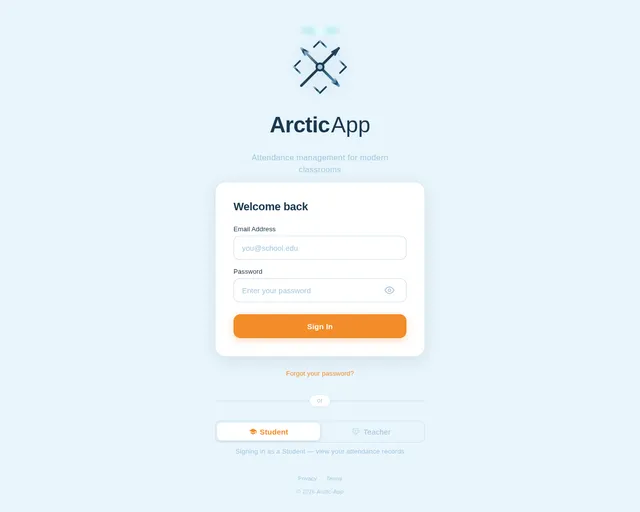
As a user (Teacher or Student), I want to sign in to the app so that I can access my role-specific dashboard. Implement the Login page based on the existing Login v2 JSX design. The page includes: LoginCard with email and password inputs styled with Arctic theme (surface white cards, navy text, glacier blue borders), show/hide password toggle with eye icon, a primary 'Sign In' button in Warm Polar Orange (#F28C28) with snowflake hover micro-interaction, role toggle pill (Student / Teacher), ForgotPasswordLink, DividerOrSection, and FooterBranding. Validate inputs client-side before API call. On success, navigate to Dashboard. Follows user flow: Splash → Login → Dashboard.
Build Student Dashboard Page
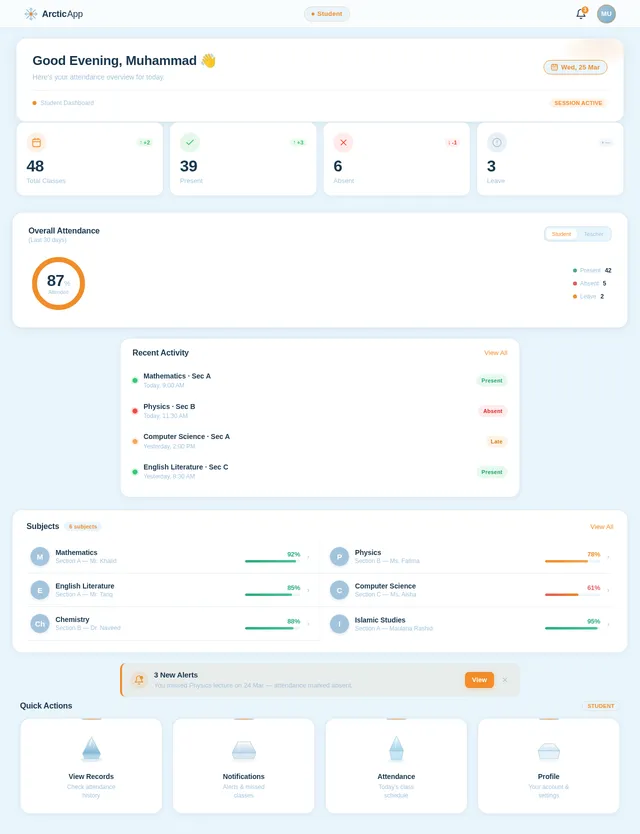
As a Student, I want to see an overview dashboard after login so that I can quickly access my attendance records and notifications. Implement the Student Dashboard page based on the existing Dashboard v2 JSX design. Includes: a greeting header showing student name and today's date, summary cards (attendance percentage, classes attended, classes missed) in Arctic-themed surface cards with orange accent highlights, quick-action iceberg-style navigation tiles for 'View Records' and 'View Notifications' with iceberg crack reveal animation on tap, and bottom tab navigator. Connects to Attendance API for summary stats. Follows user flow: Login → Dashboard → Records / Notifications.
Build Teacher Dashboard Page
As a Teacher, I want to see a summary dashboard after login so that I can quickly access attendance marking and notification sending tools. Implement the Teacher Dashboard page based on the existing Dashboard v2 JSX design (teacher role variant). Includes: header showing teacher name, institution, and today's date, summary cards (total students, classes today, attendance rate) in Arctic theme, quick-action tiles for 'Mark Attendance' and 'Send Notification' with iceberg crack reveal micro-interactions on tap, and role-aware navigation. Connects to Attendance summary API. Follows user flow: Login → Dashboard → Attendance / Notifications.
Build Attendance Records Page
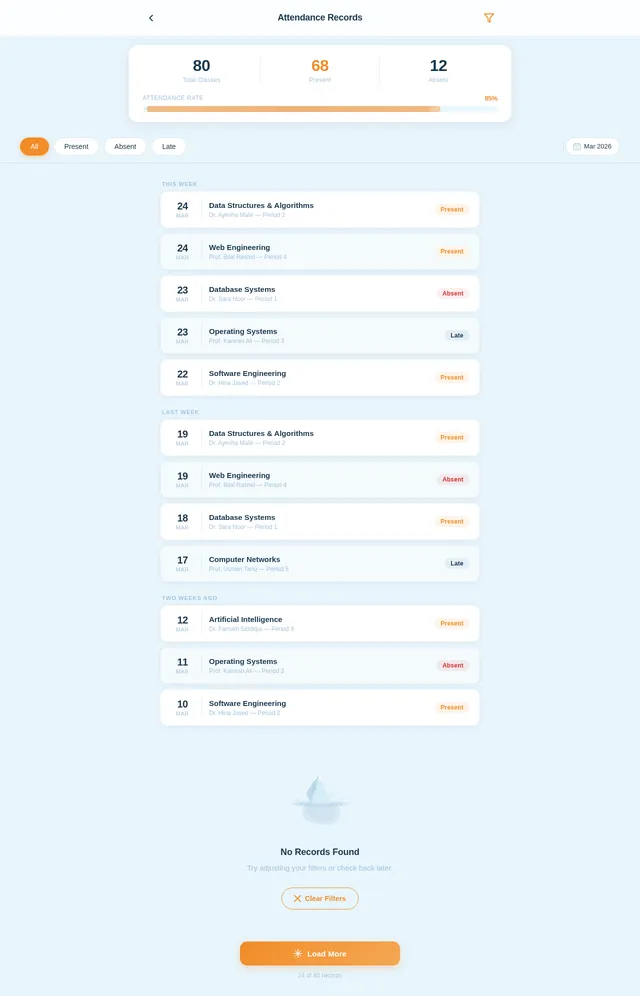
As a Student, I want to view my attendance records so that I can track my presence and absence history. Implement the Records page based on the existing Records v2 JSX design. Includes: a filterable/scrollable list of attendance records per class/subject, each row showing date, subject, status (Present/Absent/Late) with color-coded Arctic indicators (orange for absent, navy for present, glacier blue for late), a summary bar at top showing overall percentage, and offline-capable data rendering from cached local store. Pull-to-refresh triggers sync when online. Follows user flow: Dashboard → Records.
Build Mark Attendance Page
As a Teacher, I want to mark attendance for my students so that records are accurately captured. Implement the Teacher-facing Attendance marking page. Includes: a class/session selector at top, a scrollable student roster list with toggle controls per student (Present/Absent/Late), bulk-select actions (Mark All Present), an offline-first save mechanism (local queue synced when online), and a 'Save Records' confirmation step with frosted glass overlay confirmation modal. Arctic-themed styling throughout referencing the Attendance v2 design system. Follows user flow: Dashboard → Mark Attendance → Save Records.
Build Notifications Page
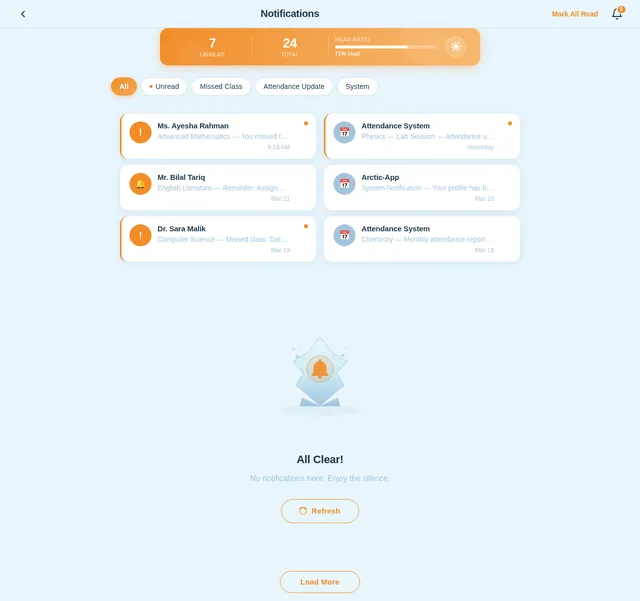
As a Student or Teacher, I want to view and manage notifications so that I stay informed about attendance updates and missed classes. Implement the Notifications page based on the existing Notifications v2 JSX design. Includes: a chronological list of notification cards (title, message, timestamp, read/unread status), swipe-to-mark-read interaction with Arctic ice-crack animation, filter toggle (All / Unread), empty state Arctic illustration when no notifications exist, and push notification deep-link support. For Teachers, a 'Send Alert' CTA navigates to the send alert flow. Follows user flow: Dashboard → Notifications → Mark Read (Student) / Dashboard → Send Alert (Teacher).
Build Student Attendance View Page
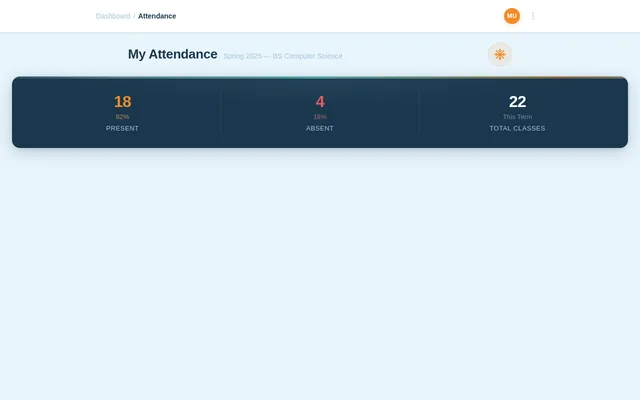
As a Student, I want to view my detailed attendance on a calendar-based interface so that I can see my day-by-day presence and absence at a glance. Implement the Student Attendance page based on the existing Attendance v2 JSX design. Includes: TopBar with back navigation and student avatar, PageHeader 'My Attendance' with term/class sub-label, SummaryStatsBanner (Present count + %, Absent count + %, Total Classes) on deep Arctic Navy background with aurora shimmer animation, FilterBar with pill filters (All / Present / Absent / Late), AttendanceCalendarStrip (7-day horizontal scroll, status dots per day, active day in orange with ice crack ripple animation), AttendanceRecordList (card rows per session with subject icon, status badge, expandable detail panel), EmptyState (iceberg SVG illustration when no records), and BottomNavBar. Connects to Attendance API. Follows user flow: Dashboard → Records → Attendance Detail.
Integrate AI Notification Suggestions
As a Teacher, I want the app to suggest friendly, clear notification messages using AI so that I can communicate attendance alerts to students effectively. Integrate GPT API into the notification send flow: when a teacher drafts an alert (e.g., 'John missed 3 classes'), the backend calls the GPT API to generate a polished, empathetic notification message. Expose a POST /ai/notification-suggest endpoint in FastAPI that accepts raw input and returns AI-generated suggestions. Frontend displays suggestions in the Send Alert UI with one-tap apply. Handle API errors gracefully with fallback to manual message entry.
Implement Offline Sync Mechanism
As a Teacher or Student, I want the app to work offline and sync data when I reconnect so that attendance is never lost due to poor connectivity. Implement a local persistence layer using AsyncStorage or expo-sqlite to queue attendance marks and cache records locally. On network restore, trigger automatic sync via POST /attendance/sync API. Show sync status indicator in the UI (syncing spinner, success tick, error badge). Handle merge conflicts (server timestamp wins). Implement NetInfo listener for connectivity detection.
No comments yet. Be the first!