AI ENHANCE
Automatically analyses every photo to lift sharpness, resolution, lighting, colour and detail while preserving a natural, unedited look.
 Tommy Giws
Build a premium, professional AI photo editing and enhancement app inspired by the capabilities of modern AI photo-enhancement apps such as Remini, but with completely original branding, UI, and implementation. APP NAME: Create a modern brand name such as ClarityAI, PixelGlow AI, or another premium name. The app should feel like a high-end professional photography product. CORE PURPOSE: Allow users to upload any photo and use powerful AI tools to improve quality, sharpness, resolution, lighting, colours, faces, details, and overall appearance while keeping the person's identity and natural appearance intact. MAIN AI FEATURES: 1. AI PHOTO ENHANCER - Automatically analyse the uploaded image. - Increase perceived detail and sharpness. - Reduce blur and noise. - Improve exposure and contrast. - Restore faded or low-quality photos. - Improve colour accuracy. - Preserve realistic skin texture. - Avoid excessive smoothing or an artificial appearance. 2. AI UPSCALER Provide selectable enhancement levels: - 2x - 4x - 8x - Ultra HD Allow users to enlarge low-resolution photos while preserving as much natural detail as possible. 3. FACE ENHANCEMENT - Detect faces automatically. - Improve facial clarity. - Recover subtle facial details from low-quality images. - Improve eyes, eyebrows, hair and facial definition. - Reduce compression artefacts. - Preserve the person's actual facial structure and identity. - Never randomly change facial features. 4. OLD PHOTO RESTORATION Allow users to restore: - Old family photographs - Blurry photographs - Scratched photographs - Faded photographs - Black-and-white photographs Include optional colourisation for old black-and-white images. 5. BLUR & NOISE REDUCTION AI should intelligently remove: - Motion blur - Compression artefacts - Digital noise - Grain - Low-light noise - JPEG artefacts 6. LIGHTING & COLOUR AI Automatic AI correction for: - Brightness - Exposure - Shadows - Highlights - White balance - Saturation - Contrast - Skin tone - Colour temperature 7. PORTRAIT ENHANCER Create a professional portrait mode that can improve: - Facial clarity - Skin texture - Hair detail - Eyes - Lighting - Background separation Keep the result realistic rather than overly edited. 8. BACKGROUND TOOLS Include: - Background removal - Background blur - AI background replacement - Portrait depth effect - Transparent background export 9. CREATIVE AI EDITOR Allow users to describe an edit using natural language, for example: "Make this photo brighter and sharper." "Remove the person in the background." "Make the sky look clearer." "Improve the lighting." "Make this look like a professional camera photo." The AI should apply the requested edit without unnecessarily changing other parts of the image. 10. BEFORE & AFTER Provide an interactive before/after comparison slider. Users should be able to drag the slider across the image to clearly compare the original and enhanced versions. 11. PROFESSIONAL MANUAL EDITOR Include controls for: - Brightness - Contrast - Exposure - Highlights - Shadows - Saturation - Vibrance - Temperature - Tint - Sharpness - Clarity - Texture - Noise reduction - Vignette - Blur Include undo, redo and reset buttons. 12. FILTERS Provide tasteful professional filters: - Natural - Portrait - Cinematic - Warm - Cool - Black & White - Vintage - HDR - Studio - Professional Do not make filters look cheap or overly saturated. IMAGE QUALITY: Prioritise maximum output quality. The processing pipeline should: - Preserve the original aspect ratio unless the user chooses otherwise. - Avoid unnecessary recompression. - Maintain high-quality colour information. - Produce the highest-quality output supported by the device and backend. - Preserve fine details. - Prevent excessive sharpening halos. - Prevent plastic-looking skin. - Prevent AI-generated facial distortions. If the backend supports AI image restoration/upscaling models, use appropriate state-of-the-art models for super-resolution, denoising, face restoration and image enhancement. UPLOAD EXPERIENCE: Support: - JPG - JPEG - PNG - WEBP - HEIC where supported Allow users to upload photos from: - Camera - Photo library - Files Show upload progress and processing progress. PROCESSING EXPERIENCE: When AI enhancement is running, display a beautiful processing screen with: "Analysing image" "Removing noise" "Restoring details" "Enhancing resolution" "Optimising colours" "Finalising image" Use a smooth progress animation. APP DESIGN: Create a premium, modern interface inspired by professional photography applications. Use: - Clean typography - Rounded cards - Elegant spacing - Smooth animations - Large image previews - Simple navigation - Dark/light mode - Modern icons - Professional editor controls HOME SCREEN: Show: "Enhance your photos with AI" Buttons: - AI Enhance - Upscale - Restore Photo - Face Enhance - Remove Background - AI Edit - Photo Editor Show recent projects underneath. EDITOR SCREEN: Top: - Back - Undo - Redo - Save Centre: Large photo preview. Bottom: - Enhance - Face - Light - Colour - Details - Background - Filters - AI Edit Add a prominent "Enhance with AI" button. EXPORT: Allow users to: - Save to device - Share - Copy image - Export HD - Export Ultra HD where supported Provide quality options: - Standard - HD - Ultra HD Never add a watermark to images exported by users unless required by the chosen subscription tier. PROJECT HISTORY: Create a gallery showing previously edited photos. Allow: - Reopen - Continue editing - Duplicate - Delete - Share PRIVACY: Make privacy a major part of the product. Clearly explain: - How photos are processed. - Whether images are temporarily stored. - When processed images are deleted. - That users control their photos. Use secure image uploads and encrypted storage where applicable. PERFORMANCE: Optimise the application for: - iPhone - Android - Tablets - Desktop/web where supported Compress images intelligently during upload without unnecessarily destroying quality. Use asynchronous processing for heavy AI operations and show clear progress indicators. ERROR HANDLING: If an image cannot be processed, show a friendly error explaining what happened and allow the user to retry. Handle: - Very large images - Unsupported formats - Network failures - Processing failures - Server timeouts - Insufficient processing capacity SUBSCRIPTION SYSTEM: Create optional Free and Premium plans. FREE: - Limited daily AI enhancements - Standard exports - Basic editing tools PREMIUM: - Unlimited or higher AI enhancement limits - 4x/8x upscaling where supported - Advanced restoration - Face enhancement - AI editing - Ultra HD exports - Batch processing - No advertisements - Priority processing Do not pretend that AI features are available if the backend has not actually implemented them. Connect each AI feature to a real processing service/model or clearly label unavailable functionality. IMPORTANT: The application must be a REAL functional photo editor, not merely a UI prototype. Implement actual: - Image upload - Image processing - AI enhancement - Editing controls - Before/after comparison - Export - Project history - Authentication if required - Subscription handling if enabled If an external AI API or model is required, structure the backend so the provider can be securely configured through environment variables/secrets. Never expose API keys in frontend code. Create a polished onboarding experience explaining the main AI capabilities. Add sample photos/demo mode so new users can immediately understand the enhancement quality. The final product should feel like a premium commercial AI photography application with a fast workflow: UPLOAD → ANALYSE → AI ENHANCE → COMPARE → EDIT → EXPORT Focus especially on image quality, realistic enhancement, speed, clean UX, and professional results.


Sign in to leave a comment
No tasks generated yet.
Tasks will appear here as requirements are defined.
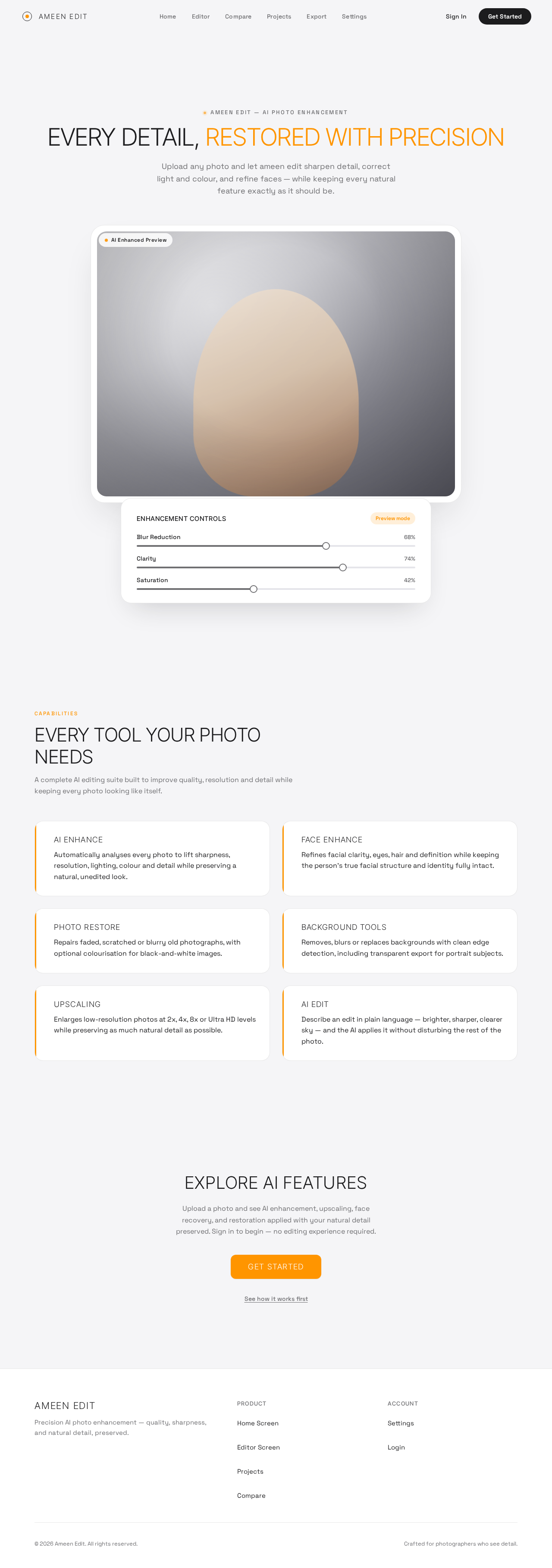
ameen edit — ai photo enhancement
Upload any photo and let ameen edit sharpen detail, correct light and colour, and refine faces — while keeping every natural feature exactly as it should be.
Studio-lit sample — illustrative preview of enhancement output
A complete AI editing suite built to improve quality, resolution and detail while keeping every photo looking like itself.
Automatically analyses every photo to lift sharpness, resolution, lighting, colour and detail while preserving a natural, unedited look.
Refines facial clarity, eyes, hair and definition while keeping the person’s true facial structure and identity fully intact.
Repairs faded, scratched or blurry old photographs, with optional colourisation for black-and-white images.
Removes, blurs or replaces backgrounds with clean edge detection, including transparent export for portrait subjects.
Enlarges low-resolution photos at 2x, 4x, 8x or Ultra HD levels while preserving as much natural detail as possible.
Describe an edit in plain language — brighter, sharper, clearer sky — and the AI applies it without disturbing the rest of the photo.
Upload a photo and see AI enhancement, upscaling, face recovery, and restoration applied with your natural detail preserved. Sign in to begin — no editing experience required.
Get StartedSee how it works firstameen edit — ai photo enhancement
Upload any photo and let ameen edit sharpen detail, correct light and colour, and refine faces — while keeping every natural feature exactly as it should be.
Studio-lit sample — illustrative preview of enhancement output
A complete AI editing suite built to improve quality, resolution and detail while keeping every photo looking like itself.
Automatically analyses every photo to lift sharpness, resolution, lighting, colour and detail while preserving a natural, unedited look.
Refines facial clarity, eyes, hair and definition while keeping the person’s true facial structure and identity fully intact.
Repairs faded, scratched or blurry old photographs, with optional colourisation for black-and-white images.
Removes, blurs or replaces backgrounds with clean edge detection, including transparent export for portrait subjects.
Enlarges low-resolution photos at 2x, 4x, 8x or Ultra HD levels while preserving as much natural detail as possible.
Describe an edit in plain language — brighter, sharper, clearer sky — and the AI applies it without disturbing the rest of the photo.
Upload a photo and see AI enhancement, upscaling, face recovery, and restoration applied with your natural detail preserved. Sign in to begin — no editing experience required.
Get StartedSee how it works first
No comments yet. Be the first!