amber-bot
Build a simple single-page todo app design. Keep it lightweight and clean, with a straightforward UI for adding, listing, checking off, and removing todo items.

Comments (0)
Sign in to leave a comment
System Requirements
amber-bot System Requirements Document
Introduction
This document outlines the system requirements for the "amber-bot" project, focusing on developing a simple single-page todo application. The application is designed to be lightweight, clean, and user-friendly, providing essential functionalities for managing todo items.
System Overview
The amber-bot project aims to deliver a straightforward single-page todo application. The application will allow users to efficiently manage their tasks by adding, listing, checking off, and removing todo items. The design will prioritize simplicity and ease of use, ensuring a seamless user experience.
Functional Requirements
- As a User, I should be able to add new todo items to the list.
- As a User, I should be able to view a list of all my todo items.
- As a User, I should be able to check off completed todo items.
- As a User, I should be able to remove todo items from the list.
User Personas
- User: An individual who wants to manage their tasks efficiently using a simple and intuitive interface.
Core User Flows
- User opens the application -> adds a new todo item -> views the list of todos -> checks off a completed item -> removes an item from the list.
Visuals Colors and Theme
Since no specific design style or color scheme was provided, the following unique color palette has been created for the amber-bot project:
- primary: #4A90E2 (a calm blue for the main interface elements)
- primary_light: #A6C8FF (a lighter blue for hover states and secondary UI)
- secondary: #F5A623 (a warm amber for headlines and emphasis)
- accent: #50E3C2 (a vibrant teal for CTAs and active states)
- highlight: #F8E71C (a bright yellow for hover states and notifications)
- bg: #FFFFFF (a clean white for the page background)
- surface: rgba(255, 255, 255, 0.9) (a subtle white for card/panel backgrounds)
- text: #333333 (a dark gray for primary text)
- text_muted: #9B9B9B (a softer gray for secondary text and labels)
- border: rgba(0, 0, 0, 0.1) (a light gray for borders)
Signature Design Concept
The amber-bot application will feature an interactive "Task Carousel" on the homepage. Users can swipe through their tasks in a carousel format, where each task card can be flipped to reveal options for editing or deleting. This dynamic interaction will be powered by framer-motion for smooth animations and transitions. The carousel will provide a tactile and engaging way to manage tasks, making the todo application not only functional but also enjoyable to use.
Interaction Model & Motion Direction
The landing page will employ an "animated" interaction model. This will include moderate scroll-triggered reveals and hover transitions, providing a polished and engaging user experience. The application will focus on clarity and ease of use, with subtle animations enhancing the overall interface without overwhelming the user.
Non-Functional Requirements
- The application should load quickly and perform efficiently on all modern web browsers.
- The user interface should be responsive and accessible on both desktop and mobile devices.
- The application should maintain a high level of usability, ensuring that users can easily navigate and manage their tasks.
Tech Stack
- Frontend: React for Web
- Backend: Not applicable for a single-page application
- Database: Not applicable for a single-page application
- AI Models: Not applicable
- AI Tools: Not applicable
- Local Orchestration: Not applicable
- Server-side Orchestration: Not applicable
Assumptions and Constraints
- The application will be developed as a single-page application with no backend integration.
- The design will remain simple and minimalistic, focusing on core functionalities without additional features.
- The application will be accessible and functional across different devices and screen sizes.
Glossary
- Todo Item: A task or activity that a user wants to manage within the application.
- Single-page Application (SPA): A web application that interacts with the user by dynamically rewriting the current page rather than loading entire new pages from the server.
This document provides a comprehensive overview of the requirements and design considerations for the amber-bot project, ensuring a focused and efficient development process.
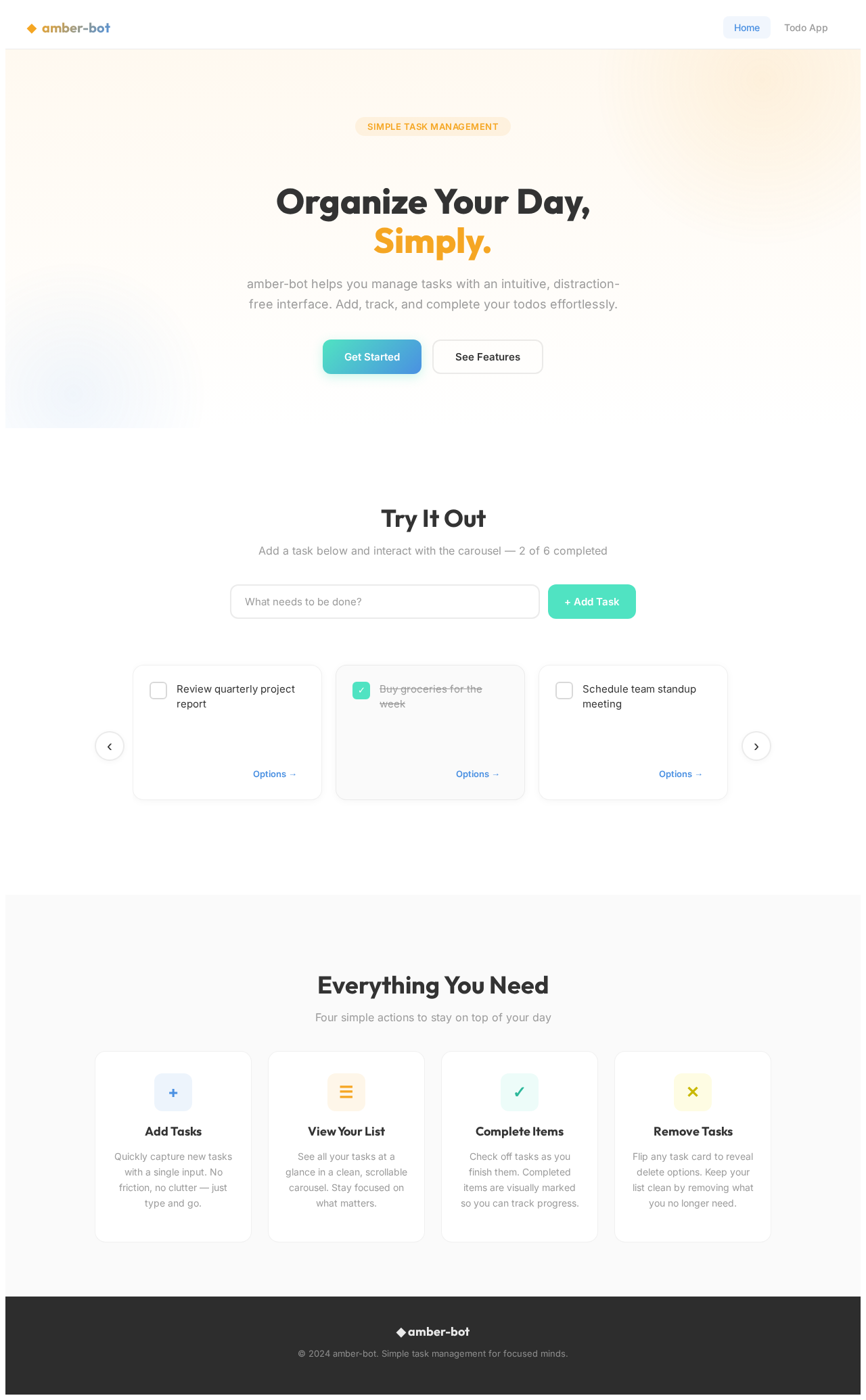
Organize Your Day,
Simply.
amber-bot helps you manage tasks with an intuitive, distraction-free interface. Add, track, and complete your todos effortlessly.
Try It Out
Add a task below and interact with the carousel — 2 of 6 completed
Everything You Need
Four simple actions to stay on top of your day
Add Tasks
Quickly capture new tasks with a single input. No friction, no clutter — just type and go.
View Your List
See all your tasks at a glance in a clean, scrollable carousel. Stay focused on what matters.
Complete Items
Check off tasks as you finish them. Completed items are visually marked so you can track progress.
Remove Tasks
Flip any task card to reveal delete options. Keep your list clean by removing what you no longer need.
No comments yet. Be the first!