🗂️
Unified Profiles
Add every Roblox alt in one place. Store usernames, notes and live status without juggling tabs or sticky notes.
 Ismail Tverdokhleb
**Roblox alting** generally means using one or more **alternate Roblox accounts ("alts")** in addition to a main account. People use alts for different reasons, such as: * Testing game features. * Separating different playstyles or communities. * Creating additional characters. * Circumventing restrictions or gaining advantages (which may violate Roblox rules). ### MVP Definition If you were describing a "Roblox alting app" as an MVP (Minimum Viable Product), you could define it as: > **A web application that helps users organize and manage multiple Roblox accounts from a single dashboard.** ### MVP Features **Core Features** 1. User registration and login. 2. Add and manage Roblox account profiles. 3. Group accounts into folders or tags. 4. View account information (username, notes, status). 5. Search and filter accounts. 6. Export/import account lists. ### Dashboard Example ```text Roblox Alt Manager Accounts ───────────────────── MainAccount TradingAlt TestingAlt1 TestingAlt2 [Add Account] [Edit] [Delete] ``` ### Database ```sql users - id - email - password_hash accounts - id - user_id - roblox_username - nickname - notes - created_at ``` ### Tech Stack * Frontend: React / Next.js * Backend: Node.js / Express * Database: PostgreSQL or SQLite * Authentication: JWT An MVP focused on account organization is very different from a system that logs into accounts, automates gameplay, joins games automatically, or bypasses AFK detection. Those automation features raise security, policy, and platform-compliance concerns, whereas account management alone is a straightforward software product.


Sign in to leave a comment
The purpose of this document is to outline the system requirements for the "altingv2" project. This project is designed to help users organize and manage multiple Roblox accounts from a single dashboard, primarily handling user input through guided instructions provided to the user.
The altingv2 project is a web application aimed at gamers who use multiple Roblox accounts, commonly referred to as "alts." The system will provide a centralized platform for users to manage these accounts efficiently. The application will focus on user input, with guided instructions to help users navigate and utilize the system effectively. This approach ensures that the application remains compliant with Roblox's policies by focusing solely on account management rather than automation or gameplay manipulation.
The homepage of altingv2 will feature an interactive "Account Galaxy" where each account is represented as a star. Users can click on a star to open a detailed view of the account, drag to rotate the galaxy, and hover to highlight connections between accounts grouped by tags. This concept will use @react-three/fiber for 3D rendering and gsap for smooth animations and transitions. The interactive galaxy provides a visually engaging and intuitive way to manage multiple accounts, making the user experience both fun and functional.
The landing page will utilize a "parallax" interaction model, creating a layered depth effect as users scroll through the page. This will include decorative layers that move at different speeds, enhancing the storytelling aspect of the application. Internal pages, such as the dashboard and account management sections, will adopt a "static" interaction model to prioritize clarity and ease of use.
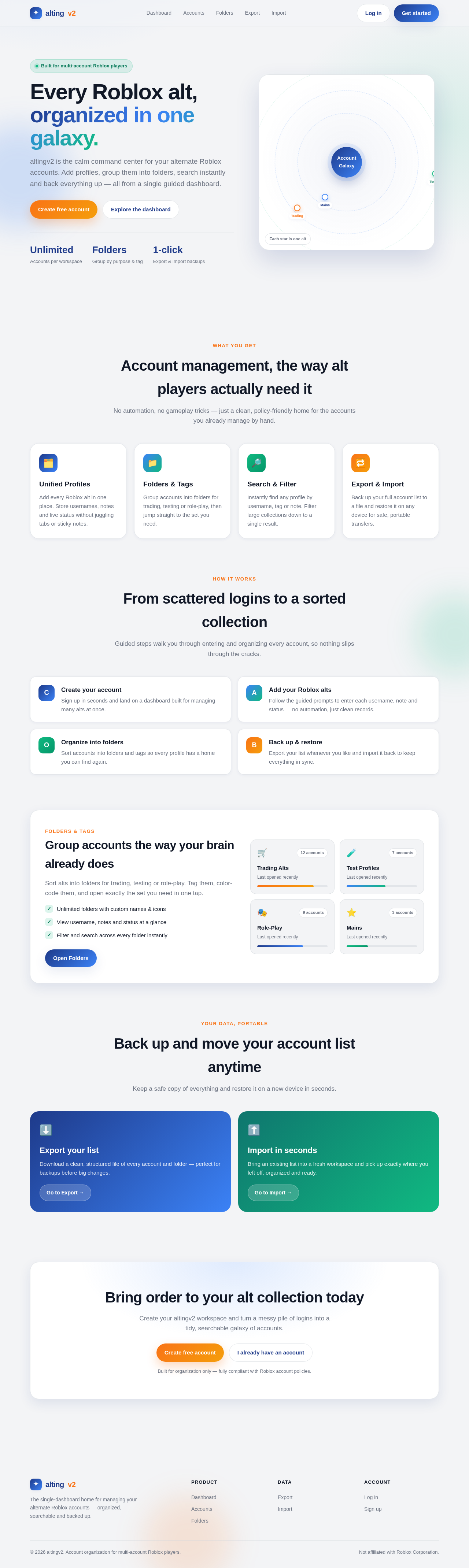
altingv2 is the calm command center for your alternate Roblox accounts. Add profiles, group them into folders, search instantly and back everything up — all from a single guided dashboard.
No automation, no gameplay tricks — just a clean, policy-friendly home for the accounts you already manage by hand.
Add every Roblox alt in one place. Store usernames, notes and live status without juggling tabs or sticky notes.
Group accounts into folders for trading, testing or role-play, then jump straight to the set you need.
Instantly find any profile by username, tag or note. Filter large collections down to a single result.
Back up your full account list to a file and restore it on any device for safe, portable transfers.
Guided steps walk you through entering and organizing every account, so nothing slips through the cracks.
Sort alts into folders for trading, testing or role-play. Tag them, color-code them, and open exactly the set you need in one tap.
Keep a safe copy of everything and restore it on a new device in seconds.
Download a clean, structured file of every account and folder — perfect for backups before big changes.
Go to Export →Bring an existing list into a fresh workspace and pick up exactly where you left off, organized and ready.
Go to Import →Create your altingv2 workspace and turn a messy pile of logins into a tidy, searchable galaxy of accounts.
Built for organization only — fully compliant with Roblox account policies.
No comments yet. Be the first!