aisha-hassan-huzaifa-academy
 LUKMAN MUSA ALHASSAN
Build the foundation of a School Management Portal for: AISHA HASSAN HUZAIFA ACADEMY, JOS Motto: "Building tomorrow's leaders" The school has: - Nursery 1–3 - Primary 1–5 - JSS 1–3 - SSS 1–3 TECHNOLOGY: - Node.js - Express.js - EJS - HTML - CSS - JavaScript - MySQL The application must be a real functional system, not just a UI prototype. IMPORTANT: The project has already been started. Node.js is installed. Express is installed. server.js already exists. The Express server has already been successfully tested at: http://localhost:3000 DO NOT recreate the project from scratch. First inspect the existing project and preserve the working Express server. Create a clean project structure for: - config - routes - controllers - models - middleware - views - public - database Prepare the application for: - Authentication - Admin - Teacher - Student - Parent Do not build all features yet. For this stage: 1. Inspect the existing project. 2. Keep the working Express server. 3. Organize the project structure. 4. Configure EJS. 5. Configure static files. 6. Add basic error handling. 7. Create a simple professional homepage for the school. 8. Make the homepage responsive. 9. Confirm the server still runs successfully on localhost:3000. Do not proceed to the database or authentication yet. After completing this stage, explain what was created and how to test it.

Comments (0)
Sign in to leave a comment
System Requirements
System Requirements Document for aisha-hassan-huzaifa-academy
1. Introduction
The project aims to build the foundation of a School Management Portal for AISHA HASSAN HUZAIFA ACADEMY, JOS. The portal will serve as a functional system to support the school's operations, focusing initially on creating a responsive homepage. The audience includes school visitors who will interact with the public-facing homepage.
2. System Overview
The current stage of the project involves organizing the existing Node.js and Express.js application into a clean structure, configuring EJS for templating, setting up static file serving, and implementing basic error handling. The primary goal is to create a simple, professional, and responsive homepage for the school, ensuring the server continues to run successfully on localhost:3000. The project will not proceed to database or authentication features at this stage.
2a. Product Interpretation and Delivery Boundary
The project must preserve the existing Node.js and Express.js setup, including the server.js file, and maintain the functionality of the Express server. The application will be structured into config, routes, controllers, models, middleware, views, public, and database directories. The homepage will be accessible without authentication, serving as an entry point for school visitors. Future stages will address database integration and authentication.
2b. Source Content Inventory
Not applicable as no explicit content source directive is provided.
2c. Page Content and Component Coverage
Landing
-
Information/State:
- School name: AISHA HASSAN HUZAIFA ACADEMY, JOS
- School motto: "Building tomorrow's leaders"
- School levels: Nursery 1–3, Primary 1–5, JSS 1–3, SSS 1–3
-
Primary Actions:
- View school information
- Navigate through the homepage
-
Supporting Actions:
- Responsive design adjustments for different devices
-
Domain Entities:
- School visitor
-
Component Responsibilities:
- Display school identity and motto
- Provide a welcoming introduction to the school
-
Applicable States:
- Loading: Display a loading indicator while the page is being prepared.
- Empty: Not applicable as the homepage will always display static content.
- Success: Display the homepage with school information and navigation.
- Error: Display an error message if the page fails to load.
3. Functional Requirements
- As a School visitor, I should be able to view a simple, professional, and responsive homepage for AISHA HASSAN HUZAIFA ACADEMY, JOS, so that I can learn about the school and its offerings. (explicit)
- As a Developer, I should be able to organize the project structure into config, routes, controllers, models, middleware, views, public, and database directories, so that the application is maintainable and scalable. (explicit)
- As a Developer, I should configure EJS for templating and static file serving, so that the application can render dynamic content and serve static assets efficiently. (required_inference)
- As a Developer, I should implement basic error handling, so that the application can gracefully handle and display errors. (required_inference)
- As a Developer, I should ensure the Express server continues to run successfully on localhost:3000, so that the application remains functional. (required_inference)
4. User Personas
- School visitor: Interacts with the public-facing homepage to learn about the school.
- Responsibilities: View school information, navigate the homepage.
5. Core User Flows
School Visitor Flow
- Entry: The school visitor accesses the homepage at
http://localhost:3000. - View Information: The visitor sees the school name, motto, and levels offered.
- Navigation: The visitor can navigate through the homepage, which is responsive to different devices.
- Outcome: The visitor gains an understanding of the school and its offerings.
Developer Flow
- Inspect Existing Project: The developer inspects the existing Node.js and Express.js setup.
- Organize Structure: The developer organizes the project into the specified directories.
- Configure EJS and Static Files: The developer configures EJS and sets up static file serving.
- Implement Error Handling: The developer adds basic error handling to the application.
- Test Server: The developer confirms the server runs successfully on localhost:3000.
- Outcome: The application is organized, functional, and ready for future development stages.
6. Visuals Colors and Theme
- Muse: Frank Chimero
- Palette (light mode):
- Background: #FFF7E1
- Surface: #FFF3C4
- Text: #333333
- Primary: #D2691E
- Accent: #6B8E23
- Muted: #CEC8A7
- Typography:
- Headings: Jost — Bold, large, with tight tracking
- Body: Source Serif
- Scale: 1.25 modular, 48/32/24/18/16
- Shape Language: Friendly, organic shapes with rounded corners
- Layout: Single-column reading measure with generous leading and whitespace
- Imagery: Warm flat illustration and hand-drawn diagrams
7. Signature Design Concept
The homepage features a full-width hero image with an illustrated depiction of a diverse group of children learning. The design uses a warm, inviting palette with earthy tones and large, approachable typography for headings. Gentle, subtle animations enhance understanding, and illustrated section headers guide the visitor through the homepage.
8. Interaction Model & Motion Direction
- Interaction Model: Static
- Motion Tempo: Restrained
- Hero Dimensionality: Flat
- Landing Hero Motion Brief: The hero section features a large illustrated spot art of children learning. The transformation involves subtle animations that enhance understanding without overwhelming the visitor. The first frame is composed with the school name and motto prominently displayed. A reduced-motion state is available for accessibility.
9. Non-Functional Requirements
- The application must be responsive and accessible on various devices. (explicit)
- The homepage must load quickly and efficiently. (required_inference)
10. Tech Stack
- Node.js
- Express.js
- EJS
- HTML
- CSS
- JavaScript
- MySQL (future stage)
11. Assumptions and Constraints
- The existing Node.js and Express.js setup must be preserved, and the server.js file must not be recreated. (explicit)
- The project will not proceed to database or authentication features at this stage. (explicit)
- The application must be a real functional system, not merely a UI prototype. (explicit)
12. Glossary
- EJS: Embedded JavaScript templating, used for rendering dynamic content in the application.
- Express.js: A web application framework for Node.js, used to build the server-side application.
- Node.js: A JavaScript runtime built on Chrome's V8 JavaScript engine, used for building scalable network applications.
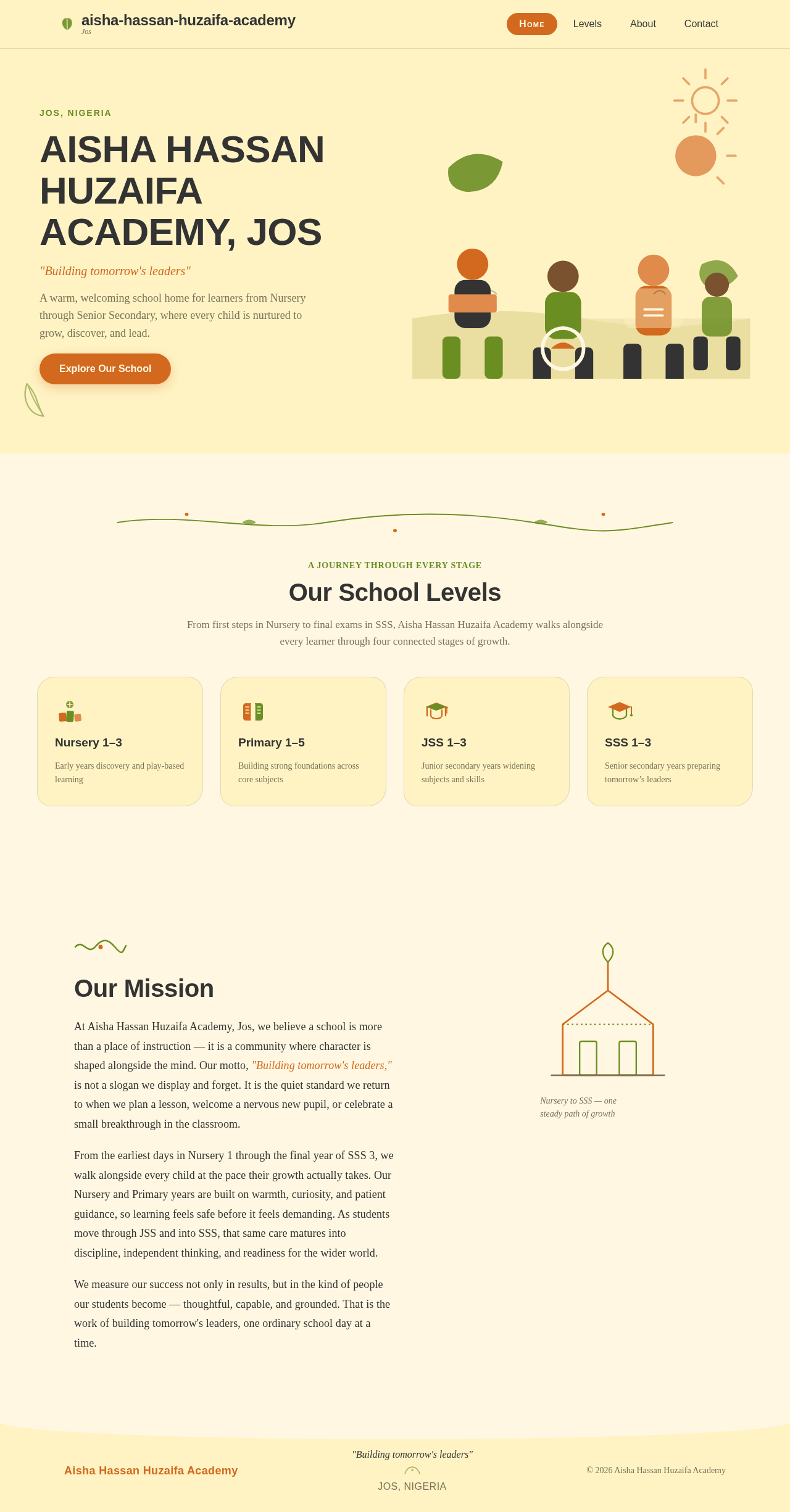
AISHA HASSAN HUZAIFA ACADEMY, JOS
"Building tomorrow's leaders"
A warm, welcoming school home for learners from Nursery through Senior Secondary, where every child is nurtured to grow, discover, and lead.
Explore Our SchoolOur School Levels
From first steps in Nursery to final exams in SSS, Aisha Hassan Huzaifa Academy walks alongside every learner through four connected stages of growth.
Nursery 1–3
Early years discovery and play-based learning
Primary 1–5
Building strong foundations across core subjects
JSS 1–3
Junior secondary years widening subjects and skills
SSS 1–3
Senior secondary years preparing tomorrow’s leaders
Our Mission
At Aisha Hassan Huzaifa Academy, Jos, we believe a school is more than a place of instruction — it is a community where character is shaped alongside the mind. Our motto, "Building tomorrow's leaders," is not a slogan we display and forget. It is the quiet standard we return to when we plan a lesson, welcome a nervous new pupil, or celebrate a small breakthrough in the classroom.
From the earliest days in Nursery 1 through the final year of SSS 3, we walk alongside every child at the pace their growth actually takes. Our Nursery and Primary years are built on warmth, curiosity, and patient guidance, so learning feels safe before it feels demanding. As students move through JSS and into SSS, that same care matures into discipline, independent thinking, and readiness for the wider world.
We measure our success not only in results, but in the kind of people our students become — thoughtful, capable, and grounded. That is the work of building tomorrow's leaders, one ordinary school day at a time.
AISHA HASSAN HUZAIFA ACADEMY, JOS
"Building tomorrow's leaders"
A warm, welcoming school home for learners from Nursery through Senior Secondary, where every child is nurtured to grow, discover, and lead.
Explore Our SchoolOur School Levels
From first steps in Nursery to final exams in SSS, Aisha Hassan Huzaifa Academy walks alongside every learner through four connected stages of growth.
Nursery 1–3
Early years discovery and play-based learning
Primary 1–5
Building strong foundations across core subjects
JSS 1–3
Junior secondary years widening subjects and skills
SSS 1–3
Senior secondary years preparing tomorrow’s leaders
Our Mission
At Aisha Hassan Huzaifa Academy, Jos, we believe a school is more than a place of instruction — it is a community where character is shaped alongside the mind. Our motto, "Building tomorrow's leaders," is not a slogan we display and forget. It is the quiet standard we return to when we plan a lesson, welcome a nervous new pupil, or celebrate a small breakthrough in the classroom.
From the earliest days in Nursery 1 through the final year of SSS 3, we walk alongside every child at the pace their growth actually takes. Our Nursery and Primary years are built on warmth, curiosity, and patient guidance, so learning feels safe before it feels demanding. As students move through JSS and into SSS, that same care matures into discipline, independent thinking, and readiness for the wider world.
We measure our success not only in results, but in the kind of people our students become — thoughtful, capable, and grounded. That is the work of building tomorrow's leaders, one ordinary school day at a time.
No comments yet. Be the first!