after-payment-form
 Emmanuel Oviri
Build a form that collect first name, last name, username, company name, team name, department, team id, a drop to select plan , domain name, then send these details through mail to my mail and send them their wordpress login . The look , and theme of the should look exactly like https://apex.siwesone.ng


Comments (0)
Sign in to leave a comment
System Requirements
System Requirements Document for after-payment-form
1. Introduction
The "after-payment-form" project aims to create a form-based web application that collects user and company details, sends the collected data via email, provides WordPress login credentials to the submitter, and matches the design aesthetics of the reference site https://apex.siwesone.ng. The target audience includes individuals or entities needing to submit their details for processing and receiving WordPress login credentials.
2. System Overview
This system will deliver a form that collects specific user and organizational information, processes the data, and sends it via email to both the requester and the submitter. The design will closely follow the visual inspiration provided by the reference site, ensuring a calm and inviting interface. The system will include two main pages: a public Landing page and a Request Form page.
2a. Product Interpretation and Delivery Boundary
The product will be delivered as a web application with a custom UI that matches the reference site's look and theme. The form will be accessible without authentication, allowing anonymous users to submit their details. The system will handle email delivery of the collected data and WordPress login credentials. The backend will integrate with email services and WordPress provisioning to fulfill these requirements. The project excludes any additional account management or complex form layouts beyond the specified fields.
2b. Source Content Inventory
Not applicable as the reference directive does not include content source.
2c. Page Content and Component Coverage
Landing
- Information/State: Introduction to the form submission process, styled to match the referenced site.
- Primary Actions: Entry to the Request Form.
- Components:
- Logo centered above the form.
- Introduction text explaining the form's purpose.
- Navigation to the Request Form.
Request Form
- Information/State: Collects first name, last name, username, company name, team name, department, team ID, selected plan, and domain name.
- Primary Actions: Submit form, triggering email delivery.
- Components:
- Input fields for each required detail.
- Dropdown for plan selection.
- Submit button with full-width alignment.
- Inline error/message alerts as soft, colored cards.
- Loading/Empty/Success/Error States:
- Loading: Indication while processing submission.
- Empty: Initial state with empty fields.
- Success: Confirmation message upon successful submission.
- Error: Inline alerts for validation errors or submission failures.
3. Functional Requirements
- As a Form submitter, I should be able to access the Landing page anonymously to understand the form submission process. (required_inference)
- As a Form submitter, I should be able to open and complete the Request Form with fields for first name, last name, username, company name, team name, department, team ID, plan, and domain name. (explicit)
- As a Form submitter, I should be able to select a plan from a dropdown menu. (explicit)
- As a Form submitter, I should be able to submit the form, triggering validation and processing of the data. (required_inference)
- As a system, I should send the submitted details by email to the requester's mail address upon successful form submission. (explicit)
- As a system, I should send the submitter their WordPress login details upon successful form submission. (explicit)
4. User Personas
- Form submitter: An individual who enters the required personal, organizational, and plan details into the form for submission and receives WordPress login credentials.
5. Core User Flows
Form Submission Flow
- Entry: The Form submitter accesses the Landing page anonymously.
- Navigation: The Form submitter reads the introduction and navigates to the Request Form.
- Form Completion: The Form submitter fills in all required fields, selects a plan, and submits the form.
- Validation: The system validates the input data.
- Processing: Upon successful validation, the system processes the data.
- Email Delivery: The system sends an email with the submitted details to the requester's email address.
- WordPress Login Delivery: The system sends WordPress login credentials to the submitter.
- Confirmation: The Form submitter receives a confirmation message on the Request Form page.
6. Visuals Colors and Theme
- Muse: Naoto Fukasawa
- Palette:
- Background: #f2f2f2
- Surface: #ffffff
- Text: #333333
- Primary: #ffaa00
- Accent: #888888
- Muted: #cccccc
- Typography:
- Headings: Karla, Medium weight
- Body: Work Sans
- Scale: 32/24/18/16/14
- Shape Language: Rounded blocks with obvious affordances.
- Layout: Centered single-column form with generous whitespace.
- Motion: Subtle, tactile feedback with smooth transitions.
7. Signature Design Concept
The public entry page will feature a centered single-column form with a bold, medium-weight heading in a warm color (#ffaa00) on a soft grey background (#f2f2f2). The logo will be prominently centered above the form, creating a focal point. The form container will have a soft shadow and rounded corners, with well-spaced input fields and a full-width primary action button in a warm orange background with white text.
8. Interaction Model & Motion Direction
- Interaction Model: Static
- Motion Tempo: Still
- Hero Dimensionality: Flat
- Landing Hero Motion Brief: The form will have a composed, centered layout with a focus on simplicity and usability. The primary action button will have a subtle hover effect, enhancing user interaction without distraction.
9. Non-Functional Requirements
- The form must be responsive and accessible across different devices and screen sizes.
- The system must ensure data security and privacy during email transmission.
- The form submission process should be optimized for performance, ensuring quick validation and processing.
10. Tech Stack
- Frontend: React
- Backend: Python/FastAPI
- Email Service: SMTP or equivalent service for email delivery
- WordPress Integration: API for account provisioning
- Deployment: Docker/docker-compose for containerization
11. Assumptions and Constraints
- The WordPress login provisioning is assumed to be available through an existing API or service.
- Email delivery assumes a reliable SMTP or equivalent service is configured.
- The form's visual design must strictly adhere to the reference site's aesthetics.
12. Glossary
- Form submitter: The individual entering data into the form.
- Request Form: The page where the form submitter enters their details.
- Landing page: The initial page providing an overview of the form submission process.
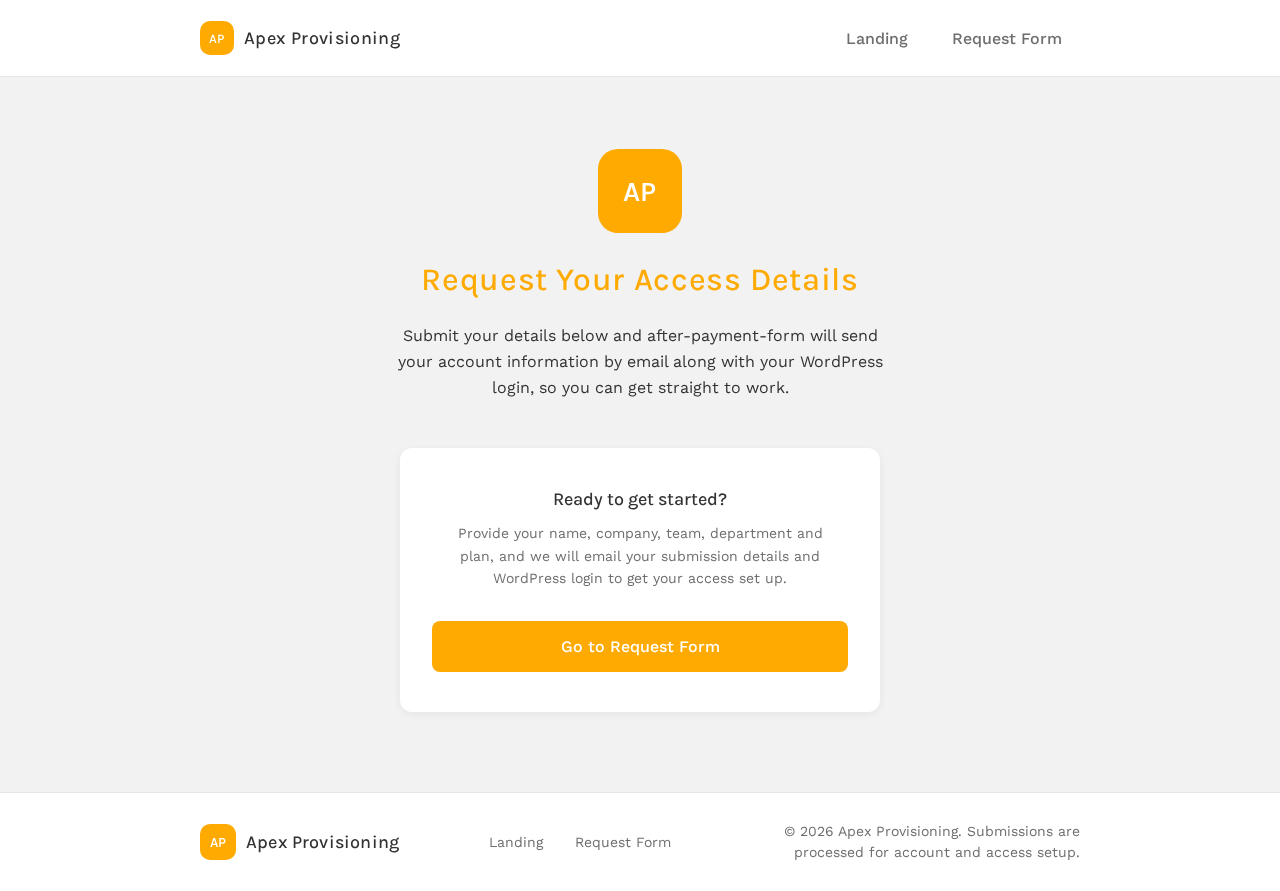
Request Your Access Details
Submit your details below and after-payment-form will send your account information by email along with your WordPress login, so you can get straight to work.
Ready to get started?
Provide your name, company, team, department and plan, and we will email your submission details and WordPress login to get your access set up.
Go to Request FormRequest Your Access Details
Submit your details below and after-payment-form will send your account information by email along with your WordPress login, so you can get straight to work.
Ready to get started?
Provide your name, company, team, department and plan, and we will email your submission details and WordPress login to get your access set up.
Go to Request Form
No comments yet. Be the first!