VSM 2.0
 Manashri jethwa
Build a complete stable accounting web app called “Smart JV Creator” using React, TypeScript, Tailwind CSS and Node.js. Purpose: Convert bank statement Excel/PDF/image files into E-Society compatible JV import Excel files automatically for housing society office accounting work. Core Workflow: 1. Upload bank statement files (Excel, CSV, PDF, JPG, PNG) 2. Extract transaction rows correctly 3. Detect: * Date * Narration/Description * Credit Amount * Debit Amount * Reference Number 4. Show editable preview table 5. Generate final E-Society compatible export Excel Required Features: File Upload: * Stable upload system * Support large Excel files * Handle bank statement formats properly * Prevent blank rows OCR: * OCR support for passbook photos and screenshots * Improve blurry image readability * Preserve narration correctly * Prevent missing narration values * Preserve row order Accounting Workflow: Add proper accounting entry fields: * JV Type * Ledger Name * Narration * Amount * Date * Reference Number JV Types: * Receipt * Payment * Journal Ledger Prediction AI: The app must learn ledger mappings from previous user corrections. Example: If user maps: “Jennifer” → “Jennifer - Sweeper Expenses” Then next time: If narration contains “Jennifer” Automatically predict: “Jennifer - Sweeper Expenses” The system must: * save previous mappings * auto suggest ledgers * support fuzzy matching * handle OCR mistakes * improve prediction over time Template Mapping: User will upload blank E-Society import format. Important: * Preserve exact uploaded column structure * Preserve exact column names * Preserve exact column order * Export must match uploaded template exactly Preview Table: Show: * Date * Narration * Amount * JV Type * Ledger Name * Confidence % * Reference Number Allow: * editing * deleting rows * changing ledgers * changing JV type Export: * XLSX export * CSV export * Default import mode to BANK not CASH Error Handling: Prevent: * No valid rows found * blank narration issue * preview loading failure * OCR row mixing * random crashes UI: * Modern clean dashboard * Mobile responsive * Beginner friendly * Fast loading * Office-use focused Important: Do not create demo/fake data. Build actual working upload, parsing, preview, ledger prediction and export workflow.


Comments (0)
Sign in to leave a comment
System Requirements
VSM 2.0
Introduction
The "VSM 2.0" project aims to develop a comprehensive and stable accounting web application called "Smart JV Creator." This application is designed to automate the conversion of bank statement files into E-Society compatible JV import Excel files, specifically for housing society office accounting work. By eliminating manual data entry, the application will streamline the workflow for housing society administrators.
System Overview
The Smart JV Creator application will facilitate the seamless conversion of various bank statement formats (Excel, CSV, PDF, JPG, PNG) into a format compatible with E-Society management systems. The application will leverage modern web technologies such as React, TypeScript, Tailwind CSS, and Node.js to ensure a robust and user-friendly experience. Key features include file upload, OCR support, ledger prediction AI, and a data import feature for direct integration with E-Society managers.
Functional Requirements
- The application must integrate the upload, column mapping, and member info integration into a single seamless process.
- As a User, I should be able to upload bank statement files in Excel, CSV, PDF, JPG, and PNG formats.
- As a User, I should be able to view an editable preview table of extracted transaction data.
- As a User, I should be able to generate a final E-Society compatible export Excel file.
- As a User, I should be able to edit, delete rows, change ledgers, and change JV types in the preview table.
- As a User, I should be able to import data directly into the e-society manager, eliminating manual data entry.
- As a User, I should be able to rely on the system to predict ledger mappings based on previous corrections.
- As a User, I should be able to export data in XLSX and CSV formats.
- As a User, I should be able to create an account and log in without encountering errors.
- As a User, I should be able to view a modern, clean, and mobile-responsive dashboard.
- As a User, I should be able to upload a member info Excel file to enhance prediction accuracy for fields like wing and unit type.
- The system should utilize member info for improved ledger predictions and allow users to preview, edit, and confirm mappings before exporting.
- The system must ensure that the login page is correctly linked to prevent 404 errors.
- The application must not include a pricing section since it is for single-user personal use only.
- The application must support account creation and authentication without errors.
User Personas
- Admin: Responsible for managing the overall application settings and user permissions.
- Housing Society Accountant: Uses the application to convert bank statements and manage accounting entries.
- Regular User: May assist in data entry and verification tasks.
Visuals Colors and Theme
- primary: #1A73E8 (Deep Blue)
- primary_light: #E8F0FE (Light Blue)
- secondary: #FF6F61 (Coral)
- accent: #FFD700 (Vibrant Gold)
- highlight: #FFA500 (Orange)
- bg: #F5F5F5 (Light Gray)
- surface: rgba(255, 255, 255, 0.9) (White)
- text: #333333 (Dark Gray)
- text_muted: #757575 (Muted Gray)
- border: rgba(0, 0, 0, 0.1) (Light Black)
Signature Design Concept
The homepage of the Smart JV Creator will feature an interactive "Accounting Journey" map. Users will navigate through a virtual housing society landscape, where each building represents a different feature of the application. As users hover over a building, it will animate with subtle 3D effects using @react-three/fiber and @react-three/drei, providing a preview of the feature it represents. Clicking on a building will zoom into a detailed view of that feature, allowing users to interact with it directly. This immersive experience will make the application engaging and intuitive, encouraging users to explore its full capabilities.
Interaction Model & Motion Direction
The landing page will employ a "parallax" interaction model, creating a sense of depth as users scroll through the page. Decorative layers will move at different speeds, enhancing the storytelling aspect of the application. Internal pages, such as dashboards and settings, will use a "static" model to prioritize clarity and speed of data access.
Non-Functional Requirements
- The application must support large file uploads without performance degradation.
- It should be optimized for fast loading times and responsiveness on mobile devices.
- The system must handle errors gracefully, providing clear feedback to users.
Tech Stack
- Frontend: React, TypeScript, Tailwind CSS
- Backend: Node.js
- Database: MongoDB
- OCR: Tesseract.js
- AI Models: GPT 5.4 for user-friendly responses
- Local Orchestration: Docker, docker-compose
Assumptions and Constraints
- The application assumes users have access to the internet and modern web browsers.
- It is constrained by the need to integrate with existing E-Society management systems.
- The application must comply with data privacy regulations applicable in India.
Glossary
- JV (Journal Voucher): A document used in accounting to record transactions.
- OCR (Optical Character Recognition): Technology to convert different types of documents into editable and searchable data.
- E-Society Manager: A software used for managing housing society accounts and records.
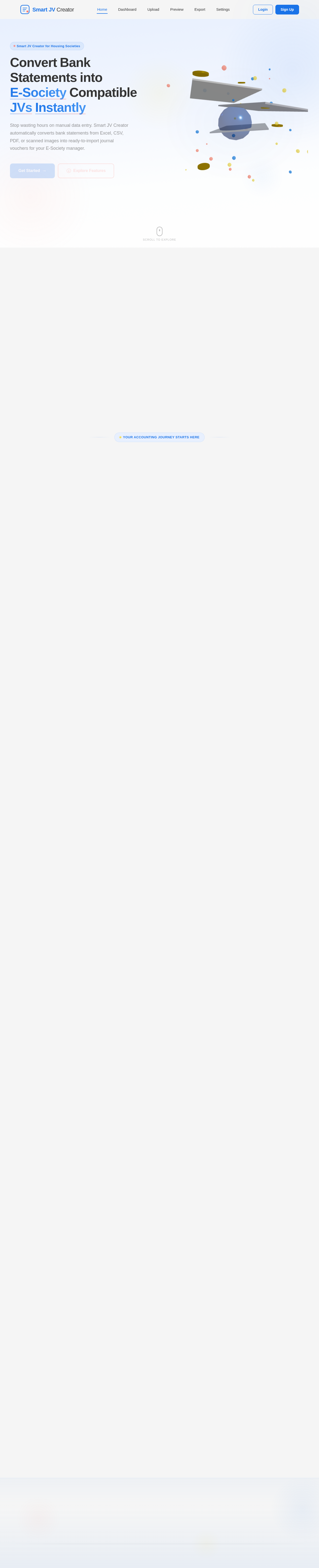
ConvertBankStatementsintoE-SocietyCompatibleJVsInstantly
Stop wasting hours on manual data entry. Smart JV Creator automatically converts bank statements from Excel, CSV, PDF, or scanned images into ready-to-import journal vouchers for your E-Society manager.
Stop Manual Data EntryThat Drains Your Day
Housing society accountants spend hours manually converting bank statements into E-Society compatible formats. Copy-pasting transaction data row by row leads to costly errors, missed entries, and endless rework. Every statement means repeating the same tedious process — formatting columns, matching ledgers, and double-checking figures that should have been automated from the start.
Everything You Need to Automate Accounting
From bank statement extraction to E-Society import, Smart JV Creator handles every step of your housing society accounting workflow.
Automatic Data Extraction
Upload bank statements in any format and watch as the system instantly extracts transaction data with pinpoint accuracy.
Multi-Format Support
Seamlessly process Excel, CSV, PDF, JPG, and PNG files. Built-in OCR handles scanned documents and images effortlessly.
Ledger Prediction AI
AI-powered ledger prediction suggests the right account mapping based on your previous corrections, getting smarter with every use.
Editable Preview Table
Review and modify extracted data in a live preview table. Edit rows, delete entries, change ledgers, and adjust JV types before export.
Member Info Integration
Upload a member info Excel file to enhance prediction accuracy for fields like wing and unit type, improving ledger mappings.
E-Society Export & Import
Generate E-Society compatible JV files in XLSX and CSV formats, or import data directly into your E-Society manager with one click.
From Statement to E-Society in 6 Steps
Upload any bank statement and let Smart JV Creator handle parsing, prediction, and export — your complete accounting workflow, automated.
Upload Statement
Upload your bank statement in Excel, CSV, PDF, or image format. Drag and drop or browse to get started.
Parse & Extract
Our engine parses the file, runs OCR on images, and extracts every transaction row automatically.
Review Data
View an editable preview table. Correct entries, delete duplicates, and adjust JV types before proceeding.
Predict Ledgers
AI-powered ledger prediction suggests the right account mapping based on your correction history.
Export JV File
Generate an E-Society compatible JV import file in XLSX or CSV format with a single click.
Import to E-Society
Directly import the JV data into your E-Society manager — no manual data entry required.
Upload Statement
Upload your bank statement in Excel, CSV, PDF, or image format. Drag and drop or browse to get started.
Parse & Extract
Our engine parses the file, runs OCR on images, and extracts every transaction row automatically.
Review Data
View an editable preview table. Correct entries, delete duplicates, and adjust JV types before proceeding.
Predict Ledgers
AI-powered ledger prediction suggests the right account mapping based on your correction history.
Export JV File
Generate an E-Society compatible JV import file in XLSX or CSV format with a single click.
Import to E-Society
Directly import the JV data into your E-Society manager — no manual data entry required.
Built for reliable housing society accounting
Ready to Automate Your Accounting?
Convert bank statements to E-Society compatible JV files in under 5 minutes. Stop the manual grind and let Smart JV Creator handle it for you.
Frequently Asked Questions
Everything you need to know about Smart JV Creator and how it streamlines your housing society accounting workflow.
No comments yet. Be the first!