VSM 2.0
 Manashri jethwa
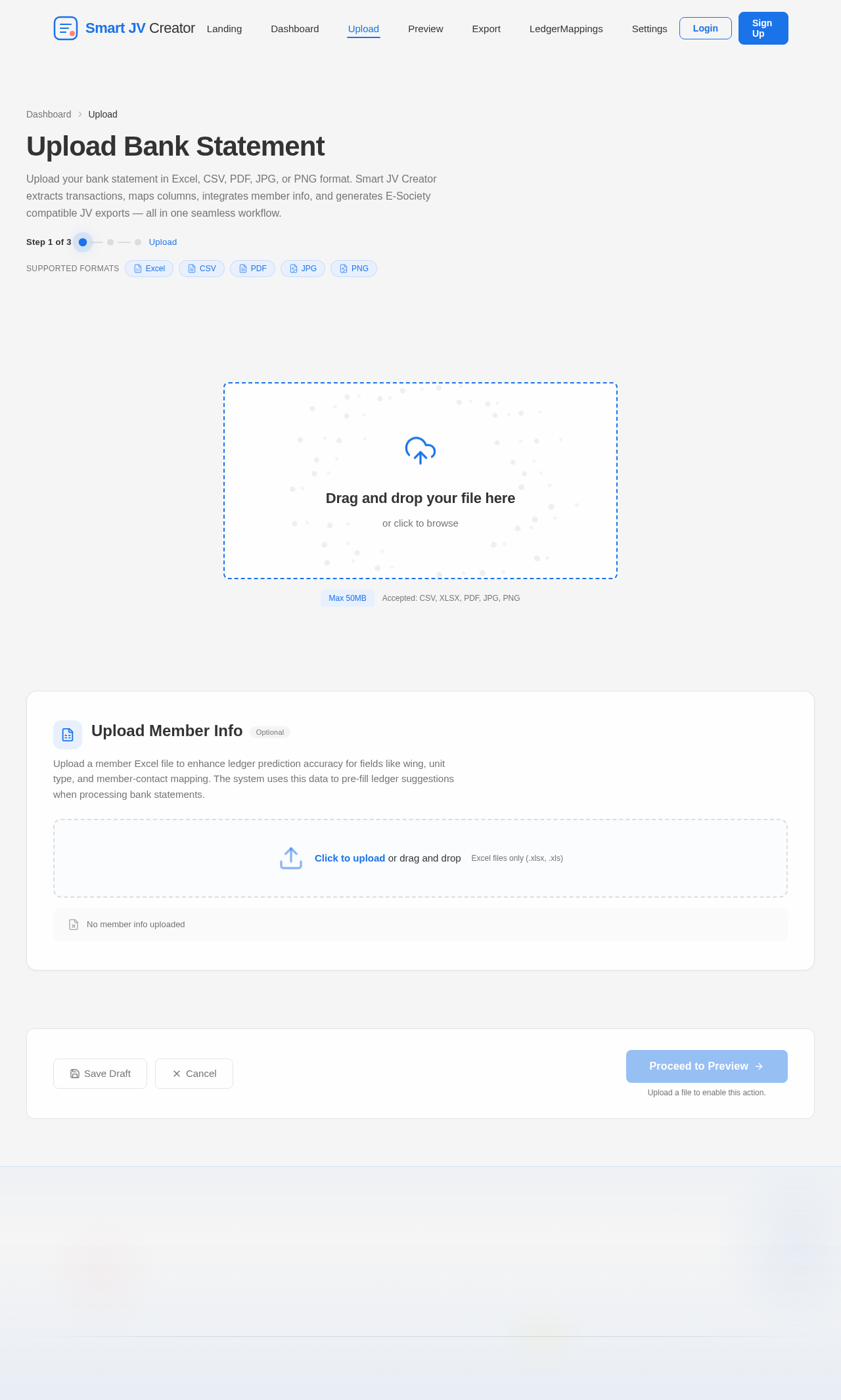
Build a complete stable accounting web app called “Smart JV Creator” using React, TypeScript, Tailwind CSS and Node.js. Purpose: Convert bank statement Excel/PDF/image files into E-Society compatible JV import Excel files automatically for housing society office accounting work. Core Workflow: 1. Upload bank statement files (Excel, CSV, PDF, JPG, PNG) 2. Extract transaction rows correctly 3. Detect: * Date * Narration/Description * Credit Amount * Debit Amount * Reference Number 4. Show editable preview table 5. Generate final E-Society compatible export Excel Required Features: File Upload: * Stable upload system * Support large Excel files * Handle bank statement formats properly * Prevent blank rows OCR: * OCR support for passbook photos and screenshots * Improve blurry image readability * Preserve narration correctly * Prevent missing narration values * Preserve row order Accounting Workflow: Add proper accounting entry fields: * JV Type * Ledger Name * Narration * Amount * Date * Reference Number JV Types: * Receipt * Payment * Journal Ledger Prediction AI: The app must learn ledger mappings from previous user corrections. Example: If user maps: “Jennifer” → “Jennifer - Sweeper Expenses” Then next time: If narration contains “Jennifer” Automatically predict: “Jennifer - Sweeper Expenses” The system must: * save previous mappings * auto suggest ledgers * support fuzzy matching * handle OCR mistakes * improve prediction over time Template Mapping: User will upload blank E-Society import format. Important: * Preserve exact uploaded column structure * Preserve exact column names * Preserve exact column order * Export must match uploaded template exactly Preview Table: Show: * Date * Narration * Amount * JV Type * Ledger Name * Confidence % * Reference Number Allow: * editing * deleting rows * changing ledgers * changing JV type Export: * XLSX export * CSV export * Default import mode to BANK not CASH Error Handling: Prevent: * No valid rows found * blank narration issue * preview loading failure * OCR row mixing * random crashes UI: * Modern clean dashboard * Mobile responsive * Beginner friendly * Fast loading * Office-use focused Important: Do not create demo/fake data. Build actual working upload, parsing, preview, ledger prediction and export workflow.


Comments (0)
Sign in to leave a comment
No comments yet. Be the first!