Traffic Vision
 deepakdudeja mmu
Create a complete Traffic Sign Recognition System using Deep Learning and Convolutional Neural Networks (CNN). Project Title: Traffic Sign Recognition using CNN and Deep Learning Objective: Develop a web application that can recognize and classify traffic signs from uploaded images using a trained CNN model. Frontend Requirements: - React.js frontend - Modern and responsive UI - Attractive dashboard design - Drag and Drop image upload - Browse image upload option - Image preview before prediction - Loading animation during prediction - Display predicted traffic sign name - Display confidence percentage - Error handling for invalid image uploads - Mobile and desktop responsive design Backend Requirements: - Python FastAPI backend - REST API architecture - Image upload endpoint - Prediction endpoint - Health check endpoint - Proper error handling - CORS support for React frontend Deep Learning Requirements: - TensorFlow/Keras framework - Convolutional Neural Network (CNN) built from scratch - Use: - Convolution Layers - ReLU Activation - MaxPooling Layers - Dropout Layers - Dense Layers - Softmax Output Layer - Multi-class traffic sign classification - Model saved as traffic_sign_model.h5 Dataset Requirements: - Use GTSRB (German Traffic Sign Recognition Benchmark) dataset - Image resizing to 32x32 - Image normalization - Data preprocessing pipeline - Data augmentation using ImageDataGenerator - Train/Test split Model Training Features: - CNN training script - Model checkpoint saving - Early stopping - Accuracy and loss tracking - Training history visualization Evaluation Features: - Accuracy graph - Loss graph - Confusion Matrix - Classification Report - Final test accuracy display Prediction Features: - Upload traffic sign image - Real-time prediction - Display sign class name - Display confidence score - Show uploaded image with result Project Structure: TrafficSignRecognition/ │ ├── frontend/ │ ├── src/ │ │ ├── components/ │ │ ├── pages/ │ │ ├── App.js │ │ ├── index.js │ │ └── api.js │ │ │ ├── public/ │ ├── package.json │ └── README.md │ ├── backend/ │ ├── server.py │ ├── classifier.py │ ├── requirements.txt │ ├── uploads/ │ └── models/ │ └── traffic_sign_model.h5 │ ├── training/ │ ├── train_model.py │ ├── evaluate_model.py │ ├── plots/ │ └── saved_models/ │ ├── dataset/ │ └── README.md API Endpoints: - GET /health - POST /predict Required Libraries: Backend: - TensorFlow - Keras - OpenCV - NumPy - Pandas - Matplotlib - FastAPI - Uvicorn - Pillow Frontend: - React.js - Axios - React Icons Additional Requirements: - Clean code with comments - Professional folder structure - Production-ready project - Fully functional frontend-backend integration - Step-by-step setup instructions - Complete source code for every file - No placeholder code - All files should be fully implemented and ready to run Generate the complete code for frontend, backend, CNN model training, dataset preprocessing, API integration, and project documentation. run ho jaye and give me the code for the vs code as try to give the best frontend and backend


Comments (0)
Sign in to leave a comment
System Requirements
Traffic Vision
Introduction
Traffic Vision is a web application designed to recognize and classify traffic signs from uploaded images using a trained Convolutional Neural Network (CNN) model. This system leverages deep learning to provide accurate and real-time traffic sign recognition.
System Overview
The Traffic Vision project consists of a frontend built with React.js and a backend powered by Python's FastAPI. The system uses a CNN model trained on the GTSRB dataset to classify traffic signs. The application is designed to be responsive and user-friendly, providing real-time predictions with confidence scores.
Functional Requirements
- As a User, I should be able to upload traffic sign images via drag-and-drop or browse option.
- As a User, I should see a preview of the uploaded image before prediction.
- As a User, I should see a loading animation during the prediction process.
- As a User, I should see the predicted traffic sign name and confidence percentage.
- As a User, I should receive error messages for invalid image uploads.
- As a User, I should be able to use the application on both mobile and desktop devices.
- As a Developer, I should have a REST API for image upload and prediction.
- As a Developer, I should have a health check endpoint for monitoring the backend.
- As a Developer, I should have proper error handling and CORS support for the frontend.
User Personas
- End User: Individuals who upload images to identify traffic signs.
- Developer: Engineers maintaining and improving the system.
Core User Flows
- User uploads an image -> Image is previewed -> User initiates prediction -> System displays prediction and confidence.
- Developer monitors system health -> Uses health check endpoint -> Ensures system is running smoothly.
Visuals Colors and Theme
- primary: #1A1A1D (Dark Gray)
- primary_light: #4E4E50 (Light Gray)
- secondary: #FFD700 (Gold)
- accent: #FF4500 (Orange Red)
- highlight: #32CD32 (Lime Green)
- bg: #0D0D0D (Black)
- surface: rgba(255, 255, 255, 0.1)
- text: #FFFFFF (White)
- text_muted: #B0B0B0 (Muted Gray)
- border: rgba(255, 255, 255, 0.2)
Signature Design Concept
The homepage features an interactive, animated background that mimics a dynamic road map. As users scroll, traffic signs appear and animate into view, providing an engaging experience. The design uses framer-motion for smooth transitions and animations, creating a lively and immersive environment. The interactive elements respond to user actions, such as hovering and clicking, to provide real-time feedback.
Interaction Model & Motion Direction
- Interaction Model: Parallax
- Motion Direction: The landing page uses layered depth with scroll-triggered animations. Each section has a distinctive mechanic, such as kinetic typography or interactive SVGs, to maintain user engagement.
Non-Functional Requirements
- The system should handle up to 100 concurrent users.
- The prediction response time should be under 2 seconds.
- The application should be available 99.9% of the time.
Tech Stack
- Frontend: React.js
- Backend: Python, FastAPI
- Database: Not specified (assumed not needed for this scope)
- Deep Learning: TensorFlow/Keras
- Deployment: Docker, Kubernetes
Assumptions and Constraints
- The system assumes users have a stable internet connection.
- The application is constrained to recognizing traffic signs from the GTSRB dataset.
Glossary
- CNN: Convolutional Neural Network
- GTSRB: German Traffic Sign Recognition Benchmark
- REST API: Representational State Transfer Application Programming Interface
This document outlines the system requirements for the Traffic Vision project, ensuring a comprehensive understanding of the application's functionality and design.
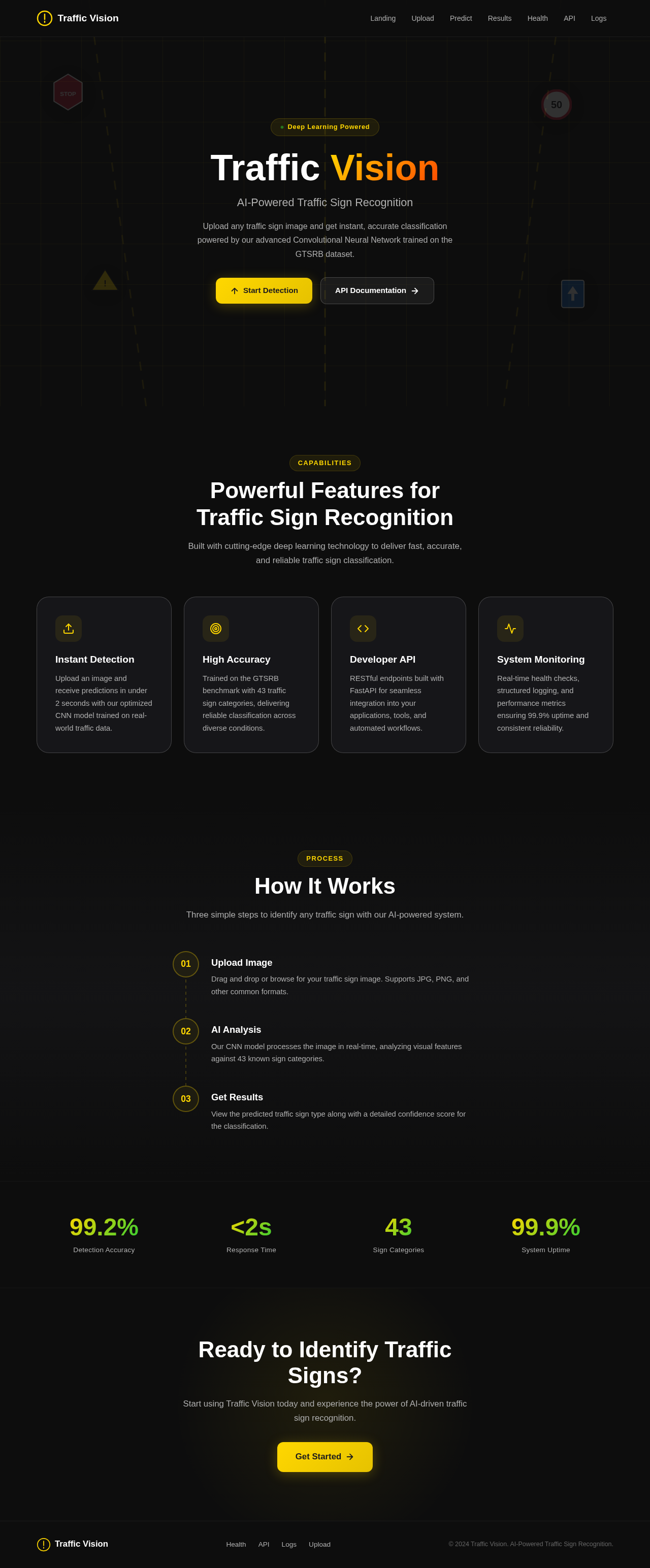
Traffic Vision
AI-Powered Traffic Sign Recognition
Upload any traffic sign image and get instant, accurate classification powered by our advanced Convolutional Neural Network trained on the GTSRB dataset.
Powerful Features for
Traffic Sign Recognition
Built with cutting-edge deep learning technology to deliver fast, accurate, and reliable traffic sign classification.
Instant Detection
Upload an image and receive predictions in under 2 seconds with our optimized CNN model trained on real-world traffic data.
High Accuracy
Trained on the GTSRB benchmark with 43 traffic sign categories, delivering reliable classification across diverse conditions.
Developer API
RESTful endpoints built with FastAPI for seamless integration into your applications, tools, and automated workflows.
System Monitoring
Real-time health checks, structured logging, and performance metrics ensuring 99.9% uptime and consistent reliability.
How It Works
Three simple steps to identify any traffic sign with our AI-powered system.
Upload Image
Drag and drop or browse for your traffic sign image. Supports JPG, PNG, and other common formats.
AI Analysis
Our CNN model processes the image in real-time, analyzing visual features against 43 known sign categories.
Get Results
View the predicted traffic sign type along with a detailed confidence score for the classification.
Ready to Identify Traffic Signs?
Start using Traffic Vision today and experience the power of AI-driven traffic sign recognition.
Get Started
No comments yet. Be the first!