Sunsam Bhai ko Galat sabit krna
 Samsaam Ali
Create an calculator

Comments (0)
Sign in to leave a comment
System Requirements
Sunsam Bhai ko Galat sabit krna
Introduction
The project "Sunsam Bhai ko Galat sabit krna" aims to develop a basic calculator application. This application will focus on providing a clean, user-friendly interface that supports standard arithmetic operations. The goal is to create a reliable tool that meets the basic calculation needs of users.
System Overview
The calculator application will be a simple yet effective tool designed for users who need to perform basic arithmetic operations. The application will be accessible on both web and mobile platforms, ensuring versatility and ease of use. The primary focus will be on delivering a seamless user experience with a straightforward design.
Functional Requirements
- As a User, I should be able to perform addition, subtraction, multiplication, and division.
- As a User, I should be able to clear the current input.
- As a User, I should be able to view the result of my calculations immediately.
- As a User, I should be able to use the calculator on both web and mobile platforms.
User Personas
- Basic User: Individuals who need to perform simple arithmetic calculations for personal or educational purposes.
Visuals Colors and Theme
- primary: #2A9D8F (a deep teal for the main interface elements)
- primary_light: #A8DADC (a light teal for hover states and secondary UI)
- secondary: #E76F51 (a coral hue for headlines and emphasis)
- accent: #F4A261 (a vibrant orange for CTAs and active states)
- highlight: #E9C46A (a warm gold for hover states and notifications)
- bg: #F1FAEE (a soft, off-white background color)
- surface: rgba(42, 157, 143, 0.8) (a semi-transparent teal for card/panel backgrounds)
- text: #264653 (a dark slate for primary text and headings)
- text_muted: #8D99AE (a muted gray for secondary text and labels)
- border: rgba(233, 69, 96, 0.2) (a subtle coral border color)
Signature Design Concept
The homepage of the calculator app will feature an interactive "floating keypad" design. Users will experience a dynamic interface where the calculator buttons appear to float above the background. As users hover over each button, it will gently rise and cast a shadow, creating a 3D effect. This interaction will be powered by framer-motion to ensure smooth transitions and spring physics. The background will subtly shift colors based on the time of day, providing a visually engaging experience that feels alive and responsive.
Interaction Model & Motion Direction
The landing page will utilize a "parallax" interaction model. Layers of the interface, such as the floating keypad and background, will move at different speeds as the user scrolls, creating a sense of depth. This approach will enhance the storytelling aspect of the app's design, making the first impression both memorable and engaging.
Non-Functional Requirements
- The application should load within 2 seconds on standard internet connections.
- The interface should be responsive and adapt to different screen sizes.
- The application should handle up to 1,000 concurrent users without performance degradation.
Tech Stack
- Frontend: React for Web, React Native for mobile app
- Backend: Python, FastAPI
- Database: MySQL or MariaDB, using Alembic for migrations
- Local orchestration: Docker, docker-compose
- Server-side orchestration: Kubernetes
Assumptions and Constraints
- The application will primarily serve users in Pakistan, considering local currency and timezone settings.
- The calculator will not include advanced scientific functions in its initial release.
- The application will be developed with scalability in mind to accommodate future feature expansions.
Glossary
- UI: User Interface
- CTA: Call to Action
- RDBMS: Relational Database Management System
- 3D: Three-Dimensional
- API: Application Programming Interface
This document outlines the requirements and design direction for the "Sunsam Bhai ko Galat sabit krna" project. The focus is on creating a simple, effective, and visually engaging calculator application.
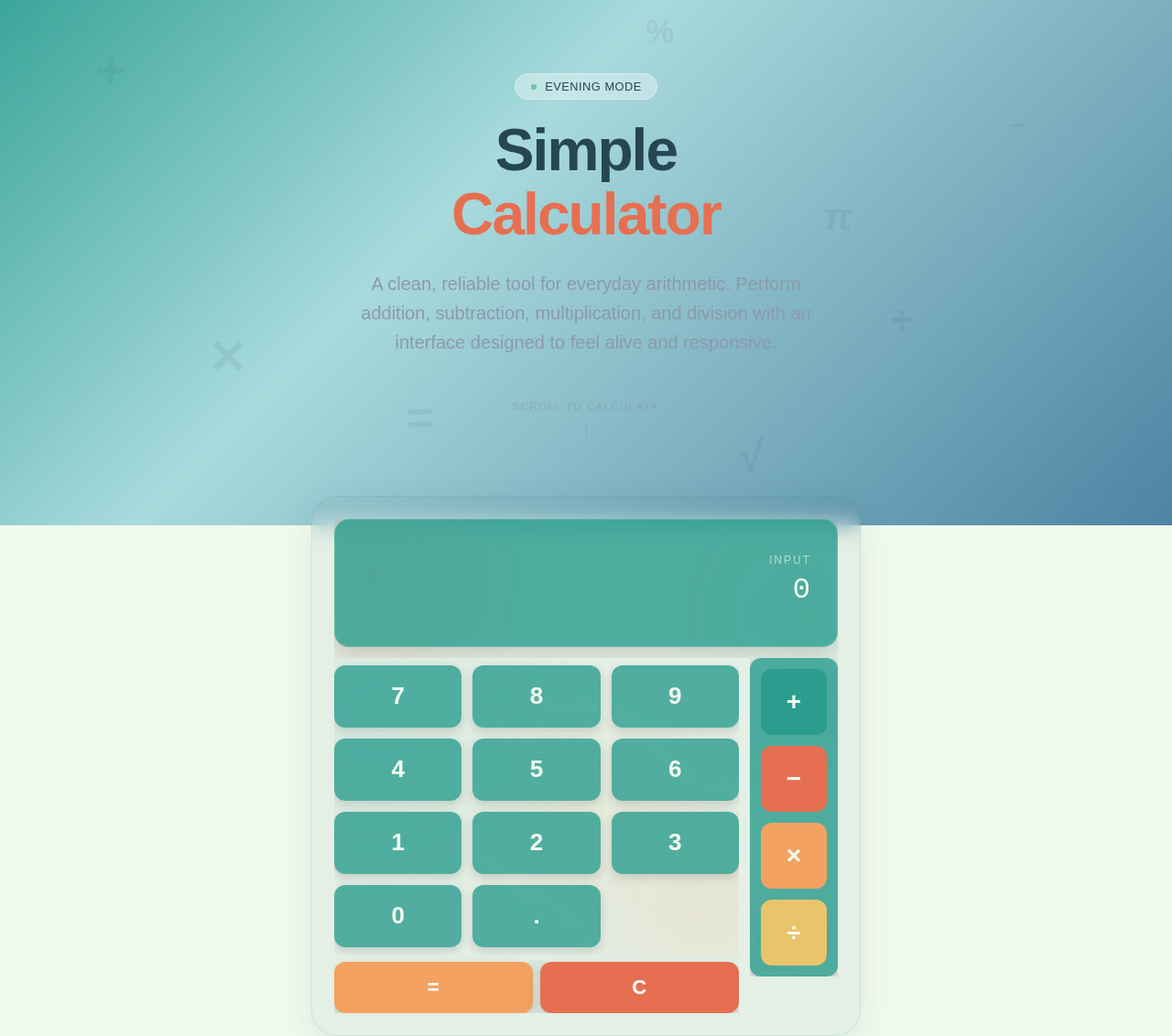
Simple Calculator
A clean, reliable tool for everyday arithmetic. Perform addition, subtraction, multiplication, and division with an interface designed to feel alive and responsive.
No comments yet. Be the first!