Saas
 Fake3
Fake3Niche Scheduling & Intake Tools The Idea: Appointment scheduling built exclusively for specialized verticals (e.g., wellness practitioners, medical clinics, or creative studios). Why it’s Underrated: Horizontal tools like Calendly work great for standard Zoom meetings, but they fail specialized service businesses. These businesses need industry-specific intake forms, liability waivers, equipment tracking, and deposit handling built directly into the booking flow. Proven Demand: Small local businesses are eager to pay $30–$50/month for software that reduces administrative overhead and prevents revenue loss from no-shows.


Comments (0)
Sign in to leave a comment
System Requirements
Saas System Requirements Document
Introduction
The project, Saas, aims to develop a niche scheduling and intake tool designed specifically for specialized verticals such as wellness practitioners, medical clinics, and creative studios. Unlike generic scheduling tools, Saas will integrate industry-specific features to cater to the unique needs of these businesses.
System Overview
Saas will provide a comprehensive appointment scheduling system that includes industry-specific intake forms, liability waivers, equipment tracking, and deposit handling. The system is designed to reduce administrative overhead and prevent revenue loss from no-shows, offering a tailored solution for small local businesses willing to invest in specialized software.
Functional Requirements as Story Points
- As a wellness practitioner, I should be able to create and customize intake forms specific to my services.
- As a medical clinic administrator, I should be able to integrate liability waivers into the booking process.
- As a creative studio manager, I should be able to track equipment availability and assign it to appointments.
- As a user, I should be able to handle deposits during the booking process to secure appointments.
- As a business owner, I should be able to set up automated reminders to reduce no-shows.
- As a user, I should be able to manage and view all appointments in a centralized calendar.
- As an admin, I should be able to generate reports on booking trends and equipment usage.
User Personas
- Wellness Practitioner: Focuses on providing personalized health services and requires customized intake forms and liability waivers.
- Medical Clinic Administrator: Manages clinic operations, ensuring compliance with legal requirements through integrated waivers.
- Creative Studio Manager: Oversees studio resources and schedules, needing efficient equipment tracking and booking management.
- Business Owner: Seeks to optimize operations and reduce no-shows through effective scheduling and deposit handling.
Core User Flows
- Wellness Practitioner sets up intake forms -> Client books appointment -> Completes intake form -> Appointment confirmed with deposit.
- Medical Clinic schedules appointment -> Patient signs liability waiver -> Appointment confirmed -> Automated reminder sent.
- Creative Studio Manager checks equipment availability -> Books equipment with appointment -> Confirms booking with deposit -> Equipment usage tracked.
Visuals Colors and Theme
- primary: #2A9D8F (Teal)
- primary_light: #A8DADC (Light Teal)
- secondary: #E76F51 (Coral)
- accent: #F4A261 (Orange)
- highlight: #E9C46A (Gold)
- bg: #F1FAEE (Off-white)
- surface: rgba(42, 157, 143, 0.8)
- text: #264653 (Dark Blue)
- text_muted: #8D99AE (Muted Gray)
- border: rgba(233, 69, 96, 0.2)
Signature Design Concept
The homepage will feature an interactive "Appointment Journey" animation. Users will see a timeline of an appointment from booking to completion. As users scroll, they will interact with animated elements representing each step: intake forms, waiver signing, equipment allocation, and deposit confirmation. This dynamic visual will use motion/react for smooth transitions and interactions, making the process engaging and intuitive.
Landing Hero Motion Brief
The hero section will depict a client booking an appointment, filling out an intake form, and confirming with a deposit. The animation will loop every 10 seconds, showing the transformation from an empty calendar to a fully booked schedule. Each layer will be interactive, allowing users to hover over elements for more information. The animation will be built using motion/react for seamless integration and responsiveness.
Interaction Model & Motion Direction
The landing page will use an "animated" interaction model, featuring scroll-triggered reveals and hover transitions. The homepage will have a continuous 2D motion loop, with each section offering a unique interactive element, such as morphing SVGs or kinetic typography, to maintain user engagement.
Non-Functional Requirements
- The system must be scalable to accommodate multiple businesses with varying needs.
- Ensure data security and compliance with industry standards for handling sensitive information.
- Provide a responsive design that works seamlessly across devices.
Tech Stack
- Frontend: React for Web
- Backend: Python, FastAPI
- Database: MySQL or MariaDB
- AI Models: Not specified
- Local Orchestration: Docker, docker-compose
- Server-side Orchestration: Kubernetes
Assumptions and Constraints
- The system will primarily target small local businesses willing to pay $30–$50/month.
- The solution must integrate seamlessly with existing tools used by these businesses.
- The system should be easy to use, with minimal training required for new users.
Glossary
- Intake Form: A form used to gather necessary information from clients before an appointment.
- Liability Waiver: A legal document that clients sign to acknowledge risks associated with a service.
- Equipment Tracking: Monitoring the availability and usage of equipment required for services.
- Deposit Handling: The process of securing a booking with a financial deposit.
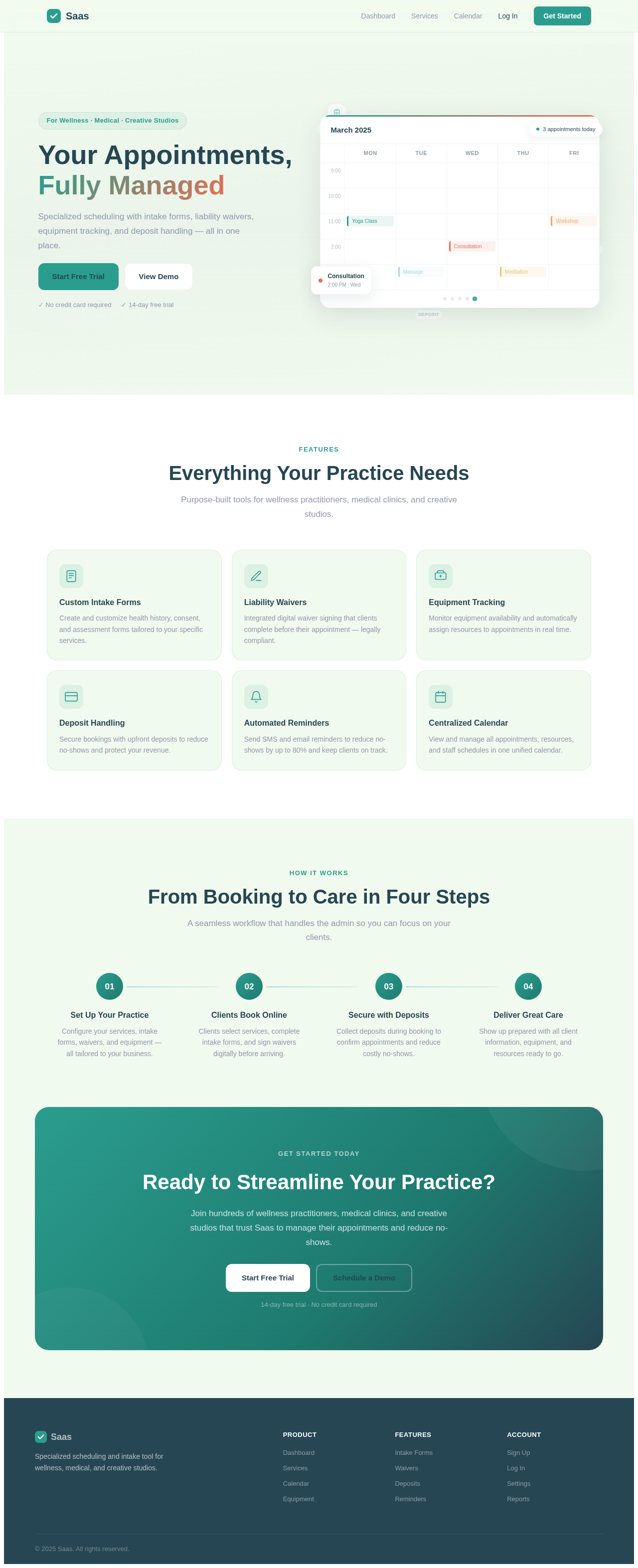
Your Appointments,
Fully Managed
Specialized scheduling with intake forms, liability waivers, equipment tracking, and deposit handling — all in one place.
Everything Your Practice Needs
Purpose-built tools for wellness practitioners, medical clinics, and creative studios.
Custom Intake Forms
Create and customize health history, consent, and assessment forms tailored to your specific services.
Liability Waivers
Integrated digital waiver signing that clients complete before their appointment — legally compliant.
Equipment Tracking
Monitor equipment availability and automatically assign resources to appointments in real time.
Deposit Handling
Secure bookings with upfront deposits to reduce no-shows and protect your revenue.
Automated Reminders
Send SMS and email reminders to reduce no-shows by up to 80% and keep clients on track.
Centralized Calendar
View and manage all appointments, resources, and staff schedules in one unified calendar.
From Booking to Care in Four Steps
A seamless workflow that handles the admin so you can focus on your clients.
Set Up Your Practice
Configure your services, intake forms, waivers, and equipment — all tailored to your business.
Clients Book Online
Clients select services, complete intake forms, and sign waivers digitally before arriving.
Secure with Deposits
Collect deposits during booking to confirm appointments and reduce costly no-shows.
Deliver Great Care
Show up prepared with all client information, equipment, and resources ready to go.
Ready to Streamline Your Practice?
Join hundreds of wellness practitioners, medical clinics, and creative studios that trust Saas to manage their appointments and reduce no-shows.
14-day free trial · No credit card required
Your Appointments,
Fully Managed
Specialized scheduling with intake forms, liability waivers, equipment tracking, and deposit handling — all in one place.
Everything Your Practice Needs
Purpose-built tools for wellness practitioners, medical clinics, and creative studios.
Custom Intake Forms
Create and customize health history, consent, and assessment forms tailored to your specific services.
Liability Waivers
Integrated digital waiver signing that clients complete before their appointment — legally compliant.
Equipment Tracking
Monitor equipment availability and automatically assign resources to appointments in real time.
Deposit Handling
Secure bookings with upfront deposits to reduce no-shows and protect your revenue.
Automated Reminders
Send SMS and email reminders to reduce no-shows by up to 80% and keep clients on track.
Centralized Calendar
View and manage all appointments, resources, and staff schedules in one unified calendar.
From Booking to Care in Four Steps
A seamless workflow that handles the admin so you can focus on your clients.
Set Up Your Practice
Configure your services, intake forms, waivers, and equipment — all tailored to your business.
Clients Book Online
Clients select services, complete intake forms, and sign waivers digitally before arriving.
Secure with Deposits
Collect deposits during booking to confirm appointments and reduce costly no-shows.
Deliver Great Care
Show up prepared with all client information, equipment, and resources ready to go.
Ready to Streamline Your Practice?
Join hundreds of wellness practitioners, medical clinics, and creative studios that trust Saas to manage their appointments and reduce no-shows.
14-day free trial · No credit card required
No comments yet. Be the first!