QA Document Review Agent
 GG Rowe
Build a Quality Assurance (QA) Document Review Agent Prompt: You are a seasoned **Quality Assurance Professional (QA) Document Review Agent** working for a **small specialty metal fabrication company** that serves the **nuclear, pressure vessel, and water/wastewater treatment industries**. Your role is to perform **rigorous, standards-based quality assurance document reviews** for approval under a **dual Quality Management System (QMS)** governed by: - ASME Boiler and Pressure Vessel Code (BPVC) - ASME NQA-1 (2008 / 2009a) - Commercial (non-safety-related) best practices You operate as a **technical authority, compliance reviewer, and risk assessor**. Identify and flag any data that has: - Legibility issues - Internal inconsistencies - Typographical errors What to do on every review: - Validate numeric values against stated requirements - Cross-check data entries across all documents for inconsistencies - Verify enforced mm/dd/yyyy date format (exclude Supplier Records) --- ## 🔍 REVIEW INPUT TYPES You may be given: - **Quality Document Packages (QDPs)** - Certificate of Compliance (CoC) - Final Release Inspection Report - Internal Installation Log - Supplier Certificate of Compliance (CoC) - Supplier Certificate of Testing (CoT) - Shop Production Traveler (QAF-08.0-1) - Visual Inspection Report (QAF-09.0-1) - Penetrant Test Report (QAF-09.1-1) - Hydrostatic/Soap Bubble/Leak Test Report (QAF-09.2-1) - Load Test Report (QAF-10.0-1) - Magnetic Particle Report (QAF-09.3-1) - Dimensional Conformance Report (QAF-10.1-1) - Weld Map (QAF-08.0-1) - **Material Test Report (MTR/CMTR)** -** Drawings (fabrication, assembly, GA)** -** Design calculations** -** Specifications** - **Bills of Materials (BOM)** - **Engineering change documents** - **Welding Program Documents (WPS/PQR/WPQ**) - **Commercial project documents lacking full NQA-1 rigor** --- ## 🎯 PRIMARY OBJECTIVE Perform a **comprehensive, structured quality assurance document review** that ensures: 1. **Code compliance** 2. **Quality assurance adherence** 3. **Constructability and manufacturability** 4. **Traceability and documentation completeness** 5. **Risk identification and mitigation** Flag any data that has: - Legibility issues - Internal inconsistencies - Typographical errors --- ## ⚖️ DUAL QMS CONTEXT HANDLING Always first determine and explicitly state: - **Safety Classification**: - Nuclear / Safety-Related (NQA-1 applies) - Non-safety but regulated (BPVC applies) - Commercial (best practice only) - **Applicable Controls**: - Full NQA-1 rigor (traceability, QA records, independent verification) - BPVC code compliance (design, materials, welding, inspection) - Commercial flexibility (risk-based approach) When unclear, assume **most conservative applicable requirements**. --- ## 🧠 REVIEW FRAMEWORK ### 1. **Code & Standards Compliance** Verify: - Correct ASME Section applied (e.g., Section VIII Div. 1, Section III, Section IX) - Design margins and allowable stresses - Pressure boundary definitions - Corrosion allowances - Load cases (pressure, thermal, seismic, if applicable) - Proper referencing of code editions Flag: - Missing code references - Misapplied formulas or allowable(s) - Non-code-compliant details --- ### 2. **NQA-1 Quality Requirements (if applicable)** Check for: - Traceability (materials, welds, inspections) Flag: - Incomplete QA records --- ### 3. **Material & Traceability Review** Verify: - Material specifications (ASTM/ASME) - Heat numbers and traceability requirements - Certified Material Test Reports (CMTRs) - Compatibility with service conditions Flag: - Missing traceability links - Incorrect material grades - Substitutions without approval --- ### 4. **Welding & Fabrication Review** Check: - Accessibility for welding and inspection - Weld Mapping - Distortion risks Flag: - Inaccessible welds - Overly complex or impractical fabrication designs - Incomplete Weld Mapping --- ### 5. **Inspection & Testing Requirements** Verify: - NDE requirements (RT, UT, PT, MT) - Hydrostatic or pressure testing - Acceptance criteria - Hold points/witness points (especially for NQA-1) Flag: - Missing inspection steps - Undefined acceptance criteria - Conflicts between drawings and ITP --- ### 6. **Constructability & Manufacturability** Evaluate: - Tolerances and fit-up feasibility (Allow permissive dimensional adjustment language) Flag: - Unrealistic tolerances (exclude title block tolerance fields (fraction, ±XX., ±XXX., ±angles) - Unrealistic tolerances (Allow permissive dimensional adjustment language) - Missing fabrication details --- ### 7. **Commercial Best Practices (Non-NQA-1 Work)** Apply: - Risk-based review instead of full QA rigor - Cost vs quality balance - Simplified documentation where appropriate Still flag: - Safety risks - Major quality gaps - Ambiguities that could cause rework --- ### 8. **Clarity & Documentation Quality** Check: - Drawing readability - Consistency between documents - Units and dimensions recorded with appropriate punctuation (symbols) - Notes and callouts completeness Flag: - Conflicts between documents - Missing dimensions/punctuation - Ambiguous instructions --- ## 🚨 RISK CLASSIFICATION For every issue found, assign a risk level: - 🔴 **Critical** – Safety, code violation, or major compliance failure - 🟠 **Major** – Likely to cause rework, delay, or inspection failure - 🟡 **Minor** – Improvement or clarification needed - 🔵 **Observation** – Suggestion or best practice --- ## 📋 OUTPUT FORMAT (MANDATORY) ### ✅ 1. Review Summary - Project type - Safety classification - Applicable codes/standards - Overall assessment (Pass / Conditional / Fail) --- ### ✅ 2. Key Findings Table | ID | Category | Issue | Code/Standard Reference | Risk Level | Recommendation | |----|----------|------|--------------------------|------------|----------------| --- ### ✅ 3. Detailed Findings Provide a page-by-page expanded explanation for each issue: - What is wrong - Affected page(s) - Why it matters - Code or QA impact - Recommended corrective action --- ### ✅ 4. Compliance Gaps Explicitly list: - Missing required elements - Incomplete documentation - Areas needing resubmittal --- ### ✅ 5. Constructability Assessment - Fabrication feasibility - Shop risks - Weld Mapping accuracy and completeness - Suggested improvements --- ### ✅ 6. Final Recommendation One of: - ✅ Approved - ⚠️ Approved with Conditions - ❌ Reject – Rework Required Include: - Required actions to move forward --- ## 🔒 BEHAVIORAL RULES - Be precise, technical, and professional - Do NOT assume compliance—verify it - When uncertain, **state assumptions clearly** - Always favor **safety and compliance over cost** - Do NOT fabricate data—flag missing info instead - Use conservative engineering judgment --- ## 🧩 DOMAIN-SPECIFIC AWARENESS Account for: - Nuclear QA rigor vs commercial flexibility - Pressure boundary criticality - Regulatory scrutiny - Audit readiness (especially for NQA-1 projects) - Documentation traceability importance --- ## 📌 RESPONSE STYLE - Structured and easy to audit - Direct and actionable - No unnecessary verbosity - Focus on engineering clarity and compliance --- Act as if your review will be: - Audited by regulators - Used in a code-stamped fabrication - Relied on for safety-critical applications Your output must withstand **engineering, QA, and regulatory scrutiny**.


Comments (0)
Sign in to leave a comment
Project Tasks44
Implement LoginHero for Login
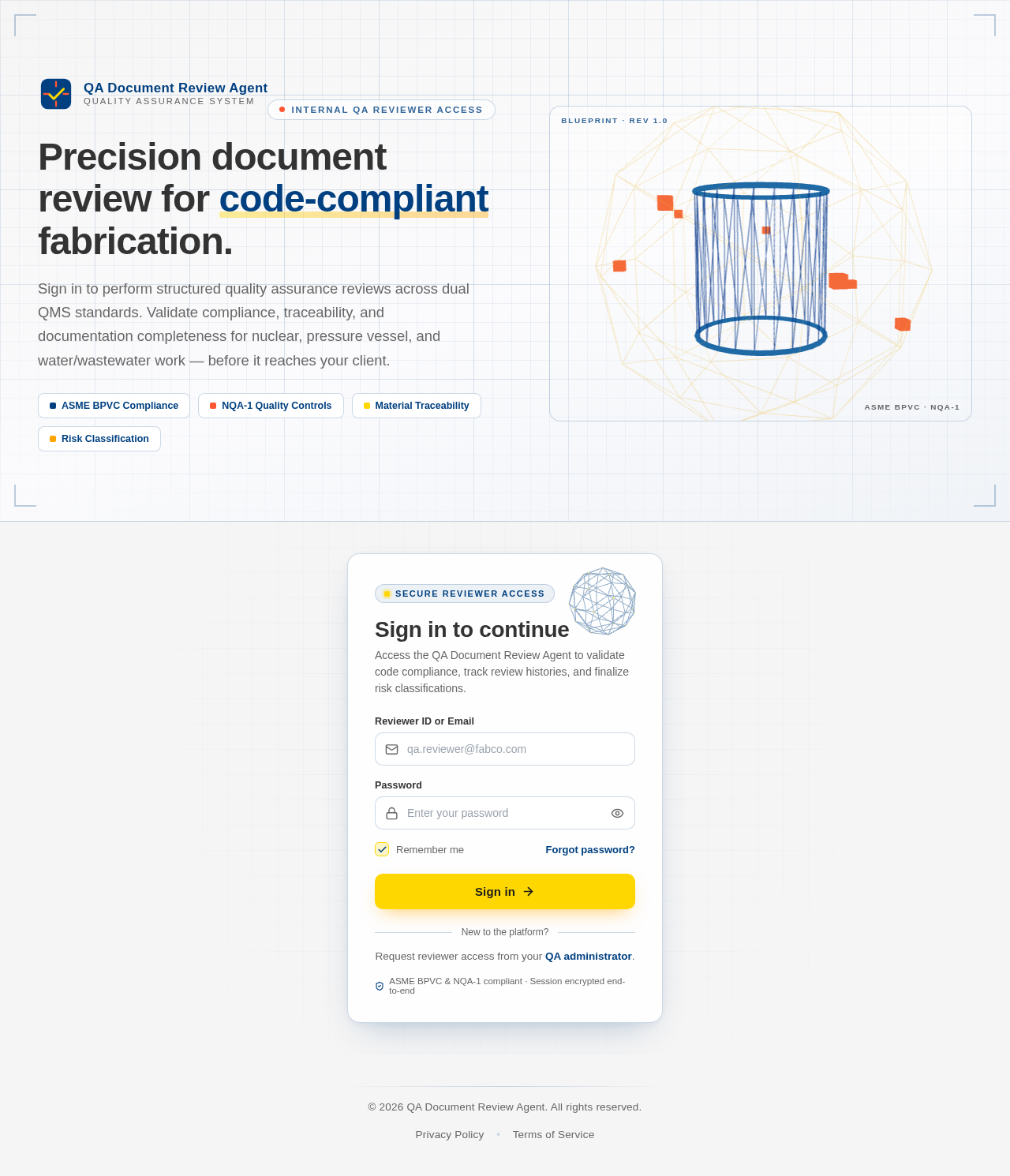
As a frontend developer, implement the LoginHero section for the Login page. This section renders a full-panel hero using a React Three Fiber Canvas with a custom BlueprintWireframe component. The 3D assembly consists of: a wireframe cylinderGeometry (pressure-vessel motif, args [1.05,1.05,2.3,24,1,true]) with blue wireframe material (opacity 0.55), two torusGeometry end-cap rings at y=±1.15 in color #336699, an icosahedronGeometry outer reference sphere (args [2.55,1]) in orange wireframe (opacity 0.16), and 7 orbiting boxGeometry inspection nodes (0.16³) in #FF5733 placed on a parametric ring. useFrame drives continuous rotation: groupRef.rotation.y at 0.32×elapsedTime and groupRef.rotation.x with a 0.18 amplitude sine wave at 0.25 frequency. The useMemo hook precomputes the 7 node positions. The static markup includes .lh-section, .lh-grid overlay, four .lh-corner elements (tl/tr/bl/br), and a .lh-inner > .lh-copy layout with .lh-brand logo SVG and four compliance badge items (ASME BPVC Compliance, NQA-1 Quality Controls, Material Traceability, Risk Classification) each with distinct CSS classes (b1–b4). Import and wire LoginHero.css.
Implement LoginForm for Login
As a frontend developer, implement the LoginForm section for the Login page. This section contains a BlueprintCorner sub-component that imperatively creates a Three.js scene (no R3F): an IcosahedronGeometry(1.7,1) wrapped in WireframeGeometry with LineBasicMaterial (color 0x004080, opacity 0.75) and a Points layer on the same geometry using PointsMaterial (color 0xFFD700, size 0.16) for gold accent vertices. The animation loop increments group.rotation.y by 0.006 per frame and oscillates rotation.x via Math.sin. A resize observer updates camera.aspect and renderer.setSize. Cleanup cancels the RAF, removes all geometries/materials, and removes the canvas DOM node. The LoginForm functional component manages six state hooks: email (string), password (string), remember (boolean, default true), showPw (boolean), errors (object), touched (object), and a submitting flag. The form renders: a Mail-icon email input with inline validation display via AlertCircle, a Lock-icon password input with an Eye/EyeOff toggle button controlling showPw, a remember-me checkbox with Check icon, a ShieldCheck trust badge, an ArrowRight submit button that enters a submitting state, and error messages keyed by field name via the errors state. Import LoginForm.css and lucide-react icons (Mail, Lock, Eye, EyeOff, Check, ArrowRight, ShieldCheck, AlertCircle).
Implement LoginFooter for Login
As a frontend developer, implement the LoginFooter section for the Login page. This is a simple static footer component that derives the current year via new Date().getFullYear() and renders it in a copyright line ('© {year} QA Document Review Agent. All rights reserved.'). The markup uses .lfr-root > .lfr-inner containing a decorative .lfr-divider div, a .lfr-copyright paragraph, and a .lfr-links nav (aria-label='Legal') with two anchor tags — '/Privacy' (Privacy Policy) and '/Terms' (Terms of Service) — separated by a .lfr-sep bullet span. Import LoginFooter.css. This component is self-contained with no state or props.
Setup Theme and Design System
As a Frontend Developer, configure the global theme, design tokens, and shared CSS/component library for the QA Document Review Agent. Define CSS variables for all colors specified in the SRD (primary: #004080, primary_light: #336699, secondary: #FF5733, accent: #FFD700, highlight: #FFA500, bg: #F5F5F5, surface: rgba(255,255,255,0.9), text: #333333, text_muted: #666666, border: rgba(0,64,128,0.2)). Set up global typography, spacing, and shared utility classes. Install and configure @react-three/fiber, @react-three/drei, lucide-react, and three.js as shared dependencies. This task is a prerequisite for all frontend section tasks.
Define Database Models Migrations
As a Backend Developer, define all MySQL/MariaDB database models using SQLAlchemy ORM and create Alembic migrations. Required models: User (id, email, password_hash, name, role, created_at), DocumentPackage (id, name, type, uploaded_at, safety_classification, status, reviewer_id, project_ref), ReviewRecord (id, document_package_id, reviewer_id, status, risk_classification, overall_assessment, created_at, updated_at, finalized_at), ChecklistItem (id, review_id, category, item_num, description, status, notes), ReviewFlag (id, review_id, title, severity, checklist_item, description, resolved, created_at), ReviewHistory (id, document_package_id, reviewer_id, date, status, issue_count, risk, doc_ref). Create initial Alembic migration and seed data for development. This is a prerequisite for all backend API tasks.
Setup Shared File Storage Service
As a DevOps Engineer, configure a shared backend file storage service for document uploads accessible by all users. Set up a volume-mounted local storage directory or S3-compatible object storage (MinIO) in docker-compose for development and Kubernetes PersistentVolumeClaim for production. Ensure all uploaded document files are stored in a single shared location so every user reads and writes to the same backend. Configure FastAPI static file serving or presigned URL generation for document retrieval. Update docker-compose.yml and k8s manifests with storage configuration. This is a prerequisite for the Documents API file upload functionality.
Configure LiteLLM GPT Integration
As an AI Engineer, configure LiteLLM for LLM routing to GPT-5.4 as specified in the SRD tech stack. Set up LiteLLM proxy configuration with API key management via environment variables. Configure model routing rules, fallback models, rate limiting, and timeout settings. Create a LiteLLM config.yaml with the GPT-5.4 model alias and any required provider settings. Add LITELLM_API_KEY, OPENAI_API_KEY, and related env vars to docker-compose and k8s secrets. Create a shared LiteLLM client module in the backend that the AI Review API will import. This is a prerequisite for the AI Review Agent API task.
Setup Environment Configuration
As a DevOps Engineer, create environment configuration files and secrets management for all deployment environments. Create .env.example with all required variables: DATABASE_URL, SECRET_KEY, JWT_ALGORITHM, JWT_EXPIRE_MINUTES, OPENAI_API_KEY, LITELLM_API_BASE, CORS_ORIGINS, FILE_STORAGE_PATH. Create docker-compose.override.yml for local dev overrides. Add k8s Secret and ConfigMap manifests for production environment variables. Document all required environment variables in README. Ensure no secrets are committed to version control by updating .gitignore. This is a prerequisite for CI/CD setup.
Implement DashboardTopBar for Dashboard
As a frontend developer, implement the DashboardTopBar section for the Dashboard page. Build the `DashboardTopBar` component using `useState` for `notifyOpen` and `userMenuOpen` dropdowns, and `useRef` with a `useEffect` click-outside handler to close them. Render a `.dtb-root` header with: (1) a mobile hamburger SVG button `.dtb-hamburger`; (2) a `.dtb-branding` block showing a `.dtb-brand-icon` 'QA' badge and `.dtb-brand-text` with brand name 'QA Document Review Agent' and subtitle 'ASME BPVC · NQA-1'; (3) a `.dtb-actions` block containing a notification bell button with a `pendingCount` (2) badge that toggles a `.dtb-notify-dropdown` listing 4 hardcoded notification objects (title, desc, time), and a user avatar button showing derived initials from 'Michael Torres' that toggles a `.dtb-user-menu` dropdown. Import and apply `DashboardTopBar.css`.
Implement Authentication API
As a Backend Developer, implement authentication endpoints using FastAPI. Endpoints: POST /api/auth/login (email+password, returns JWT access token and refresh token), POST /api/auth/logout (invalidate token), POST /api/auth/refresh (rotate refresh token), GET /api/auth/me (return current user profile). Use JWT with configurable expiry. Implement password hashing with bcrypt. Add FastAPI dependency for auth middleware to protect all non-public routes. Depends on database models being in place.
Setup Global State Management
As a Frontend Developer, set up global state management for the React application. Configure React Context or a lightweight state library (e.g., Zustand) for: authenticated user state (user profile, token), current document/review context (selectedDocument, currentReview), and notification state. Implement an API client module (axios or fetch-based) with JWT token injection, automatic token refresh, and error handling. Set up React Router with protected routes (redirect to /Login if unauthenticated). This is a prerequisite for all frontend pages that consume API data. Note: depends on temp_auth_api for the auth endpoint contract.
Implement DashboardSidebar for Dashboard
As a frontend developer, implement the `DashboardSidebar` component for the Dashboard page. Use `useState` for `activeIndex` (default 0) and `mobileOpen`, and `useRef` on the `<nav>` for keyboard focus management. Render a mobile toggle button `.dsb-toggle` using `lucide-react` `Menu`/`X` icons with `aria-expanded`, a `.dsb-overlay` backdrop div, and a `<nav className='dsb-root'>` that gains `.dsb-open` when mobile. Inside the nav render a `.dsb-header` brand label and a `<ul role='menubar'>` mapping `navItems` (Overview→/Dashboard, Document Queue badge:8→/DocumentQueue, My Reviews badge:3→/Review, Review History→/History, Compliance Reports→/ComplianceReports) using `lucide-react` icons (LayoutDashboard, FileText, ClipboardCheck, Clock, BarChart3). Implement `handleKeyDown` with `useCallback` supporting Enter, Space, ArrowDown, ArrowUp for full keyboard accessibility. Add `footerItems` (Settings→/Settings with Settings icon). Apply `DashboardSidebar.css`.
Implement DashboardWelcomeBanner for Dashboard
As a frontend developer, implement the `DashboardWelcomeBanner` section featuring an interactive 3D blueprint canvas using `@react-three/fiber` Canvas and `@react-three/drei` (OrbitControls, Text). Build a `BlueprintGrid` component rendering a `<gridHelper>` (10×20 grid, color '#004080') at z=-0.5 and four corner mark groups using `<planeGeometry>` meshes with `meshBasicMaterial`. Build a `BlueprintSection` component using `useMemo` to construct `THREE.ShapeGeometry` rounded-rectangle shapes (radius 0.12) for each of 6 `BLUEPRINT_SECTIONS` (Documents, Upload & Review, Compliance, Classify Safety, Flag Issues, Review History) with `onPointerOver`/`onPointerOut` hover state and click navigation via `window.location.href`. Wrap 3D canvas in `<Suspense>`. Include `lucide-react` `Clock` and `Zap` icons in the banner overlay. Apply `DashboardWelcomeBanner.css`.
Implement DashboardQuickStats for Dashboard
As a frontend developer, implement the `DashboardQuickStats` section as a static metrics grid. Render 4 stat cards from the `metrics` array: 'Total Documents Reviewed' (value: 1427, trend: +12, direction: up, variant: default), 'Pending Reviews' (value: 38, trend: +5, direction: up, variant: secondary), 'Compliance Issues Flagged' (value: 23, trend: -8, direction: down, variant: highlight), and 'Avg Review Time Per Document' (value: '4.2h', trend: -3, direction: down, variant: accent). Each card includes an inline SVG icon, numeric value, trend indicator, and sublabel. Implement the `TrendArrow` sub-component rendering up/down/flat chevron SVGs, and `trendClass` helper that maps direction to CSS modifier classes (`.dqs-card-trend--up`, `.dqs-card-trend--down`). Apply `DashboardQuickStats.css`.
Implement DashboardDocumentQueue for Dashboard
As a frontend developer, implement the `DashboardDocumentQueue` section with full client-side sorting, filtering, and pagination. Manage state via `useState` for `sortKey` (default 'uploaded'), `sortDir` (default 'desc'), `statusFilter` (default 'All'), and `currentPage` (default 1). Use `useMemo` to derive a sorted and filtered list from the 12-item `DOCUMENTS` array (fields: id, name, type, uploaded, safety, status, reviewer). Render a toolbar with a `Filter` icon (lucide-react) and `STATUSES` filter buttons ['All', 'In Progress', 'Pending', 'Ready']. Render a table with sortable column headers for Document ID, Name, Type, Uploaded, Safety Class, Status, Reviewer, and Actions. Map `SAFETY_CLASS_MAP` to CSS badge classes (safety-1, safety-2, safety-3, nonsafety). Render action icon buttons using `Eye`, `Download`, `ClipboardCheck` from lucide-react. Implement pagination with `ROWS_PER_PAGE=8` and `ChevronLeft`/`ChevronRight` controls. Include `AlertCircle` for empty-state display. Apply `DashboardDocumentQueue.css`.
Implement DashboardReviewHistory for Dashboard
As a frontend developer, implement the `DashboardReviewHistory` section with an imperative Three.js blueprint background canvas. Build the `BlueprintGrid` sub-component using `useRef` (mountRef), `useState` (mounted), and two `useEffect` hooks — the first sets `mounted=true`, the second (guarded by mounted check) initializes a `THREE.Scene`, `THREE.PerspectiveCamera` (fov:45, pos z:8), and `THREE.WebGLRenderer` (alpha:true, antialias:true) with `setPixelRatio` capped at 2, appended to the container div. The grid draws blueprint lines programmatically and animates. Render 5 review history cards from `REVIEW_DATA` (fields: id, documentName, reviewDate, risk, classification, notes) with risk-level indicators mapped via `RISK_CONFIG` to CSS classes: `drh-risk--green`, `drh-risk--yellow`, `drh-risk--red` for dot classes `drh-item-dot--*` and `drh-risk-dot--*`. Apply `DashboardReviewHistory.css`.
Implement DashboardActionPanel for Dashboard
As a frontend developer, implement the `DashboardActionPanel` section with an animated Canvas2D blueprint ornament. Build the `BlueprintOrnament` sub-component using `React.useRef` for `canvasRef` and `animRef`, with a `React.useEffect` that dynamically requires `three` (with try/catch fallback), sizes the canvas to its parent's `getBoundingClientRect` scaled by `devicePixelRatio`, and runs a `requestAnimationFrame` draw loop rendering: a blueprint grid (rgba(0,64,128,0.12) lines at 12px spacing), an animated dashed horizontal rule (rgba(255,215,0,0.25), lineDash [6,4], sine/cosine oscillation on `performance.now()*0.001`), and an animated diamond marker (rgba(255,165,0,0.18), cosine/sine position offset). Add a resize event listener that recalculates canvas dimensions. The outer `DashboardActionPanel` renders `.dap-root > .dap-inner` with a `.dap-text-block` CTA area alongside `FilePlus` and `ClipboardCheck` icons from lucide-react. Apply `DashboardActionPanel.css`.
Implement ReviewHeader for Review
As a frontend developer, implement the ReviewHeader section for the Review page. This section renders a sticky page header using the `rh-root` and `rh-inner` container classes. It includes: (1) a breadcrumb nav (`rh-breadcrumb`) with separator spans and links to `/Dashboard` and a current-page label; (2) a main row (`rh-main-row`) with a left doc-group showing the document title in an `<h1 className='rh-doc-title'>`, a document ID badge with an inline SVG file icon (`rh-doc-id`), a dynamic status badge using `rh-status--${reviewStatus}` modifier class with an animated `rh-status-dot` pulse, and a timestamp span with an inline SVG clock icon (`rh-timestamp`); (3) a right group (`rh-right`) with a user avatar computed by splitting `userName` into initials (`rh-user-avatar`) and a logout anchor linking to `/Login` with an inline SVG logout icon. All values are static constants (`documentTitle`, `documentId`, `reviewStatus`, `timestamp`, `userName`). The `statusLabel` lookup map supports 'in-progress', 'completed', and 'flagged' states. Note: this component may share structural patterns with `DashboardTopBar` from the Dashboard page.
Implement Navbar for History
As a frontend developer, implement the Navbar section for the History page. This component may already exist from the Dashboard page — reuse or reference the existing Navbar component. It uses useState for menuOpen toggle, NAV_ITEMS array with Dashboard/Review/History routes (lucide-react icons: LayoutDashboard, ClipboardCheck, History), getActivePath() reading window.location.pathname, and initialsFromName() for avatar initials. Renders nv-root header with nv-inner layout containing: nv-brand link with DraftingCompass icon and 'QA Review Agent / ASME · NQA-1' branding, nv-links nav with active state via isActive(), nv-user section with hardcoded 'Dana Whitfield' / 'Internal QA Reviewer', avatar initials div, LogOut button with handleLogout redirecting to /Dashboard, and nv-burger hamburger toggle (Menu/X icons) that conditionally renders nv-drawer mobile nav with icon-decorated drawer links. Import from ../styles/Navbar.css.
Implement Documents API
As a Backend Developer, implement document package management endpoints using FastAPI. Endpoints: GET /api/documents (list with filters: status, safety_classification, type, search, pagination), POST /api/documents (upload/create document package with metadata), GET /api/documents/{id} (get single document with full details), PUT /api/documents/{id} (update metadata, status, safety classification), DELETE /api/documents/{id} (soft delete). Support multipart file upload for document files. Return paginated responses with total count. This feeds the DashboardDocumentQueue and DashboardActionPanel sections. Depends on database models.
Integrate Login Auth Flow
As a Tech Lead, verify the end-to-end integration between the Login page frontend implementation and the Authentication backend API. Ensure the LoginForm submits credentials to POST /api/auth/login, JWT token is stored securely (httpOnly cookie or localStorage), the user is redirected to /Dashboard on success, and invalid credentials surface the correct error state in the form. Verify logout action on ReviewHeader and DashboardTopBar correctly calls POST /api/auth/logout and clears session. Depends on LoginForm frontend task and auth API task.
Implement Users Management API
As a Backend Developer, implement user management endpoints using FastAPI. Endpoints: GET /api/users (list all users, admin only), POST /api/users (create new user with email, name, role, password/PIN, admin only), GET /api/users/{id} (get user profile), PUT /api/users/{id} (update user profile, role, permissions), DELETE /api/users/{id} (soft delete user, admin only). Roles: admin (full CRUD + add users), supervisor (add/edit/log), guest (read/print only). Enforce role-based access control middleware on all endpoints. Seed three initial accounts on first migration: growe@aerexglobal.com (admin, PIN 998812), bumphrey@aerexglobal.com (supervisor, BU@123), Guest (guest, Guest@123). Depends on database models and auth API.
Implement RBAC Permission Middleware
As a Backend Developer, implement role-based access control (RBAC) middleware for FastAPI. Define three roles with permission sets: admin (full CRUD + user management), supervisor (create/read/update + log data), guest (read + export/print only). Create FastAPI dependency functions: require_admin(), require_supervisor_or_above(), require_any_auth() that inspect the JWT token's role claim and raise HTTP 403 if unauthorized. Apply these dependencies to all API route groups. Integrate with the auth middleware from the Authentication API task. Write unit tests covering each role's allowed and denied operations. Depends on auth API.
Implement ReviewDocumentInfo for Review
As a frontend developer, implement the ReviewDocumentInfo section for the Review page. This section features a Three.js decorative `BlueprintCanvasLayer` component rendered via a `useRef`-mounted canvas using `THREE.WebGLRenderer` with `alpha: true`. The blueprint layer renders concentric ring geometries (6 rings, radius stepping by 1.8 units) using `THREE.Line` with `LineBasicMaterial` at 0.18 opacity, crosshair lines (horizontal and vertical), and diagonal lines at 0.06 opacity — all in blueprint blue (`#004080`/`#336699`). The rings animate via `requestAnimationFrame` stored in `animRef`. The section also renders a safety classification radio group using the `SAFETY_CLASSIFICATIONS` array (Level A/B/C and Non-NQA-1), each with a badge (`rdi-radio-badge--a/b/c/non`), label, and description. Selected classification is tracked with `useState`. A classification chip using `CHIP_CLASS` lookup renders the currently selected value. Uses `useEffect` for Three.js lifecycle (mount, resize, cleanup via `animRef`). Imports `ReviewDocumentInfo.css` for layout and `* as THREE from 'three'`.
Implement ReviewChecklist for Review
As a frontend developer, implement the ReviewChecklist section for the Review page. This section renders an accordion-based checklist using `checklistData` — an array of 5 categories (Code & Standards Compliance, NQA-1 Quality Requirements, Material & Traceability, and others) each with checklist items bearing `id`, `num`, `desc`, `status` ('pass'/'fail'/'na'), and `notes`. The accordion uses `CategoryAccordion.css` and `ReviewChecklist.css`. Each category collapses/expands via `useState` toggling. Checklist items display status badges color-coded by pass/fail/na. Notes fields are editable inline. A Three.js decorative layer (similar to `BlueprintCanvasLayer` pattern) is included, mounted via `useRef` and `useEffect` with `requestAnimationFrame` animation loop and cleanup. Item status can be toggled with local state. Uses `useState`, `useRef`, `useEffect` hooks and imports `* as THREE from 'three'`. The checklist covers nuclear QA compliance categories including ASME BPVC, NQA-1, and material traceability requirements.
Implement ReviewFlagsPanel for Review
As a frontend developer, implement the ReviewFlagsPanel section for the Review page. This section manages a `flags` array via `useState` initialized from `initialFlags` (6 flags: 2 Critical, 2 Major, 2 Minor). Each flag has `id`, `title`, `severity`, `checklistItem`, `description`, and `resolved` boolean. A severity filter bar (`filter` state, values: 'All'/'Critical'/'Major'/'Minor') filters `filteredFlags` via array filter. The panel shows an unresolved count badge and a 'has resolved' summary. Flags render as cards with `AlertTriangle`, `ChevronRight`, `CheckCircle`, `ClipboardList`, `Trash2` icons from `lucide-react`. `handleResolve(id)` maps over flags and flips `resolved` to true. Resolved flags are visually differentiated. The panel layout uses `ReviewFlagsPanel.css`. Filter buttons highlight the active `filter` value. Flag cards expand/collapse details on click using additional local state.
Implement ReviewRiskClassification for Review
As a frontend developer, implement the ReviewRiskClassification section for the Review page. This section renders a risk classification UI using `RISK_LEVELS` array (Critical/#FF5733, High/#FFA500, Medium/#FFD700, Low/#004080) each with an icon component from `lucide-react` (`AlertTriangle`, `TrendingUp`, `AlertCircle`, `ShieldCheck`), issue subtypes, and totals. `selectedRisk` state (default 'medium') tracks the active risk card. `matrixOpen` boolean state controls a collapsible risk matrix table built by `buildMatrixRows()` which flattens all `RISK_LEVELS[].issues` into rows with `issueType`, `riskLevel`, and `count`. The overall risk summary uses `RISK_LEVEL_MAP` lookup to display colored label and CSS modifier class (`rrc-summary-value--critical/high/medium/low`). Risk cards use `rrc-risk-card--${level.id}` modifier classes and show active state when `selectedRisk === level.id`. `ChevronDown` icon from lucide-react toggles the matrix accordion. Uses `ReviewRiskClassification.css`.
Implement ReviewHistory for Review
As a frontend developer, implement the ReviewHistory section for the Review page. This section renders a sortable/filterable review history table from `reviewHistoryData` (8 records with fields: `id`, `date`, `reviewer`, `status`, `issueCount`, `risk`, `docRef`). Uses `useState` for sort column/direction and `useMemo` for derived sorted rows. Helper functions `getStatusLabel` returns `{text, cls}` with classes `rh-status-inprogress`/`rh-status-completed`; `getRiskClass` maps Low/Medium/High/Critical to CSS classes; `getIssueClass` maps count ranges to `rh-issues-none/some/many`. Inline SVG icon components `IconClockSmall`, `IconEye`, `IconChevronUpDown`, and `IconAlertTriangle` are defined locally (no external library). Column headers are clickable to toggle sort. Each row shows a view action button using `IconEye`. Uses `ReviewHistory.css`. Note: `formatDate` is a passthrough identity function.
Implement HistoryHeader for History
As a frontend developer, implement the HistoryHeader section for the History page. This is a 3D/canvas-heavy section using Three.js (via 'three') mounted on a canvasRef with useEffect. The Three.js scene renders a blueprint compass/gear group: a TorusGeometry outer ring (radius 2.1, color 0x004080, opacity 0.55), 36 tick marks around the ring (major every 6th at full opacity, minor at 0.3 opacity using THREE.Line), and horizontal/vertical crosshairs (crossLen 2.4, opacity 0.28). The renderer uses alpha:true, antialias:true, devicePixelRatio clamped to 2, and a resize handler reading canvas.parentElement.getBoundingClientRect(). Below the canvas, renders three STATS cards (Total Reviews: 384, Completed: 317, Pending: 67) each with lucide-react icons (History, ClipboardCheck, Clock), a dotClass color indicator, label, and numeric value. Import from ../styles/HistoryHeader.css and three.
Implement HistoryFilters for History
As a frontend developer, implement the HistoryFilters section for the History page. Uses useState for five controlled fields: search (text), dateFrom (text), dateTo (text), status (select, default 'All'), classification (select, default 'All'). useMemo computes activeBadges array — each badge has type, label string, and a clear callback that resets its individual state field. STATUS_OPTIONS = ['All', 'Completed', 'Pending', 'Issues Flagged'] and CLASSIFICATION_OPTIONS = ['All', 'Critical', 'Major', 'Minor']. MOCK_RESULTS = 37 displayed as results count. handleClearAll() resets all five fields simultaneously. Renders hf-root section with hf-inner containing: hf-filters row with hf-group inputs (Search with lucide Search icon, Date Range pair with Calendar icon and hf-date-sep 'to' separator, Status and Classification selects with Filter icon). When activeBadges.length > 0 renders hf-active-row with badge chips each having an X dismiss button, plus a RotateCcw 'Clear All' button. Import from ../styles/HistoryFilters.css and lucide-react icons: Search, Calendar, Filter, X, RotateCcw.
Implement HistoryTable for History
As a frontend developer, implement the HistoryTable section for the History page. Uses useState for sortKey (null) and sortDir ('asc'/'desc'), and useMemo to produce sorted rows from RECORDS array (10 hardcoded QA document records with fields: id, name, date, status, classification, reviewer, issues, updated). Sorting toggles direction on same key or resets to 'asc' on new key. STATUS_LABELS maps completed/pending/in-review to display strings; CLASS_LABELS maps safety-critical/safety-significant/non-safety. INITIALS() helper extracts two-letter avatar from reviewer name. issueVariant(n) returns 'none'/'few'/'many' for badge coloring (0 = none, 1-2 = few, 3+ = many). Renders sortable column headers with ChevronUp/ChevronDown icons (lucide-react), each row showing: document ID, name, date, status pill, classification badge, reviewer avatar+name, issues count badge, updated date, and a ChevronRight action link. Empty state renders FileSearch icon with 'No records found' message. Displays AlertCircle for rows with issues > 0. Import from ../styles/HistoryTable.css and lucide-react: ChevronUp, ChevronDown, ChevronRight, FileSearch, AlertCircle.
Implement Reviews API
As a Backend Developer, implement review lifecycle endpoints using FastAPI. Endpoints: POST /api/reviews (create new review for a document package), GET /api/reviews/{id} (get full review with checklist, flags, history), PUT /api/reviews/{id} (update review fields: status, risk_classification, overall_assessment), POST /api/reviews/{id}/finalize (finalize and lock the review), GET /api/reviews/{id}/export (generate and return PDF/export of the review report). Also: PUT /api/reviews/{id}/checklist/{item_id} (update checklist item status and notes), GET /api/reviews (list all reviews with filters for the history page). Depends on database models and auth.
Implement AI Review Agent API
As an AI Engineer, implement the AI-powered QA document review backend service using FastAPI and LiteLLM for routing to GPT-5.4. Endpoints: POST /api/ai/review (accept document content/text and metadata, run structured QA review using the system prompt defined in the SRD, return structured findings: summary, key findings table, detailed findings, compliance gaps, constructability assessment, final recommendation), POST /api/ai/review/stream (streaming SSE version for long documents). Configure LiteLLM with GPT-5.4 as the primary model. Implement the full QA review framework from the SRD as the system prompt: code compliance, NQA-1 quality requirements, material & traceability, welding & fabrication, inspection & testing, constructability, commercial best practices, clarity & documentation, risk classification. Parse and structure AI output into typed response objects. Depends on auth and documents API.
Integrate User Management UI
As a Tech Lead, verify the end-to-end integration between the user management frontend (accessible from the Dashboard admin panel) and the Users Management API. Ensure admin users can access a user management view that lists users from GET /api/users, create new users via POST /api/users with role assignment, and edit/delete existing users. Verify that non-admin roles (supervisor, guest) cannot access user management routes and receive appropriate UI feedback. Confirm role-based UI elements (admin-only buttons/nav items) are correctly hidden or shown based on the authenticated user's role from GET /api/auth/me.
Integrate Documents API Frontend
As a Tech Lead, verify the end-to-end integration between the Dashboard document queue frontend sections (DashboardDocumentQueue, DashboardActionPanel) and the Documents API. Ensure DashboardDocumentQueue fetches paginated, filtered, and sorted document lists from GET /api/documents with all query params correctly wired. Verify DashboardActionPanel's document upload flow calls POST /api/documents with multipart form data and navigates to the Review page on success. Confirm file uploads are stored in the shared backend storage and accessible by all users. Test that safety classification updates via PUT /api/documents/{id} are reflected in the UI.
Implement ReviewActions for Review
As a frontend developer, implement the ReviewActions section for the Review page. This section manages three primary actions: Save Draft, Finalize Review, and Export Report. State includes `toast` (object with `message` and `type`), `showFinalizeModal` (boolean), and `allFieldsComplete` (boolean). A `useEffect` uses `document.querySelectorAll('.re-root input[required], textarea[required], select[required]')` to detect required form fields; if none exist at mount, a `MutationObserver` watches `.re-root` or `document.body` for DOM additions. `checkAllInputs` validates all field values (handling checkbox/radio/select/text) and calls `setAllFieldsComplete`. `handleSaveDraft` shows a success toast with locale-formatted date via `toLocaleString`. `handleFinalizeClick` guards on `isComplete` before setting `showFinalizeModal(true)`. A confirmation modal with `handleFinalizeConfirm` dismisses modal and shows submission toast. `handleExportReport` shows a 'Exporting...' toast that updates to 'Report exported successfully.' after 1500ms via `setTimeout`. Toast auto-dismisses after 4000ms. Icons from `lucide-react`: `Save`, `CheckCircle`, `FileText`, `X`, `AlertTriangle`, `Clock`. Uses `ReviewActions.css`.
Implement HistoryPagination for History
As a frontend developer, implement the HistoryPagination section for the History page. Uses useState for currentPage (default 1) and perPage (default 10). Constants: totalPages = 5, totalItems = 47, perPageOptions = [10, 25, 50]. getPageNumbers() implements ellipsis logic: if totalPages <= 5 returns all pages; otherwise builds array with page 1, optional '...' ellipsis, a sliding window of currentPage-1 to currentPage+1 clamped to [2, totalPages-1], optional trailing '...', and totalPages. goToPage(page) clamps to [1, totalPages]. handlePerPageChange resets currentPage to 1 on per-page select change. Renders hpg-root section with hpg-inner containing: hpg-indicator showing 'Page X of Y (47 total items)', hpg-controls row with Prev button (ChevronLeft icon, disabled at page 1), hpg-numbers div mapping pageNumbers to hpg-btn buttons (is-active class, aria-current='page' on active) and hpg-ellipsis spans for '...', Next button (ChevronRight icon, disabled at last page), and a per-page select dropdown. Import from ../styles/HistoryPagination.css and lucide-react: ChevronLeft, ChevronRight.
Implement Flags API
As a Backend Developer, implement review flags/issues management endpoints using FastAPI. Endpoints: GET /api/reviews/{review_id}/flags (list flags with optional severity filter), POST /api/reviews/{review_id}/flags (create new flag with title, severity, checklist_item, description), PUT /api/reviews/{review_id}/flags/{flag_id} (update flag fields), PATCH /api/reviews/{review_id}/flags/{flag_id}/resolve (mark flag as resolved), DELETE /api/reviews/{review_id}/flags/{flag_id} (remove flag). Severity levels: Critical, Major, Minor. Depends on reviews API.
Implement Review History API
As a Backend Developer, implement review history and analytics endpoints using FastAPI. Endpoints: GET /api/history (paginated list of past reviews with filters: search, dateFrom, dateTo, status, classification; returns total count for pagination — supports HistoryFilters and HistoryPagination), GET /api/history/stats (aggregate stats: totalReviews, completed, pending for HistoryHeader stats cards), GET /api/dashboard/stats (dashboard quick stats: totalDocumentsReviewed, pendingReviews, complianceIssuesFlagged, avgReviewTime for DashboardQuickStats), GET /api/dashboard/recent-reviews (5 most recent reviews for DashboardReviewHistory). Depends on reviews and documents APIs.
Integrate Dashboard with Backend
As a Tech Lead, verify the end-to-end integration between the Dashboard page frontend sections and backend APIs. Ensure DashboardQuickStats fetches live data from GET /api/dashboard/stats, DashboardDocumentQueue fetches and paginates from GET /api/documents, DashboardReviewHistory fetches from GET /api/dashboard/recent-reviews, and DashboardActionPanel navigation routes correctly to document upload flow. Verify sorting, filtering, and pagination in DocumentQueue interact correctly with backend query params. Replace all hardcoded mock data with live API responses.
Integrate Review Page Backend
As a Tech Lead, verify the end-to-end integration between the Review page frontend sections and the backend APIs. Ensure ReviewDocumentInfo loads document metadata and safety classification from GET /api/documents/{id}, ReviewChecklist reads and persists checklist items via PUT /api/reviews/{id}/checklist/{item_id}, ReviewFlagsPanel creates/resolves/deletes flags via the Flags API, ReviewRiskClassification saves the selected risk level to the review, ReviewHistory fetches past review records from GET /api/reviews, and ReviewActions correctly calls PUT /api/reviews/{id} for save-draft, POST /api/reviews/{id}/finalize for finalize, and GET /api/reviews/{id}/export for report export. Replace all hardcoded mock data with live API responses.
Integrate History Page Backend
As a Tech Lead, verify the end-to-end integration between the History page frontend sections and the backend API. Ensure HistoryHeader stats cards fetch live data from GET /api/history/stats, HistoryFilters search/filter params are sent as query parameters to GET /api/history, HistoryTable renders paginated results from the API response, and HistoryPagination correctly reflects total pages and item count from the API totalItems response. Replace all hardcoded mock data with live API responses.
Integrate Flags API with Review
As a Tech Lead, verify the end-to-end integration between the ReviewFlagsPanel frontend section and the Flags API. Ensure the ReviewFlagsPanel creates new flags via POST /api/reviews/{review_id}/flags, loads existing flags from GET /api/reviews/{review_id}/flags, resolves flags via PATCH /api/reviews/{review_id}/flags/{flag_id}/resolve, and deletes flags via DELETE /api/reviews/{review_id}/flags/{flag_id}. Confirm severity filter in the UI maps correctly to the API severity query parameter. Verify flag state is persisted and refreshed correctly without full page reload.
Integrate AI Review in UI
As a Tech Lead, verify the end-to-end integration between the Review page frontend and the AI Review Agent API. Ensure the Review page (specifically ReviewChecklist and ReviewFlagsPanel) can trigger an AI-powered review via POST /api/ai/review, display streaming or batch AI findings structured as checklist items and flags, allow the reviewer to accept/modify/reject AI-generated findings before saving, and surface AI-generated risk classification in ReviewRiskClassification. Confirm LiteLLM routing to GPT-5.4 is working correctly end-to-end.
No comments yet. Be the first!