ERP

bySamuel Joseph

hi

LoginSettingsInvoiceGST FilingReportsPayments
Login

Comments (0)

No comments yet. Be the first!

System Requirements

System Requirement Document
Page 1 of 5

ERP System Requirements Document

1. Introduction

This document outlines the system requirements for the ERP project, focusing on inventory management, auto GST filing, billing, product list management, and a master admin page. The ERP system is designed to streamline business processes and improve operational efficiency.

2. System Overview

The ERP system is intended to provide a comprehensive solution for managing various business functions, including inventory, billing, and compliance with GST regulations. The system will support multiple user roles, each with specific capabilities tailored to their needs.

3. Functional Requirements as Story Points

  • As an Inventory Manager, I should be able to manage inventory levels, track stock movements, and receive low-stock alerts.
  • As a Finance Officer, I should be able to automatically file GST returns to ensure compliance with tax regulations.
  • As a Billing Clerk, I should be able to generate and manage invoices for customers.
  • As a Product Manager, I should be able to maintain a detailed product list with descriptions, prices, and stock levels.
  • As a Master Admin, I should be able to access and manage all system settings and user permissions.
Page 2 of 5

4. User Personas

  • Inventory Manager: Responsible for overseeing stock levels and ensuring that inventory is accurately tracked and managed.
  • Finance Officer: Handles financial transactions, including GST filing and compliance.
  • Billing Clerk: Manages the creation and distribution of invoices to customers.
  • Product Manager: Maintains the product catalog and ensures accurate product information.
  • Master Admin: Has overarching control over the system, including user management and system configuration.

5. Core User Flows

  • Inventory Manager checks inventory levels -> receives low-stock alert -> updates stock -> inventory is updated.
  • Finance Officer reviews transactions -> auto GST filing is triggered -> GST return is filed.
  • Billing Clerk creates invoice -> sends invoice to customer -> payment is processed.
  • Product Manager updates product list -> changes are saved -> product information is updated.
  • Master Admin reviews user permissions -> updates settings -> changes are applied across the system.

6. Visuals Colors and Theme

  • primary: #0056b3 (a professional blue for trust and reliability)
  • primary_light: #4d88ff (a lighter blue for hover states)
  • secondary: #f0f0f0 (a neutral grey for backgrounds and secondary elements)
  • accent: #ffcc00 (a vibrant yellow for call-to-action buttons and highlights)
  • highlight: #ff6600 (an orange for active states and notifications)
  • bg: #ffffff (a clean white for the main background)
  • surface: #f7f7f7 (a light grey for cards and panels)
  • text: #333333 (a dark grey for primary text)
  • text_muted: #777777 (a softer grey for secondary text and labels)
  • border: #cccccc (a subtle grey for borders)
Page 3 of 5

7. Signature Design Concept

Interactive Workflow Dashboard

The ERP system's landing page will feature an interactive workflow dashboard that visually represents the core business processes. Users can click on different sections of the workflow to dive deeper into specific functionalities such as inventory management, billing, and GST filing. The dashboard will use smooth animations to transition between sections, providing a seamless user experience.

  • Animations: Sections will expand and contract with a smooth easing effect, using motion/react for animations.
  • Interactions: Users can hover over sections to see a brief description and click to access detailed views.
  • Color Shifts: The dashboard will subtly change colors based on the section being viewed, enhancing focus and engagement.

LANDING HERO MOTION BRIEF

The landing hero will feature a dynamic illustration of a business ecosystem where inputs like inventory data and financial transactions flow into a central ERP hub. The hub processes these inputs, transforming them into actionable insights and outputs such as reports and alerts. This animation will loop every 10 seconds, using motion/react for smooth transitions and responsive behavior.
Page 4 of 5

8. Interaction Model & Motion Direction

  • Intended Interaction Model: Animated
    • The landing page will feature moderate scroll-triggered reveals and hover transitions, with spring physics on interactive elements.
    • Each section will have a distinctive core mechanic, such as kinetic typography or scroll-linked reveals, to maintain user engagement.

9. Non-Functional Requirements

  • The system must be scalable to accommodate growing data volumes and user numbers.
  • It should ensure data security and compliance with relevant regulations, including data protection laws.
  • The system must be available 99.9% of the time, with minimal downtime for maintenance.

10. Tech Stack

  • Frontend: React for Web
  • Backend: Python with FastAPI
  • Database: MySQL or MariaDB, using Alembic for migrations
  • Local Orchestration: Docker and docker-compose
  • Server-side Orchestration: Kubernetes

11. Assumptions and Constraints

  • The system will primarily serve businesses in India, adhering to local regulations and standards.
  • It is assumed that users will have basic computer literacy and access to the internet.
  • The system will be designed to support multiple languages, with English as the default.
Page 5 of 5

12. Glossary

  • ERP: Enterprise Resource Planning
  • GST: Goods and Services Tax
  • Master Admin: A user with full access to all system functionalities and settings.
  • Inventory Management: The process of overseeing and controlling the ordering, storage, and use of components used in production, as well as managing the quantities of finished products.
  • Billing: The process of generating invoices for goods and services provided.
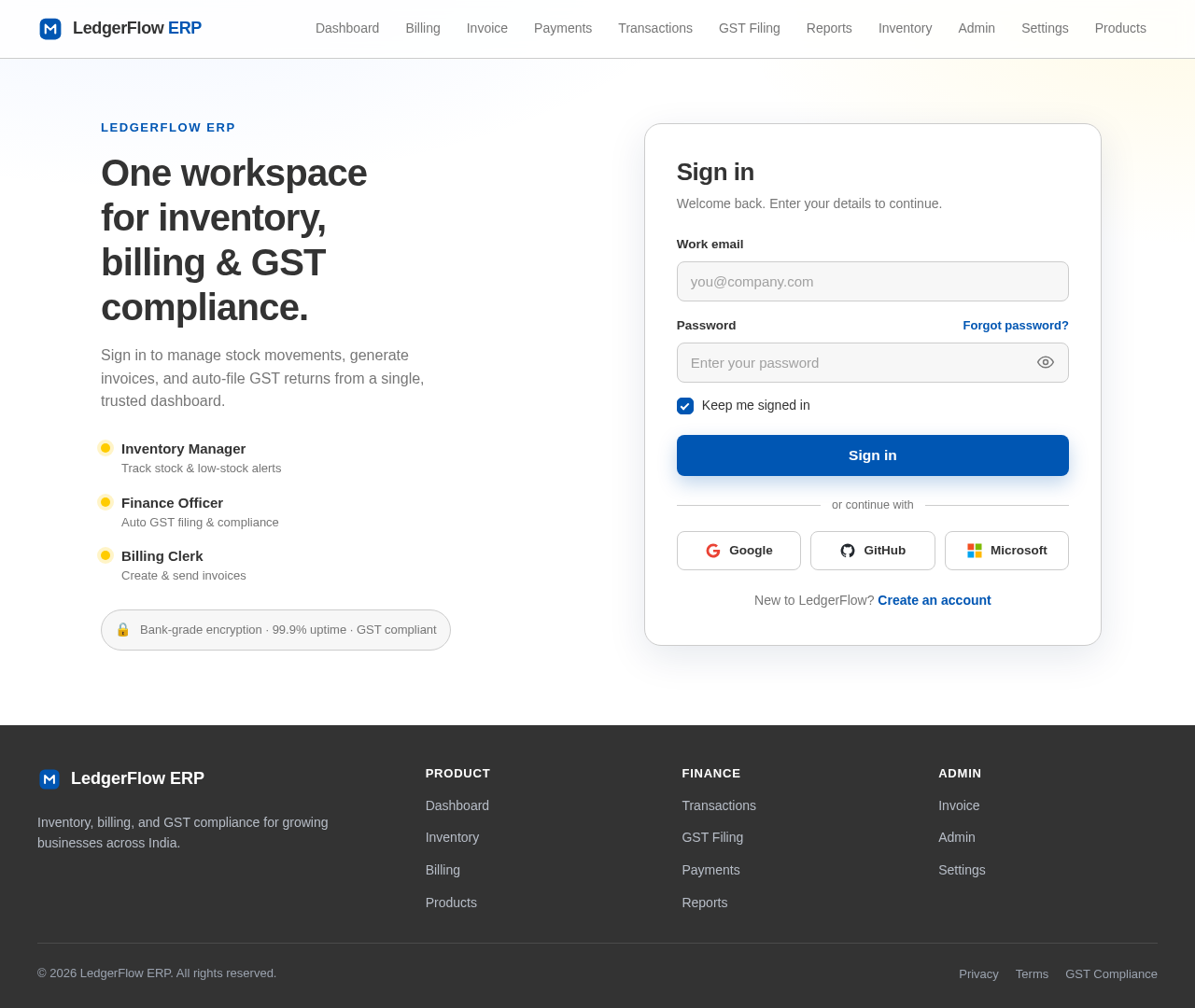
Login design preview
Login: Sign In
Dashboard: View Overview
Billing: Create Invoice
Billing: Manage Invoices
Invoice: Send to Customer
Payments: Process Payment
Payments: Confirm Payment
Login design preview
Login: Sign In
Dashboard: View Overview
Billing: Create Invoice
Billing: Manage Invoices
Invoice: Send to Customer
Payments: Process Payment
Payments: Confirm Payment