Chai ki chuski
 jay patel
Want to make app


Comments (0)
Sign in to leave a comment
System Requirements
Chai ki Chuski
Introduction
The "Chai ki Chuski" project aims to develop a comprehensive tea and coffee management application tailored for office environments. This application will facilitate the management of tea and coffee consumption across multiple offices, providing real-time updates and detailed reporting capabilities.
System Overview
The "Chai ki Chuski" application is designed to streamline the management of tea and coffee supplies in office settings. It will support multiple offices, allowing for efficient tracking of daily consumption, billing, and reporting. The system will include features for user authentication, role management, and real-time data synchronization using Firebase Firestore. The application will be available in English and Gujarati, catering to the local user base in India.
Functional Requirements
- As a User, I should be able to log in using a username and password.
- As an Admin, I should be able to manage staff roles.
- As an Admin, I should be able to manage office details, including office number and name.
- As a Staff, I should be able to enter daily tea and coffee consumption data.
- As a Staff, I should be able to select the office for which the entry is being made.
- As an Admin, I should be able to add new offices using a "+" button on the home page.
- As a Staff, I should be able to input tea and coffee quantities.
- As a System, I should automatically calculate the amount based on the quantity and the specific tea and coffee rates for each office.
- As a User, I should be able to view billing details, including tea and coffee amounts and total amount.
- As a User, I should be able to generate invoices.
- As a System, I should provide real-time updates and cloud backup using Firebase Firestore.
- As a User, I should be able to view the dashboard with today's tea and coffee consumption and revenue.
- As a User, I should be able to view monthly revenue and top consuming offices.
- As an Admin, I should be able to configure different tea and coffee rates for each office.
User Personas
- Admin: Responsible for managing office details and staff roles.
- Staff: Responsible for entering daily consumption data and generating reports.
- User: General user who can view reports and dashboard information.
Core User Flows
- Admin logs in -> Manages office details -> Manages staff roles
- Staff logs in -> Selects office -> Enters tea and coffee quantities -> System calculates amounts -> Staff views billing
- User logs in -> Views dashboard -> Generates reports -> Exports reports
Visuals Colors and Theme
- primary: #4A90E2 (a calming blue for trust and professionalism)
- primary_light: #A6C8F2 (a lighter blue for hover states)
- secondary: #E94E77 (a vibrant pink for emphasis and links)
- accent: #F5A623 (a bright orange for call-to-action buttons)
- highlight: #F8E71C (a warm yellow for notifications and active states)
- bg: #FFFFFF (a clean white background)
- surface: rgba(74, 144, 226, 0.1) (a light blue for card backgrounds)
- text: #333333 (a dark grey for primary text)
- text_muted: #777777 (a softer grey for secondary text)
- border: rgba(0, 0, 0, 0.1) (a subtle grey for borders)
Signature Design Concept
The "Chai ki Chuski" homepage will feature an interactive tea and coffee cup animation. As users scroll, the cups fill up with tea or coffee, representing the daily consumption data visually. Hovering over the cups will display detailed statistics for each office. This dynamic interaction will be built using framer-motion for smooth animations and gsap for scroll-triggered effects. The design will create an engaging and memorable first impression, encouraging users to explore the app's features.
Interaction Model & Motion Direction
The landing page will utilize a "parallax" interaction model, with layered depth effects as users scroll. Decorative elements, such as steam rising from the cups, will move at different speeds to create a sense of depth. The content will scroll naturally, providing a visually rich storytelling experience. Internal pages will adopt a "static" model for clarity and ease of use.
Non-Functional Requirements
- The application must support real-time data synchronization.
- The system should be scalable to handle data from 100+ offices.
- The application must provide a user-friendly interface in both English and Gujarati.
- The system should ensure data security and privacy.
Tech Stack
- Frontend: React for Web
- Backend: Python with FastAPI
- Database: Firebase Firestore for real-time updates and cloud backup
Assumptions and Constraints
- The application will be used primarily in India, supporting English and Gujarati languages.
- The system must handle data from over 100 offices efficiently.
- The application will rely on Firebase Firestore for real-time data synchronization.
- The app distribution will generate an APK file only for personal/private use, removing any public publishing requirements.
Glossary
- Admin: A user with privileges to manage office details and staff roles.
- Staff: A user responsible for entering daily consumption data.
- User: Any individual accessing the application for viewing reports and dashboard information.
- Firebase Firestore: A cloud-hosted NoSQL database for real-time data synchronization.
- Parallax: An interaction model that creates a layered depth effect as users scroll.
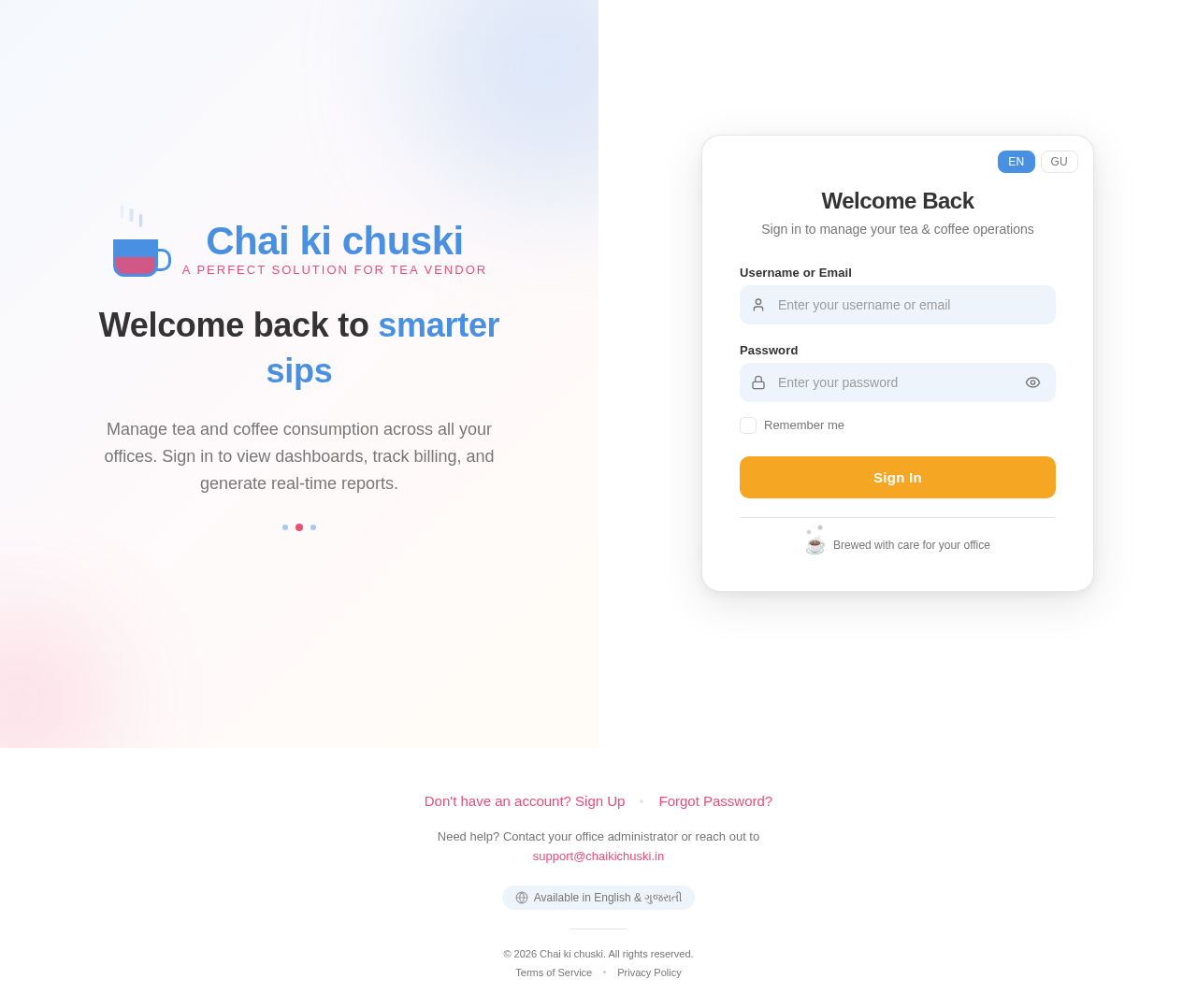
Welcome back to smarter sips
Manage tea and coffee consumption across all your offices. Sign in to view dashboards, track billing, and generate real-time reports.
Welcome Back
Sign in to manage your tea & coffee operations
No comments yet. Be the first!