Beach-Breakdown
 Casey Howard
project details are in the attachment. can you help me build this?


Comments (0)
Sign in to leave a comment
System Requirements
System Requirements Document
1. Introduction
This document outlines the system requirements for a small application designed for family use during vacations. The app aims to simplify the process of finding activities and dining options in Ocean City, MD, by providing a user-friendly interface that is faster and less overwhelming than traditional search methods. The application will be used on an Android tablet and can function as either an Android app or a webpage.
2. System Overview
The application will feature two main lists: Activities and Restaurants. Users can switch between these lists to view and filter information. The app will integrate with Google Maps for location-based services and allow users to view menus for restaurants. The data for activities and restaurants will be sourced from spreadsheets provided by the user.
3. Functional Requirements
Activities
- As a user, I want to view a list of activities with details such as name, address, distance, public transportation details, and hours.
- As a user, I want to filter activities by reachability via public transport and general category.
- As a user, I want to search for activities by name and description.
Restaurants
- As a user, I want to view a list of restaurants with details such as name, address, distance, type of food, level, and hours.
- As a user, I want to filter restaurants by distance category, type of food, and level using dropdowns.
- As a user, I want to know if I have been to a restaurant before and if reservations are needed.
- As a user, I want to view restaurant menus in full screen, accessible via a link, PDF, or image file.
General
- As a user, I want to upload spreadsheets directly into the app's database for activities and restaurants.
- As a user, I want to upload data in multiple file formats, including CSV, XLSX, and JSON, for activities and restaurants.
- As a user, I want to see the locations of activities and restaurants on an embedded Google Map.
- As a user, I want to switch between the activities and restaurants lists easily, possibly by swiping.
- As a user, I want the option to view lists in a table format or an easy view for better accessibility.
4. User Personas
- Family Member: A user who is part of the family group on vacation, looking to find and decide on activities and dining options.
- Older Parent: A user with potentially poor vision who requires an easy-to-read interface.
5. Core User Flows
Viewing Activities
- Open the app on the Android tablet.
- Select the "Activities" list.
- View the list of activities with relevant details.
- Apply filters for public transport reachability or category if needed.
- Search for specific activities by name or description.
Viewing Restaurants
- Open the app on the Android tablet.
- Select the "Restaurants" list.
- View the list of restaurants with relevant details.
- Apply filters for distance, type of food, or level using dropdowns.
- Click on a restaurant to view the menu in full screen.
6. Visuals Colors and Theme
- A vibrant and modern color palette suitable for a consumer app, with high contrast for accessibility.
7. Signature Design Concept
- A clean and intuitive interface with large buttons and text for easy navigation, especially for users with poor vision.
8. Interaction Model & Motion Direction
- Swipe gestures to switch between lists.
- Tap to select and view details or menus.
9. Non-Functional Requirements
- The app should be responsive and perform well on an Android tablet.
- The interface should be accessible, with options for larger text and high contrast.
10. Tech Stack
- Frontend: React.js
- Backend: Python + FastAPI
- Database: MySQL with Alembic migrations
11. Assumptions and Constraints
- The app will be used primarily on an Android tablet.
- Data for activities and restaurants will be provided in spreadsheet format.
- Google Maps integration is required for location services.
12. Glossary
- Dropdown: A UI element that allows users to select an option from a list.
- Filter: A feature that allows users to narrow down the list of activities or restaurants based on specific criteria.
- Menu: A list of food and drink items available at a restaurant, viewable in full screen.
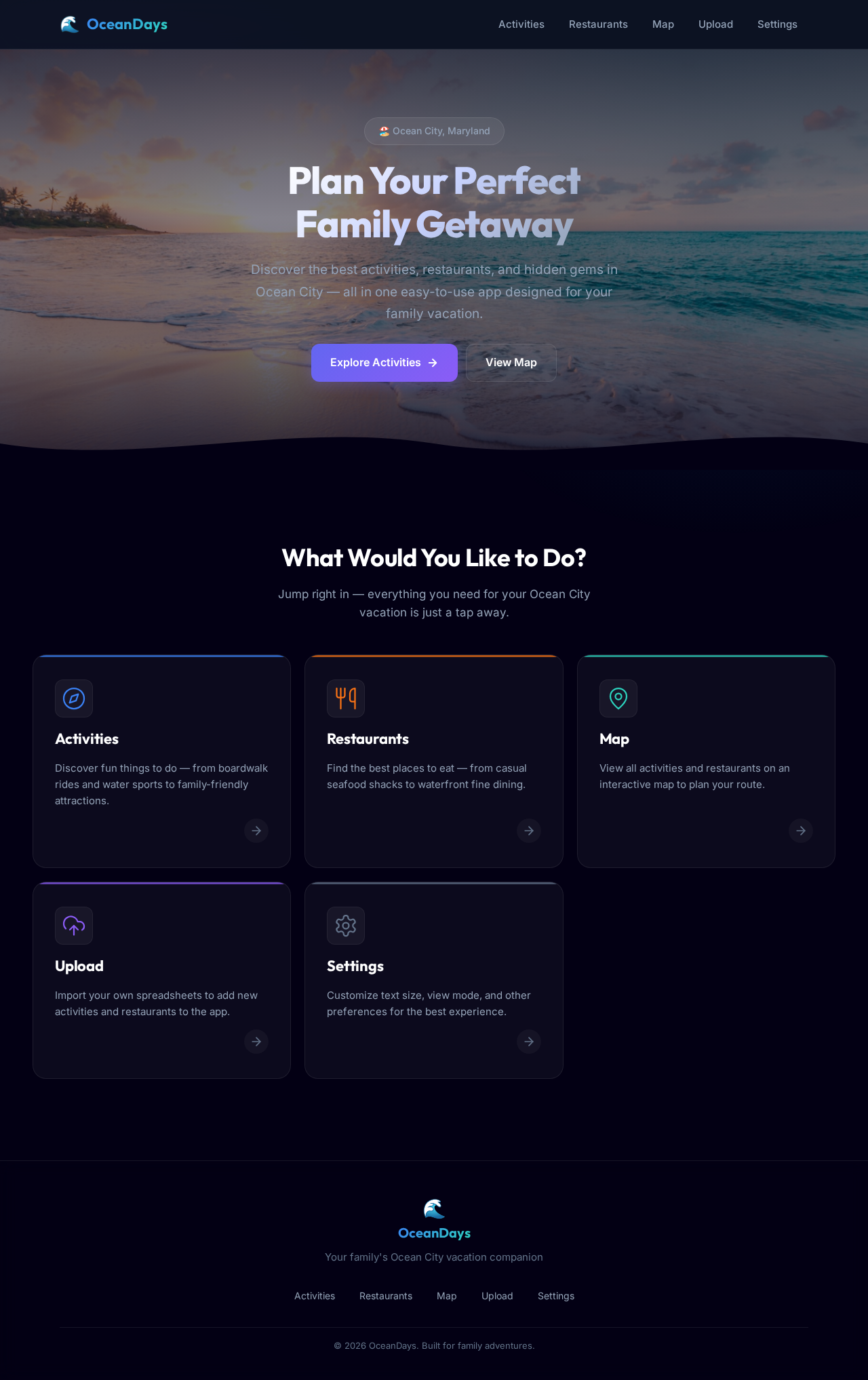
Plan Your Perfect
Family Getaway
Discover the best activities, restaurants, and hidden gems in Ocean City — all in one easy-to-use app designed for your family vacation.
What Would You Like to Do?
Jump right in — everything you need for your Ocean City vacation is just a tap away.
Activities
Discover fun things to do — from boardwalk rides and water sports to family-friendly attractions.
Restaurants
Find the best places to eat — from casual seafood shacks to waterfront fine dining.
Map
View all activities and restaurants on an interactive map to plan your route.
Upload
Import your own spreadsheets to add new activities and restaurants to the app.
Settings
Customize text size, view mode, and other preferences for the best experience.
No comments yet. Be the first!