
rising-product

byAnju Joseph

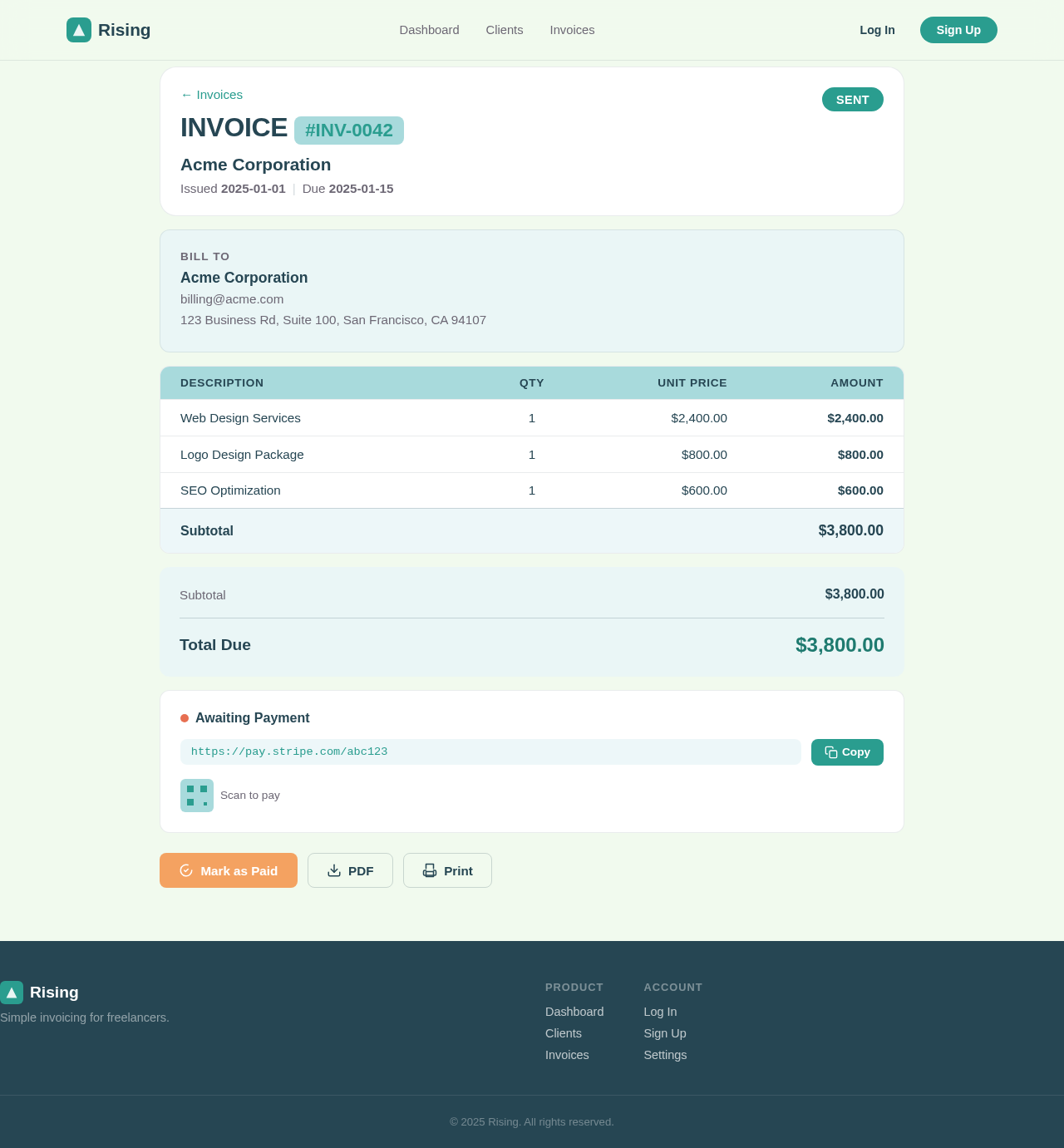
# Product Requirements Document — "InvoiceLite" ## 1. Overview InvoiceLite is a simple billing web app for freelancers and small businesses to manage clients, create and send invoices, and track which invoices are paid, unpaid, or overdue. The goal is a fast, clean tool that replaces spreadsheets — not a full accounting suite. ## 2. Target users Freelancers / solo business owners who bill a handful of clients each month. Single-owner account for v1 (one business, one login) — no team members yet. ## 3. Goals Create a professional invoice in under a minute. Always know how much money is outstanding vs. paid. Send an invoice to a client by email with one click. ## 4. Core features (must-have) Account & auth — the owner can sign up, log in, and log out. All data is private to their account. Clients — add, edit, and delete clients; each client has a name, email, and billing address. Client list — a searchable list of all clients. Create invoice — pick a client, add line items (description, quantity, unit price), set an issue date and due date. The app auto-generates a sequential invoice number and calculates subtotal, tax, and total. Tax — apply a default tax rate (configurable in settings) to an invoice. Invoice list — see all invoices with their status (Draft, Sent, Paid, Overdue), client, amount, and due date. Invoice detail — view a single invoice with all line items and totals. Send invoice — mark an invoice as "Sent" and email it to the client (with a link to view it). Mark as paid — mark a sent invoice as "Paid"; overdue = sent + past its due date and not paid. Dashboard — a home screen showing total outstanding, total paid (this month), overdue count, and the most recent invoices. Settings — set the business name, logo, currency, and default tax rate. ## 5. Pages / screens Login / Sign-up Dashboard (home) Clients (list) Client detail / add-edit client Invoices (list) Create / edit invoice Invoice detail Settings ## 6. Data model User — email, passwordHash, businessName, logoUrl, currency, defaultTaxRate. Client — name, email, address, ownerId. Invoice — number, clientId, issueDate, dueDate, status (draft/sent/paid/overdue), taxRate, subtotal, taxAmount, total, ownerId. LineItem — invoiceId, description, quantity, unitPrice, amount. ## 7. Key user flows Bill a client: Dashboard → Create invoice → pick client → add line items → save (Draft) → Send (email) → later Mark as paid. Onboard: Sign up → Settings (business name, currency, tax) → add first client → create first invoice. ## 8. Non-functional requirements Fully responsive (works on phone, tablet, and desktop). All monetary amounts handled as integer minor units (cents) and formatted with the chosen currency. Every page except login/sign-up requires an authenticated session. Invoice numbers are unique and sequential per account. ## 9. Out of scope (v1) Recurring / subscription billing. Online card payments (Stripe checkout). Multiple team members / roles. Multi-currency per invoice. Expense tracking and financial reports beyond the dashboard.

LandingLoginSettingsClientsEmailDashboardInvoicesPaymentSignupInvoice
Landing

Comments (0)

No comments yet. Be the first!

Invoice design preview
Email: Open Invoice Link
Invoice: View Details
Invoice: Click Pay
Payment: Enter Card Details
Payment: Complete Checkout
Invoice: View Paid Confirmation
Landing design preview
Email: Open Invoice Link
Invoice: View Details
Invoice: Click Pay
Payment: Enter Card Details
Payment: Complete Checkout
Invoice: View Paid Confirmation