mars-platform
 Priyank Dave
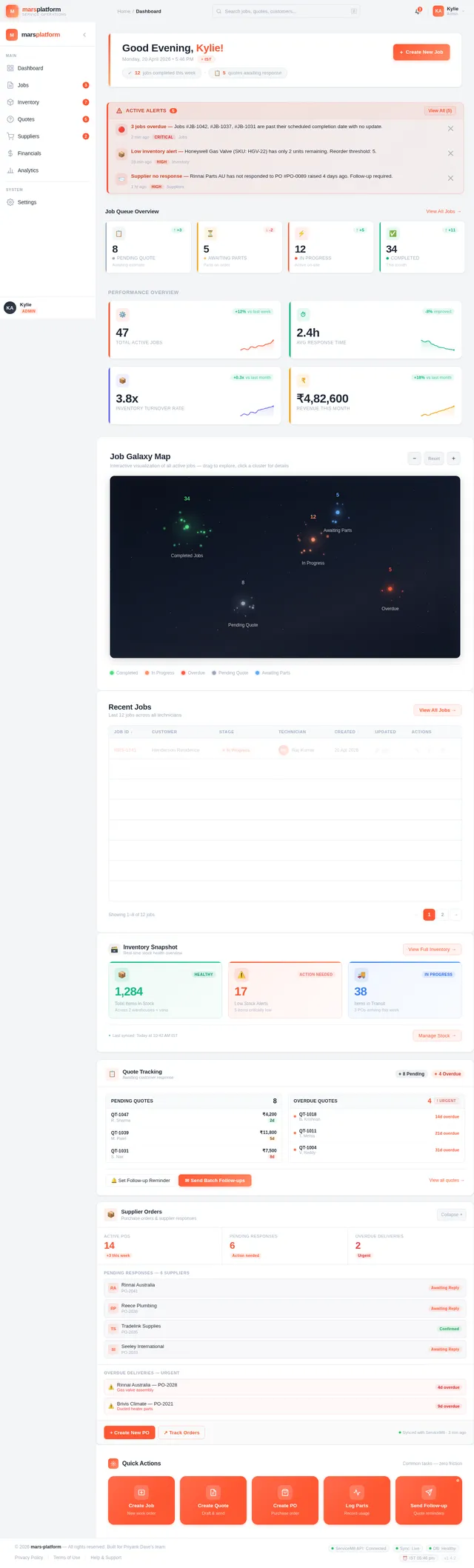
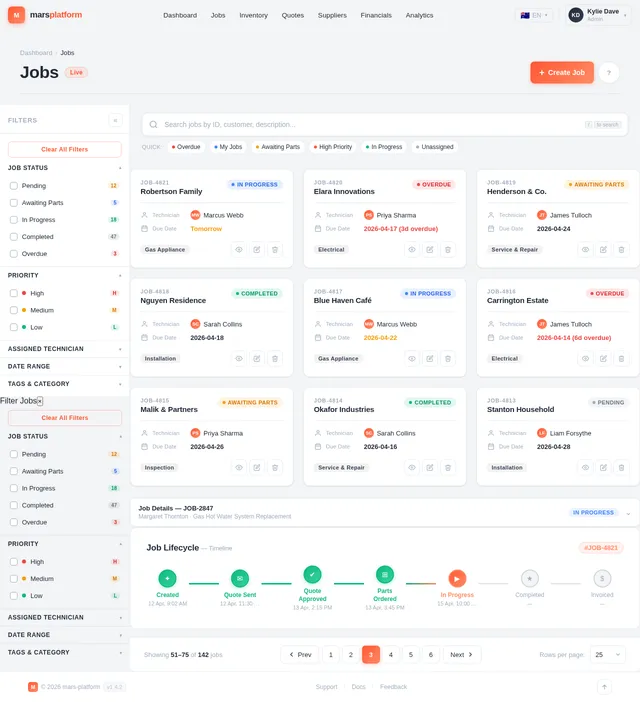
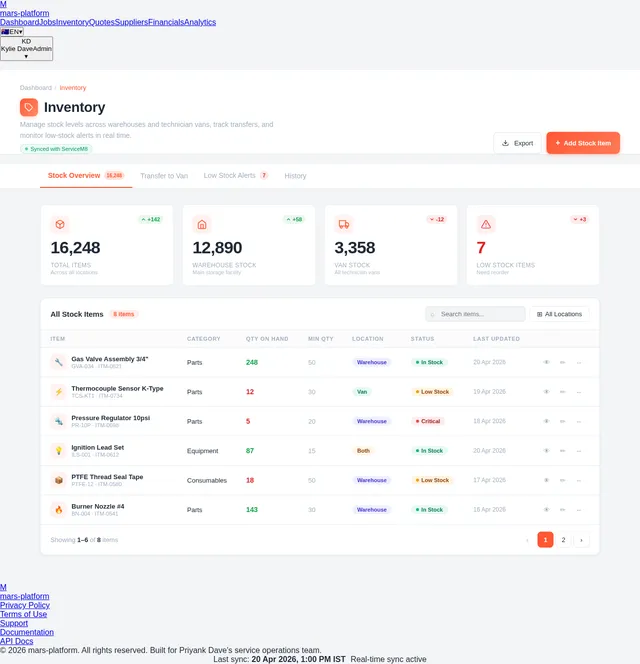
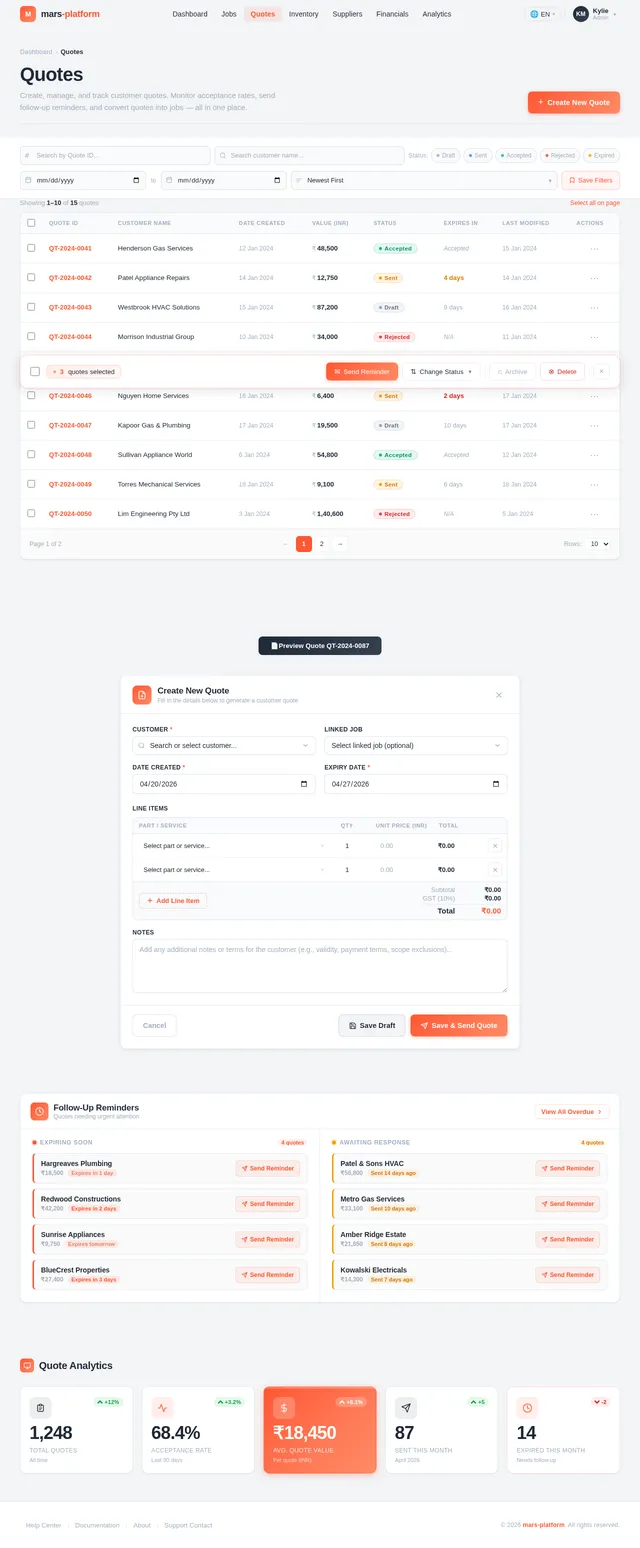
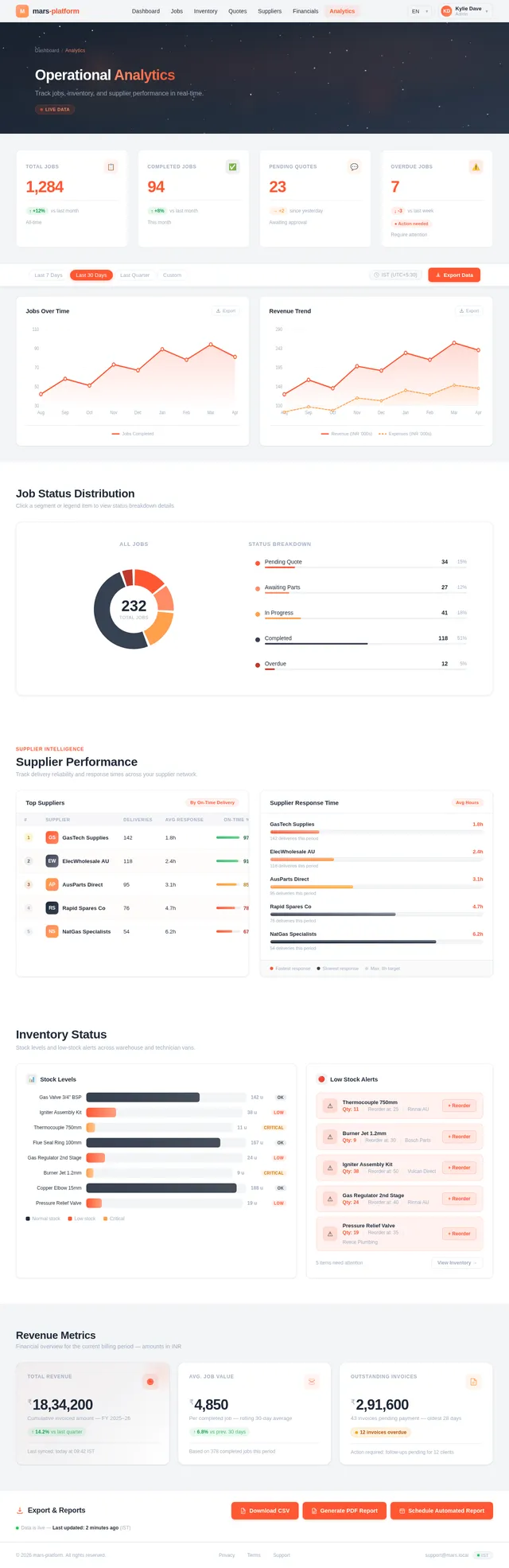
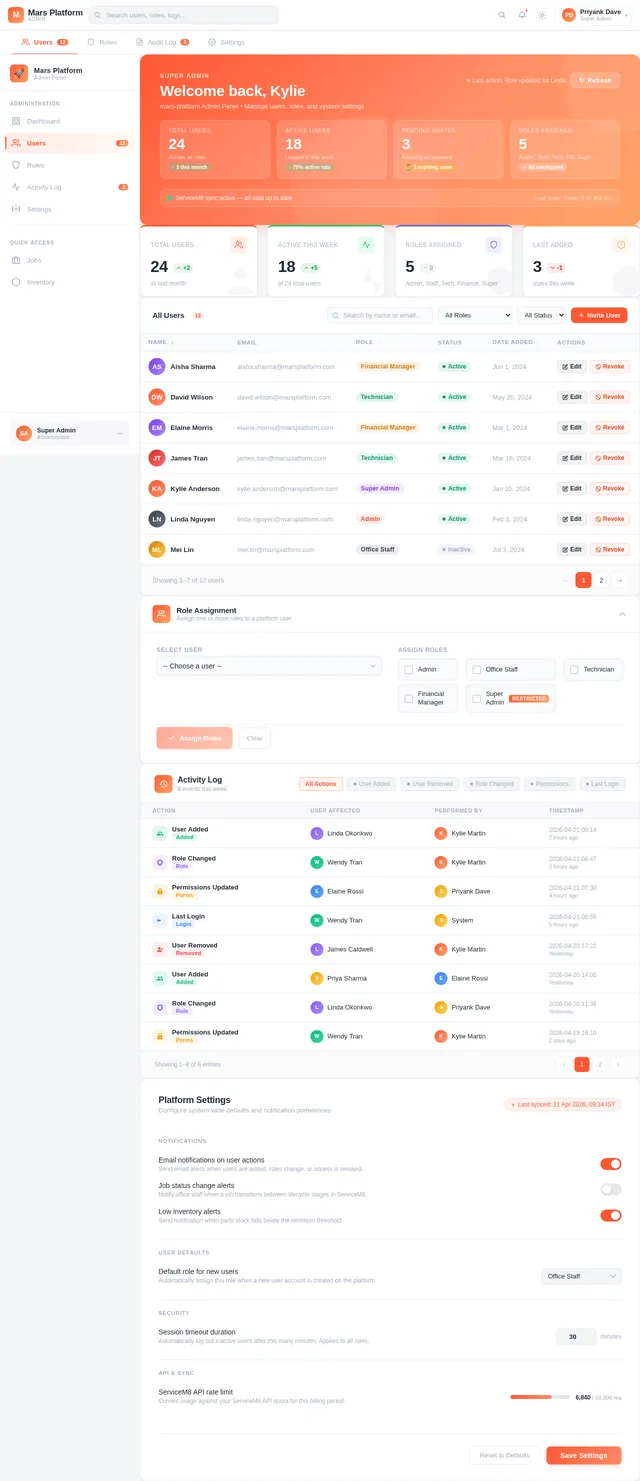
Project Brief — GE Powerzone Service Operations & Supply Chain Platform What this product is An internal web platform for a gas & electrical appliance service business. It sits as a wrapper and automation layer on top of two existing systems the company already lives in: ServiceM8 (field service management — jobs, technicians, scheduling) and Xero (accounting — invoices, payments). The office staff will do their day-to-day work inside this new platform; ServiceM8 continues to act as the underlying data store and technician mobile app, and the two stay in sync both ways. The goal is to replace a lot of manual copy-paste, email chasing, and switching between tabs with a single dashboard that tracks jobs, parts, quotes, suppliers, and payments, and automates follow-ups where a human is currently the glue. Users and roles Admin / office staff (Kylie, Linda, Wendy, Elaine): full access. Create jobs, quote, invoice, manage inventory, run analytics. Technicians (field): light access. Log in to report which parts they used from their van and view their assigned jobs. They do NOT re-enter anything they already put in ServiceM8. Owner / financial view: only Kylie and Elaine should see revenue/financial data. Financial section must be access-controlled because random visitors walk through the office. Core modules to build 1. Unified Operations Dashboard (the home screen) A single-pane-of-glass quick view that mirrors how ServiceM8 feels (so staff don't feel like they've left it), but with much better information density: Jobs by stage/queue: pending quote, P&A requested, quote sent, follow-up 1, follow-up 2, intervention required, parts on order, ready to schedule, awaiting invoice, etc. The queue structure should mirror ServiceM8 queues (currently ~5–8 queues, will grow as automation adds stages). "How long has this job been sitting here?" indicator per job (like the McDonald's drive-thru timer — visual cue when a job is aging out). Counts: jobs outstanding, jobs awaiting parts, quotes awaiting approval, overdue invoices. Jobs comparison by month across years (e.g. Jan 2024 vs Jan 2025 vs Jan 2026). Top clients by month/quarter (spend and job count). Better search than ServiceM8's — must treat multi-word queries as a phrase, not split into individual letters. Search across contacts, jobs, and job notes. Include refinements (date range, stage). Alerts panel: low stock, aged jobs, stuck follow-ups, overdue supplier responses. 2. Job Management List, detail, and create jobs (jobs can be created from the platform OR continue to be created in ServiceM8 — both must sync). Job status lifecycle: Created → Technician Assigned → Diagnosed → Quote Required → Quote Sent → Awaiting Approval → Awaiting Parts → Scheduled → Completed → Invoiced. Jobs can re-enter earlier stages (a completed job can revert to "quote needed" if a second visit finds more parts). Link jobs together by customer / appliance / issue so related jobs are visible to each other (prevents duplicate quoting). Every job has a job ID (format like 260503 — year + sequence). 3. Automated Work Order Ingestion Watches an inbox for incoming work orders (email + PDF attachments). Uses an LLM to extract: customer name & contact, site location, appliance make/model/serial, fault description, requested service. Creates the draft job in ServiceM8 via its API. Office confirms/edits before it goes live. 4. Technician Notes Cleanup (the most important automation per client) Technicians write raw, messy notes in the ServiceM8 "quote description" / "invoice description" field (spelling mistakes, stream-of-consciousness, mixed with internal commentary like who they spoke to). Office staff currently manually copy → clean → paste this into a customer-facing format for every quote and invoice. Trigger: when a technician checks out of a site / signs out of a job. Action: LLM takes the raw note, keeps the original raw version saved in the job's Notes section (audit trail), and writes a cleaned, formatted version back into the quote/invoice description. Format: top-level header with MAKE / MODEL / SERIAL / LOCATION in caps, then body. Preserve data loyalty: do NOT change part numbers the technician quoted — those are ordering-critical (if a tech wrote part X and office orders part X and it's wrong, the tech must not be able to say "I never gave you that number"). Keep the original raw note verbatim for this reason. Idempotency: mark formatted sections with an asterisk delimiter (e.g. *...*) so the cleaner knows what it already touched. On a 2nd or 3rd site visit, append a NEW cleaned block below the old one — do not re-clean and rewrite earlier ones, because the customer may already have received a quote referencing that text. Learns the house style from examples — the client already experimented with this in Claude and it worked. 5. Inventory / Parts Tracking (has to be custom — ServiceM8 doesn't do this properly) Parts catalog: ~16,000 items already, growing daily (new appliance models constantly). Fields per part: part name, internal SKU, supplier SKU(s) (can differ per supplier), optional photo (stored in AWS S3 — separate cost line), quantity, price, minimum-stock threshold. Storage locations: a main Warehouse + one stock location per technician van (Van 1, Van 2, …). Admin can add new storage locations (warehouse 2, van 6, etc.). Transfers: office moves stock Warehouse → Van when scheduling a job. Technicians do not pull stock themselves — the office does it from the admin UI (decided in the call to reduce technician friction). Usage logging: technicians, when they fit parts on a job, log what they used (either via the existing ServiceM8 mobile billing screen that syncs back, or a light mobile view in this new platform — ideally the former to avoid double entry). Low-stock alerts: for warehouse AND per-van (e.g. "Van 2 is down to 2 solenoids, normal load is 4 — alert office to top up"). Parts-to-job mapping: every part consumption maps to a job ID. A single job can have parts from 8+ different suppliers, so one job → many POs is normal. 6. Purchase Orders & Supplier Communication No formal PO system today — orders happen via supplier websites or Linda emailing "spares@hobart" style addresses asking for price & availability. Platform must support a PO record: supplier, parts, job ID reference, expected delivery, price, status. Supplier follow-up automation: once an email is sent to a supplier for P&A (price & availability), if no reply in a set window, auto-send follow-ups. Client wants aggressive cadence ("every 6 hours" was mentioned, realistic default 24h, configurable). After N automated follow-ups (default 3), STOP auto-sending and alert Linda to call. Requires a dedicated Gmail account for the platform so it can send-and-parse supplier replies. Supplier scorecard: average response time, delivery time, pricing consistency. 7. Customer Quote & Estimate Follow-Up Automation Triggered once the quote is manually sent for the first time (office sends the initial one, automation takes over after). Cadence: Day +3: friendly reminder email (+ optional SMS via ServiceM8's built-in SMS feature, using the existing template). Day +7 (or before the 2-week expiry): "your quote is about to expire" reminder. After that: automation stops, creates an "Intervention Required" alert so a human calls the customer. Don't become the "buy my fence" spam bot. Every automated send moves the job into a corresponding ServiceM8 queue (Follow-up 1, Follow-up 2, Intervention Required) so both systems stay visually aligned. Track: sent timestamp, response (approved / rejected / no response), approval history. 8. Payment & Financial Tracking (Xero integration) Paid vs unpaid invoices, overdue list, outstanding balance per customer. Connect to Xero directly (not via ServiceM8's Xero bridge) so we can customize analytics later. Financial section is role-gated — only Kylie/Elaine see dollar values. 9. Cross-Job Parts Reconciliation Engine (prevents duplicate billing) This is a later but critical piece. Real scenario: same customer, same appliance, two open jobs — office quotes the same part twice by accident. Centralized Parts Usage Ledger: ordered / allocated / installed events per part per job. Cross-job matching on (customer, appliance, issue, SKU, part name) using fuzzy/NLP matching (part names aren't standardized). Pre-quote validation: when a quote is being prepared, flag if the part was recently installed on a linked job or is already on another open quote. Show warning, allow manual override with a reason logged for audit. Auto-link related jobs by customer + appliance + issue. 10. Analytics & Reporting Jobs by month, year-over-year comparison. Component usage: most-used parts, high-failure parts, seasonal demand. Repair trends: most common failures by appliance type, repeat-failure patterns, average repair time. Technician efficiency: completion time, time waiting on parts / approvals, quote approval turnaround. Supplier performance (see §6). Top clients.
Comments (0)
Sign in to leave a comment
No comments yet. Be the first!