golden-portfolio
 support whiteocean
Build a client portfolio tracking web application for an investment advisory firm. PURPOSE An internal tool to track individual client investment portfolios across asset classes, compute returns and risk metrics, and display per-client dashboards. [Internal-only / Client-facing with login — pick one and delete the other.] DATA MODEL - Clients: name, client code, PAN (optional/maskable), risk profile, onboarding date. - Holdings, each tagged to a client and an asset class: Mutual Funds, Equities, Fixed Income, IPOs. - Each holding: instrument name, identifier (ISIN / scheme code / symbol), quantity/units, buy date, buy price/NAV, current price/NAV, asset class. - Transactions (for accurate XIRR): date, type (buy/sell/dividend/SIP installment), amount, units, instrument. Support multiple cashflows per holding. CALCULATIONS (show formulas used; do not hardcode results) - Current value per holding and per client. - Absolute return and XIRR (money-weighted, using dated cashflows). - Allocation breakdown by asset class. - Concentration: top holdings as % of portfolio; flag any single holding above a configurable threshold. - Benchmark comparison and alpha: let me input a benchmark return per period; compute portfolio return minus benchmark. - Make every formula visible in the code and document the XIRR method used. VIEWS - Client list with summary (total value, overall XIRR, allocation snapshot). - Per-client dashboard: holdings table, allocation pie/bar, value-over-time line, concentration view, benchmark vs portfolio. - Filters by asset class and date range. DATA INPUT - Bulk import via CSV/Excel upload, with a downloadable template. - Manual add/edit for individual holdings and transactions. - [If using live prices: integrate a price/NAV feed — otherwise default to manual current-price entry. Tell me clearly which APIs you'd use and what they cost before adding any.] REQUIREMENTS - Currency: INR; format numbers in Indian style (lakhs/crores) where sensible. - Handle partial sells, SIPs, and multiple lots per instrument. - Responsive layout; clean, professional UI. - All money and date math must be correct — include a few worked examples in comments so I can verify XIRR and return figures against known values. - [Auth: simple login if client-facing; otherwise no auth.] CONSTRAINTS - Do not invent data sources or pricing APIs. If you cannot integrate a real feed, default to manual entry and say so. - Before deploying, tell me where data is stored and what is exposed publicly.


Comments (0)
Sign in to leave a comment
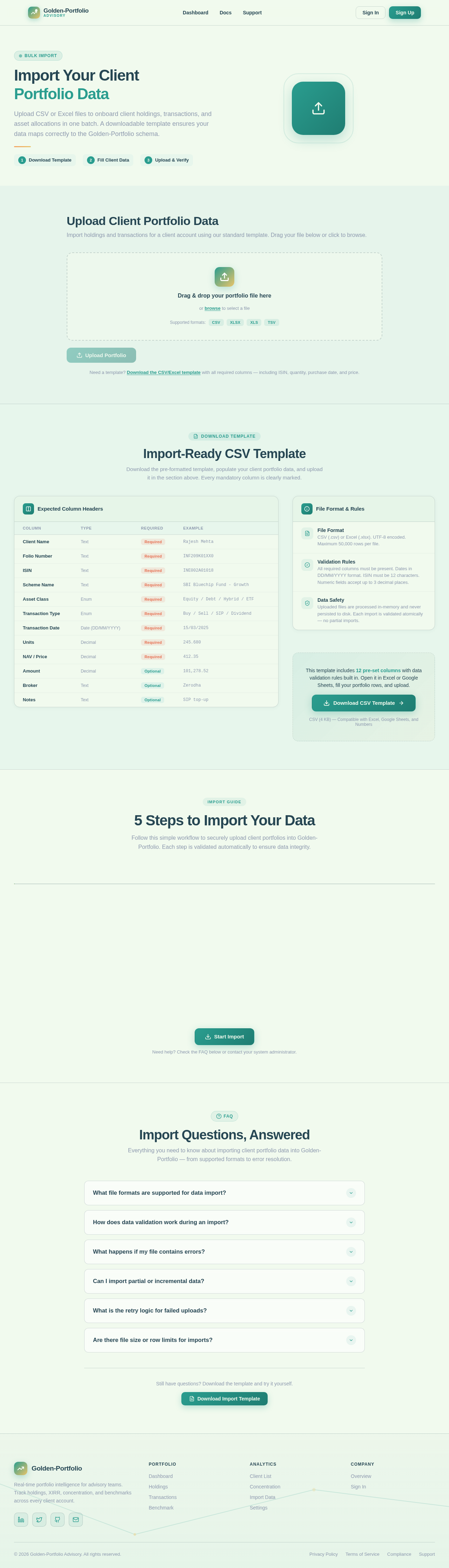
Import Your Client
Portfolio Data
Upload CSV or Excel files to onboard client holdings, transactions, and asset allocations in one batch. A downloadable template ensures your data maps correctly to the Golden-Portfolio schema.
Upload Client Portfolio Data
Import holdings and transactions for a client account using our standard template. Drag your file below or click to browse.
Need a template? Download the CSV/Excel template with all required columns — including ISIN, quantity, purchase date, and price.
Import-Ready CSV Template
Download the pre-formatted template, populate your client portfolio data, and upload it in the section above. Every mandatory column is clearly marked.
Expected Column Headers
| Column | Type | Required | Example |
|---|---|---|---|
| Client Name | Text | Required | Rajesh Mehta |
| Folio Number | Text | Required | INF209K01XX0 |
| ISIN | Text | Required | INE002A01018 |
| Scheme Name | Text | Required | SBI Bluechip Fund - Growth |
| Asset Class | Enum | Required | Equity / Debt / Hybrid / ETF |
| Transaction Type | Enum | Required | Buy / Sell / SIP / Dividend |
| Transaction Date | Date (DD/MM/YYYY) | Required | 15/03/2025 |
| Units | Decimal | Required | 245.680 |
| NAV / Price | Decimal | Required | 412.35 |
| Amount | Decimal | Optional | 101,278.52 |
| Broker | Text | Optional | Zerodha |
| Notes | Text | Optional | SIP top-up |
File Format & Rules
File Format
CSV (.csv) or Excel (.xlsx). UTF-8 encoded. Maximum 50,000 rows per file.
Validation Rules
All required columns must be present. Dates in DD/MM/YYYY format. ISIN must be 12 characters. Numeric fields accept up to 3 decimal places.
Data Safety
Uploaded files are processed in-memory and never persisted to disk. Each import is validated atomically — no partial imports.
This template includes 12 pre-set columns with data validation rules built in. Open it in Excel or Google Sheets, fill your portfolio rows, and upload.
Download CSV TemplateCSV (4 KB) — Compatible with Excel, Google Sheets, and Numbers
5 Steps to Import Your Data
Follow this simple workflow to securely upload client portfolios into Golden-Portfolio. Each step is validated automatically to ensure data integrity.
Download Template
Start by downloading our pre-formatted CSV or Excel template. It includes all required columns for holdings, transactions, and client identifiers in the exact structure Golden-Portfolio expects.
Download both formats to compare which matches your data source best.Fill in Client Data
Populate the template with your client portfolio data. Each row represents a holding or transaction with asset class, ISIN, quantity, price, and date. Leave no required column blank.
Use separate sheets for different clients if importing multiple portfolios at once.Select File
Upload your completed CSV or Excel file through the secure upload area above. Golden-Portfolio validates column headers, data types, and formats before proceeding.
Each file can contain up to 10,000 holdings across 200 clients.Review & Confirm
Preview parsed data with row-level validation results. Identify and fix flagged issues before final import. A summary shows total clients, holdings, and asset classes detected.
Hover over any flagged row to see the specific validation error and suggested fix.Import
Confirm to execute the import. Golden-Portfolio creates client records, holdings, and transaction history. Portfolios are immediately available on the Dashboard with live pricing integration.
Import is atomic — if any record fails validation, the entire batch is rolled back.Need help? Check the FAQ below or contact your system administrator.
Import Questions, Answered
Everything you need to know about importing client portfolio data into Golden-Portfolio — from supported formats to error resolution.
Still have questions? Download the template and try it yourself.
Download Import Template
No comments yet. Be the first!