Urgent
Critical Lab Result: Patient Martinez — Potassium 6.8 mEq/LLab Results
Serum potassium critically elevated. Immediate clinical review required before next scheduled appointment at 14:30.
 test 123
Act as a Senior Health-Tech UX Strategist and Product Designer. Your mission is to design a high-fidelity [Web/Mobile] interface for [Specific Healthcare Niche, e.g., Patient Portal / Telemedicine App / Doctor’s Dashboard]. Phase 1: Automated Clinical Research Perform a simulated UX research study focused on healthcare accessibility and medical compliance. Analyze the typical user journey for [Target Audience, e.g., Elderly Patients or Specialized Surgeons]. Identify critical friction points such as 'medical jargon confusion' or 'emergency access speed.' Establish a set of UX requirements that prioritize data privacy (HIPAA-style) and clear Call-to-Actions (CTAs) for urgent health tasks. Phase 2: UI Generation & Design System Using the research findings, generate a full UI design that includes: Visual Language: Use a 'Trust-First' aesthetic. Implement a [Color Palette, e.g., Soft Teal, White, and Emergency Red for alerts] with a focus on high-readability typography (San Serif). Core Modules: Create a [List Screens, e.g., Medical History Timeline, Appointment Scheduler, and Secure Messaging]. Accessibility: Ensure the design meets WCAG 2.1 AA standards, featuring large touch targets, high contrast, and screen-reader-friendly layouts. Trust Elements: Include clear data-encryption indicators, verified badges for providers, and simplified medical terminology tooltips. Pro-Tips for Healthcare AI Design Prioritize "The Red Button": In healthcare, the "Emergency" or "Help" button should always be researched and placed in a standard, reachable location. Mention this in your prompt. State the Device: AI designs differently for a tablet used in a hospital than for an iPhone used by a patient at home. Specify "Designed for [iPad Pro / Mobile / Desktop]". Use "Clean" over "Modern": In medical UI, "Modern" can sometimes lead to overly trendy layouts that are hard to navigate. Using the word "Clean" or "Clinical" keeps the AI focused on usability.


Sign in to leave a comment
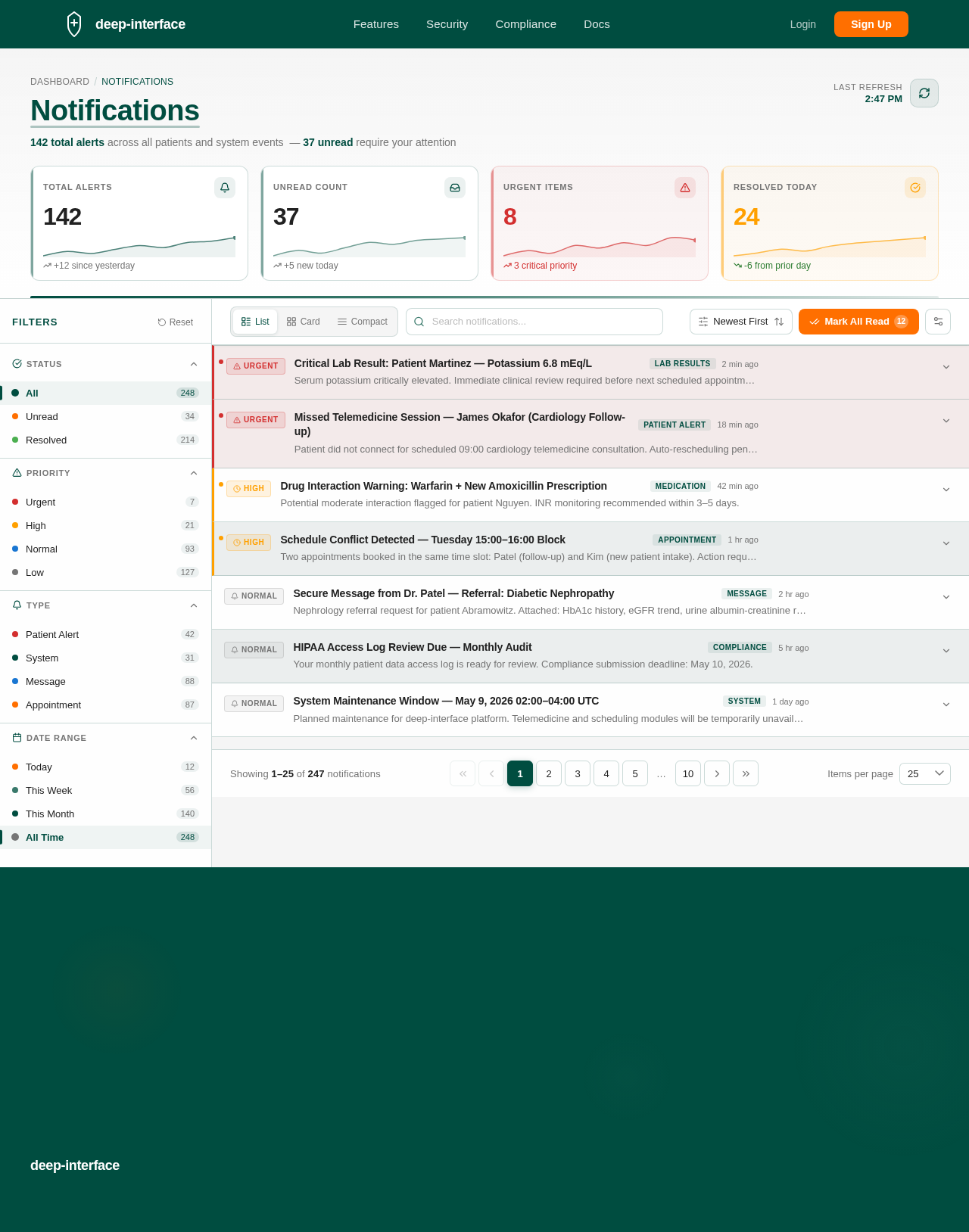
142 total alerts across all patients and system events — 37 unread require your attention
Serum potassium critically elevated. Immediate clinical review required before next scheduled appointment at 14:30.
Patient did not connect for scheduled 09:00 cardiology telemedicine consultation. Auto-rescheduling pending.
Potential moderate interaction flagged for patient Nguyen. INR monitoring recommended within 3–5 days.
Two appointments booked in the same time slot: Patel (follow-up) and Kim (new patient intake). Action required.
Nephrology referral request for patient Abramowitz. Attached: HbA1c history, eGFR trend, urine albumin-creatinine ratio.
Your monthly patient data access log is ready for review. Compliance submission deadline: May 10, 2026.
Planned maintenance for deep-interface platform. Telemedicine and scheduling modules will be temporarily unavailable.
No comments yet. Be the first!