
WEBIT

byManan Punamiya

## Product Overview Build a full-stack SaaS web application called **WEBIT**. It is a platform for agencies/freelancers to: 1. Find real local business leads (via Google Maps). 2. Automatically generate a full AI-built website for each lead. 3. Publish that website live and connect a custom domain — all in a few clicks. 4. Track revenue, generate invoices, and view business analytics. Target scale: must support **500,000–1,000,000+ registered users** and concurrent traffic without degradation. Design the architecture for horizontal scaling from day one (not a prototype-only build). --- ## Tech Stack Requirements - **Frontend:** Next.js (React) + Tailwind CSS, fully responsive, SSR where needed for SEO on public-facing generated sites. - **Backend:** Node.js (NestJS or Express) or equivalent, structured as modular services (auth, leads, website-generator, finance). - **Database:** PostgreSQL (primary relational data: users, leads, invoices) + Redis (caching, rate limiting, job queues). - **Queue/Workers:** Background job queue (e.g., BullMQ) for async tasks like AI website generation, since these are slow operations and shouldn't block the request. - **File/Asset storage:** Object storage (S3-compatible) for generated site assets, images, invoice PDFs. - **Auth:** JWT-based auth with refresh tokens, email/password + OAuth (Google login), role-based access (admin/user). - **Hosting/Infra:** Containerized (Docker), deployable behind a load balancer, auto-scaling groups, CDN for static/generated site delivery. - **APIs to integrate:** - Google Maps Places API (lead discovery) — I will provide the API key. - An LLM API (e.g., Anthropic Claude API) for AI website copy/content/layout generation. - Domain/DNS provider API (e.g., Namecheap, Cloudflare, or Vercel Domains API) for one-click domain connection. - Payment gateway (Stripe/Razorpay) for invoicing and payment collection. --- ## Page-by-Page Specification (5 core pages after login) ### 1. Dashboard (home page after login) - Summary cards: total leads found, websites generated, websites published, total revenue, active clients. - Recent activity feed (e.g., "Website generated for XYZ Cafe", "Invoice #123 paid"). - Quick-action buttons: "Find New Leads", "Generate Website", "Create Invoice". - Simple charts: leads over time, revenue over time. ### 2. Lead Finder - Search form: business category/keyword + location (city/area/radius) → calls Google Maps Places API. - Results table: business name, address, phone, website (if any), rating, category. - Filters: "no website" (highest value leads), rating range, category. - Save lead to "My Leads" list; bulk-select and bulk-save. - Pagination/infinite scroll to handle large result sets without lag. ### 3. Website Generator - Select a saved lead → click "Generate Website" → triggers async AI job (show progress/loading state, don't block UI). - AI generates: homepage copy, about section, services/products, contact section, image suggestions, based on the business's Google Maps data (name, category, reviews, address). - Live preview of generated site inside the page (iframe or embedded renderer). - Actions per generated site: Edit content, Regenerate, **Publish** (deploys to a subdomain instantly), **Connect Custom Domain** (DNS setup flow), Delete. - Grid/list view of all generated websites with status (Draft / Published / Domain Connected). ### 4. Finance - Revenue overview: total earned, pending payments, this month vs last month, simple line/bar chart. - Invoice creation: select client/lead, add line items, tax, due date → generate PDF invoice → send via email or shareable link. - Invoice list with status (Paid / Unpaid / Overdue) and payment tracking. - Basic analytics: revenue by client, by month, top-earning websites/services. ### 5. Settings - Profile & account settings (name, email, password, avatar). - API key management (user's own Google Maps key, if self-serve). - Domain/DNS provider connection settings. - Billing/subscription plan for the platform itself (if this is a paid SaaS). - Team/member management (if multi-user accounts are needed). - Notification preferences. --- ## Non-Functional Requirements (must be explicit, not skipped) - **Scalability:** design DB schema with indexing on frequently queried fields (user_id, lead_id, status). Use pagination everywhere — never load unbounded lists. - **Async processing:** website generation and domain connection must be background jobs with status polling/webhooks, not synchronous blocking calls. - **Rate limiting:** protect Google Maps and LLM API usage per user to control cost and avoid abuse. - **Security:** hashed passwords (bcrypt/argon2), input validation, HTTPS everywhere, RBAC on all endpoints, secrets in environment variables (never hardcoded). - **Error handling:** graceful failure states in UI for failed API calls (e.g., Maps quota exceeded, AI generation failed) with retry options. - **Clean architecture:** clear separation between frontend, backend API, and worker processes; documented REST or GraphQL API layer. --- ## Deliverables Expected - Fully working frontend (5 pages + login/signup/onboarding flow) with clean, modern, professional UI. - Backend API with the modules described above. - Database schema (users, leads, generated_websites, invoices, domains). - Auth flow (signup, login, password reset, session handling). - Placeholder/mock integration points clearly marked where I need to plug in my own API keys (Google Maps, LLM, domain provider, payment gateway).

LandingUsersSignupLogin
Landing

Comments (0)

No comments yet. Be the first!

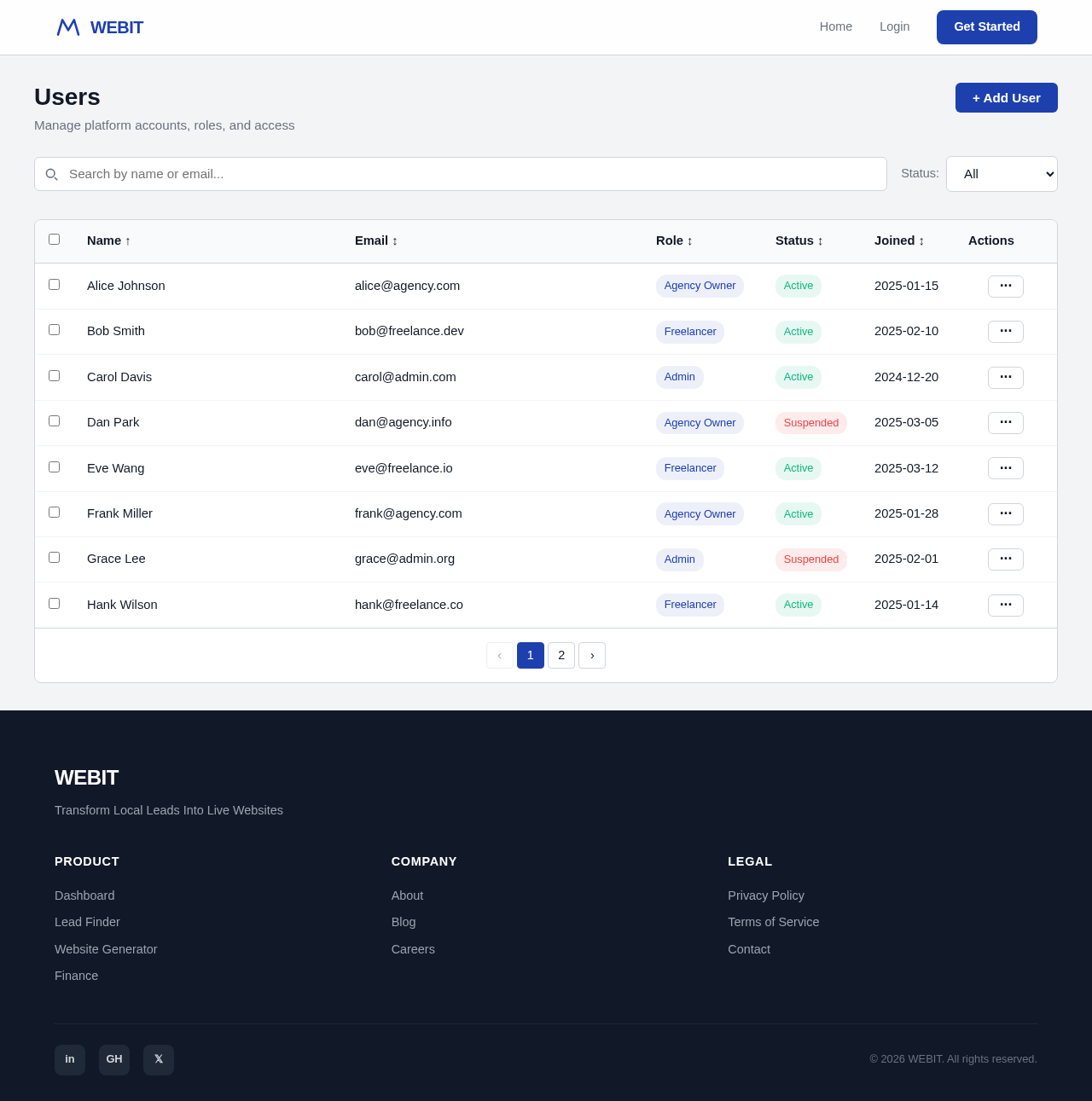
Users design preview
Landing: View Info
Login: Sign In
Admin Dashboard: View System Stats
Admin Dashboard: Manage Users
Users: Edit User
Users: Suspend Account
Admin Dashboard: Monitor Jobs
Settings: Configure Platform
Settings: Manage Billing Plans
Settings: Manage Rate Limits
Settings: Manage Team Members
Settings: Set Notifications
Landing design preview
Landing: View Info
Login: Sign In
Admin Dashboard: View System Stats
Admin Dashboard: Manage Users
Users: Edit User
Users: Suspend Account
Admin Dashboard: Monitor Jobs
Settings: Configure Platform
Settings: Manage Billing Plans
Settings: Manage Rate Limits
Settings: Manage Team Members
Settings: Set Notifications