Inzait Pro video edit & photo edit
 SAMEED1234BHAI
Create a professional video editing mobile app like CapCut. App Name: EditX Pro Features: - Import videos and images from gallery - Timeline based editing (cut, trim, split) - Add transitions between clips - Add background music and sound effects - Add text, captions, and subtitles with different fonts - Apply filters, color grading, and effects - Speed control (slow motion & fast motion) - Add stickers and overlays - Export video in HD (720p, 1080p) UI Design: - Dark modern UI (black + blue theme) - Simple and beginner-friendly interface - Smooth animations and fast performance Extra Features: - Auto captions using AI - One-click video enhancement - Trending templates like reels/shorts Platform: - Android app Goal: Make it fast, user-friendly, and similar to CapCut but with unique design.


Comments (0)
Sign in to leave a comment
System Requirements
Inzait Pro Video Edit & Photo Edit
1. Introduction
Inzait Pro is a next-generation video and photo editing application designed to empower creators with cutting-edge AI tools, seamless performance, and a visually captivating interface. Inspired by the dynamic features of leading AI platforms, Inzait Pro aims to deliver a revolutionary editing experience. With advanced AI-driven functionalities, real-time processing, and a vibrant aesthetic, Inzait Pro is set to redefine video and photo editing for modern creators.
Inzait Pro is an advanced AI-powered video and photo editing application tailored for creators seeking a seamless and innovative editing experience. Designed to operate on both Android and iOS platforms, Inzait Pro integrates cutting-edge AI tools, real-time processing, and a visually engaging interface to redefine the standards of video and photo editing.
2. System Overview
Inzait Pro will be developed as a cross-platform application, available on both Android and iOS, offering users a robust suite of video and photo editing functionalities powered by AI. The app will feature a timeline-based editing system, AI-driven tools for auto captions, video enhancement, and real-time processing. It will also include a library of trending templates, customizable pipelines, and advanced automation. The design will incorporate a modern, clean UI with a white background and vibrant accents inspired by the provided logo, ensuring a visually engaging and user-friendly experience.
Inzait Pro will be developed as a cross-platform mobile application, available on Android and iOS. The app will feature a timeline-based editing system, AI-driven tools for auto captions, video enhancement, and real-time processing. It will include a library of trending templates, customizable pipelines, and advanced automation. The design will incorporate a modern, dark UI with a black and blue theme, ensuring a user-friendly and visually captivating experience.
3. Functional Requirements
As User:
- I should be able to import videos and images from the gallery.
- I should be able to edit videos using a timeline-based system (cut, trim, split).
- I should be able to add transitions between clips.
- I should be able to edit videos using a timeline-based system (cut, trim, split, merge, rotate, crop).
- I should be able to add transitions between clips with cinematic effects.
- I should be able to add background music and sound effects.
- I should be able to add text, captions, and subtitles with different fonts.
- I should be able to add text, captions, and subtitles with different fonts and styles.
- I should be able to apply filters, color grading, and effects.
- I should be able to control video speed (slow motion & fast motion).
- I should be able to add stickers and overlays.
- I should be able to export videos in HD (720p, 1080p).
- I should be able to add stickers and overlays, including emoji and animated stickers.
- I should be able to export videos in HD and Full HD.
- I should be able to generate auto captions using AI.
- I should be able to enhance videos with one click.
- I should be able to use trending templates like reels/shorts.
- I should be able to resize videos to fit specific dimensions.
- I should be able to use AI Scene Detection to identify and segment key scenes.
- I should be able to use AI Auto Edit for one-click professional video edits.
- I should be able to use AI Color Correction for smart color enhancements.
- I should be able to use AI Noise Cancellation for crystal-clear audio.
- I should be able to use AI Caption Translation for multilingual subtitles.
- I should be able to use AI Thumbnail Generator to create engaging thumbnails.
- I should be able to use AI Lip Sync for smooth synchronization of audio and video.
- I should be able to use AI Cartoon/Avatar Filter to transform videos into cartoon-like aesthetics.
- I should be able to use AI Motion Tracking for intelligent object tracking.
- I should be able to use AI Video Enhancer to upscale video quality to HD/4K.
- I should be notified when new features are added to the app.
- I should be able to log in using social media accounts like Facebook or Google.
- I should be able to use the app as a guest without creating an account.
- I should be able to use the app without creating an account.
4. User Personas
Admin:
- Manages app configurations, templates, and updates, including branding elements like the logo.
- Monitors user feedback and analytics.
User:
- Primary app user who creates and edits videos and photos.
- Accesses all editing tools and templates.
Guest:
- Limited access to basic editing features without saving projects.
- Can explore the app without creating an account.
5. Visuals Colors and Theme
5. Core User Flows
- User opens the app -> Splash Screen displays -> Directly enters Home/Video Editor -> Imports video from gallery -> Edits video using tools -> Exports or shares video.
- Admin logs in -> Updates templates and features -> Monitors analytics and user feedback.
6. Visuals Colors and Theme
Color Palette:
Inspired by the provided logo for Inzait Pro and the request for a white background, the app will feature the following color scheme:
Inspired by the modern dark theme requested, the app will feature the following color scheme:
- Primary: #FF4FD8 (Bright Magenta)
- Primary Light: #FF85E4 (Light Pink)
- Primary: #1E1E2F (Dark Blue)
- Primary Light: #2E2E4F (Lighter Blue)
- Secondary: #4F9DFF (Sky Blue)
- Accent: #FFD700 (Golden Yellow)
- Highlight: #FF4500 (Vibrant Orange)
- Background: #FFFFFF (White)
- Surface: rgba(240, 240, 240, 0.8) (Light Gray)
- Text: #000000 (Black)
- Text Muted: #6E6E6E (Muted Gray)
- Border: rgba(0, 0, 0, 0.1) (Subtle Black)
- Background: #000000 (Black)
- Surface: rgba(30, 30, 47, 0.8) (Dark Gray)
- Text: #FFFFFF (White)
- Text Muted: #B0B0B0 (Muted Gray)
- Border: rgba(255, 255, 255, 0.1) (Subtle White)
6. Signature Design Concept
7. Signature Design Concept
Concept: AI-Powered Dynamic Canvas
Concept: Interactive AI Galaxy
The home page will feature an AI-Powered Dynamic Canvas, inspired by the vibrant energy of the Inzait Pro logo and advanced AI capabilities. Users will experience a futuristic interface where every interaction feels alive and intelligent.
The home page will feature an Interactive AI Galaxy, where each editing feature is represented as a glowing star within a galaxy. Users can navigate this galaxy by clicking and dragging, with each star representing a tool or feature. Upon selecting a star, the interface will smoothly zoom into the feature, providing an immersive experience.
- Dynamic AI Animations: The home screen will feature a responsive canvas that reacts to user interactions. For example, when a user hovers over a tool, the background will subtly animate with AI-generated visuals like flowing particles or morphing shapes.
- Real-Time AI Suggestions: The app will display AI-driven suggestions for templates, effects, and edits based on the user's editing history and preferences.
- Interactive AI Galaxy: Similar to a constellation, each feature will be represented as a glowing star. Users can click and drag to explore the galaxy, and tapping a star will open the corresponding tool with a smooth zoom-in animation.
- Color Transitions: The background will shift between magenta, blue, and gold hues based on the user's actions, creating a dynamic and immersive experience.
- Micro-Interactions: Subtle hover effects, ripple animations, and glowing trails will make every interaction feel responsive and engaging.
- Dynamic Animations: The galaxy will feature subtle animations, with stars twinkling and orbiting to create a sense of depth and interactivity.
- AI-Driven Suggestions: Based on user activity, the galaxy will highlight stars that represent recommended tools and features.
- Color Transitions: The background will shift through a spectrum of blue and gold hues, enhancing the dynamic and futuristic feel.
- Micro-Interactions: Hover effects and ripple animations will provide feedback on user interactions, making the experience engaging and responsive.
This design will make Inzait instantly fascinating and memorable, setting it apart from competitors. Libraries like @react-three/fiber and gsap will be used to implement these advanced animations and interactions.
This design will make Inzait Pro instantly captivating and memorable, setting it apart from competitors. Libraries like @react-three/fiber and gsap will be used to implement these advanced animations and interactions.
7. Non-Functional Requirements
8. Interaction Model & Motion Direction
- Interaction Model: Parallax
- Motion Direction: The landing page will feature layered depth via scroll, with decorative layers translating at different speeds to create a visually rich first impression. Internal pages will maintain a static layout for clarity and ease of use.
9. Non-Functional Requirements
- The app must load within 2 seconds on modern Android and iOS devices.
- Ensure smooth performance for videos up to 4K resolution.
- Maintain a responsive UI across various screen sizes.
- Implement robust security measures for user data.
- AI features must process tasks in under 5 seconds for real-time usability.
8. Tech Stack
10. Tech Stack
Frontend:
- React Native for mobile app development.
Backend:
- Python with FastAPI for API development.
Database:
- MySQL for structured data storage.
- MongoDB for unstructured data.
AI Models:
- GPT 5.4 for user-friendly responses.
- Claude 4.6 Opas for academic or coding work.
- Google Nano Banana for image generation.
AI Tools:
- Litellm for LLM routing.
- Langchain for AI workflow orchestration.
Orchestration:
- Docker for local development.
- Kubernetes for server-side orchestration.
9. Assumptions and Constraints
11. Assumptions and Constraints
- The app will target both Android and iOS users.
- Internet connectivity is required for AI-powered features.
- The app will support videos up to 4K resolution.
10. Glossary
12. Glossary
- Timeline-Based Editing: A system where users can visually arrange and manipulate video clips along a timeline.
- AI-Powered Tools: Features that leverage artificial intelligence for automation and enhancement.
- HD/4K Resolution: High-definition and ultra-high-definition video quality.
- React Native: A framework for building mobile apps using React.
- FastAPI: A modern web framework for building APIs with Python.
Create Stunning Videos
with Neon Magic
Professional editing powered by AI. Timeline tools, auto captions, trending templates, and cinematic effects — all in one app.
Your Creative Constellation
Navigate through powerful editing tools — each star in our galaxy unlocks a new creative possibility.
Timeline Editing
Cut, trim, and split clips with precision using our intuitive timeline-based editing system.
Try it now →AI Captions
Generate accurate auto captions and subtitles instantly with advanced AI speech recognition.
Try it now →Filters & Color
Apply stunning filters, color grading, and visual effects to make your videos pop.
Try it now →Effects & Overlays
Add stickers, overlays, and visual effects for a professional cinematic look.
Try it now →Transitions
Smooth transitions between clips with dozens of creative presets and custom options.
Try it now →Speed Control
Create slow motion and fast motion sequences with precise speed curve adjustments.
Try it now →One-Click Enhance
AI-powered video enhancement that optimizes lighting, color, and clarity automatically.
Try it now →Music & Audio
Add background music, sound effects, and voiceovers from our extensive audio library.
Try it now →Popular Now
Trending Templates
 0:15
0:15Neon Pulse Intro
Reels 0:30
0:30Cinematic Travel
Cinematic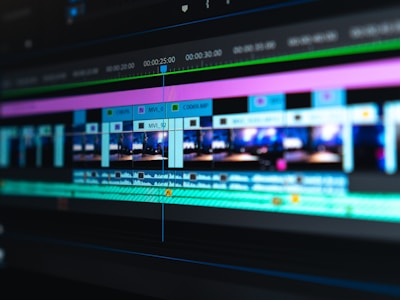 0:20
0:20Fast Cuts Beat Sync
Shorts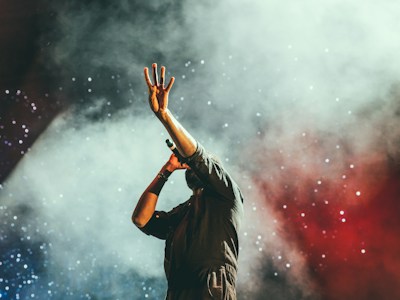 0:10
0:10Story Highlight Glow
 0:25
0:25Product Showcase Pro
Reels 0:18
0:18Vlog Transitions Pack
Shorts 0:12
0:12Mood Board Aesthetic
 0:35
0:35Epic Drone Reveal
CinematicEdit Smarter with AI Intelligence
Harness the power of artificial intelligence to automate tedious tasks, enhance your footage, and unlock creative possibilities you never imagined.
Auto Captions
Generate accurate captions and subtitles instantly with AI-powered speech recognition. Supports multiple languages and font styles.
One-Click Enhance
Transform your footage with intelligent color correction, stabilization, and noise reduction in a single tap.
Smart Suggestions
Get personalized editing suggestions based on your content. AI analyzes your clips and recommends transitions, effects, and music.
AI Style Transfer
Apply cinematic looks from popular films and creators. Our AI matches color grading, mood, and visual tone automatically.
Loved by Creators Worldwide
Join thousands of content creators who trust Emerald-Video to bring their creative visions to life.

Ayesha Khan
@ayesha.creates
“Emerald-Video transformed my content creation workflow. The AI captions save me hours every week and the templates are absolutely gorgeous.”

Marcus Rivera
@marcusfilms
“The one-click enhance feature is pure magic. My drone footage looks cinematic without any manual color grading. Game changer!”

Sakura Tanaka
@sakura.edits
“I switched from CapCut and never looked back. The timeline editor is smoother and the AI style transfer gives my videos a unique vibe.”

Omar Hassan
@omar.visual
“The trending templates keep my content fresh and relevant. I can create professional reels in minutes instead of hours.”

Elena Petrova
@elena.motion
“Speed control and transitions in this app are next level. My slow-motion sequences look like they were shot on expensive cinema cameras.”

James Chen
@jameschen.tv
“As a professional videographer, I was skeptical of mobile editors. Emerald-Video proved me wrong with its powerful AI and export quality.”
Ready to Create Something Amazing?
Join over 50,000 creators already using Emerald-Video to produce stunning content. Start editing for free — no credit card required.
Free forever · No watermarks · Export in HD
Create Stunning Videos
with Neon Magic
Professional editing powered by AI. Timeline tools, auto captions, trending templates, and cinematic effects — all in one app.
Your Creative Constellation
Navigate through powerful editing tools — each star in our galaxy unlocks a new creative possibility.
Timeline Editing
Cut, trim, and split clips with precision using our intuitive timeline-based editing system.
Try it now →AI Captions
Generate accurate auto captions and subtitles instantly with advanced AI speech recognition.
Try it now →Filters & Color
Apply stunning filters, color grading, and visual effects to make your videos pop.
Try it now →Effects & Overlays
Add stickers, overlays, and visual effects for a professional cinematic look.
Try it now →Transitions
Smooth transitions between clips with dozens of creative presets and custom options.
Try it now →Speed Control
Create slow motion and fast motion sequences with precise speed curve adjustments.
Try it now →One-Click Enhance
AI-powered video enhancement that optimizes lighting, color, and clarity automatically.
Try it now →Music & Audio
Add background music, sound effects, and voiceovers from our extensive audio library.
Try it now →Popular Now
Trending Templates
0:15Neon Pulse Intro
Reels0:30Cinematic Travel
Cinematic0:20Fast Cuts Beat Sync
Shorts0:10Story Highlight Glow
0:25Product Showcase Pro
Reels0:18Vlog Transitions Pack
Shorts0:12Mood Board Aesthetic
0:35Epic Drone Reveal
CinematicEdit Smarter with AI Intelligence
Harness the power of artificial intelligence to automate tedious tasks, enhance your footage, and unlock creative possibilities you never imagined.
Auto Captions
Generate accurate captions and subtitles instantly with AI-powered speech recognition. Supports multiple languages and font styles.
One-Click Enhance
Transform your footage with intelligent color correction, stabilization, and noise reduction in a single tap.
Smart Suggestions
Get personalized editing suggestions based on your content. AI analyzes your clips and recommends transitions, effects, and music.
AI Style Transfer
Apply cinematic looks from popular films and creators. Our AI matches color grading, mood, and visual tone automatically.
Loved by Creators Worldwide
Join thousands of content creators who trust Emerald-Video to bring their creative visions to life.
Ayesha Khan
@ayesha.creates
“Emerald-Video transformed my content creation workflow. The AI captions save me hours every week and the templates are absolutely gorgeous.”
Marcus Rivera
@marcusfilms
“The one-click enhance feature is pure magic. My drone footage looks cinematic without any manual color grading. Game changer!”
Sakura Tanaka
@sakura.edits
“I switched from CapCut and never looked back. The timeline editor is smoother and the AI style transfer gives my videos a unique vibe.”
Omar Hassan
@omar.visual
“The trending templates keep my content fresh and relevant. I can create professional reels in minutes instead of hours.”
Elena Petrova
@elena.motion
“Speed control and transitions in this app are next level. My slow-motion sequences look like they were shot on expensive cinema cameras.”
James Chen
@jameschen.tv
“As a professional videographer, I was skeptical of mobile editors. Emerald-Video proved me wrong with its powerful AI and export quality.”
Ready to Create Something Amazing?
Join over 50,000 creators already using Emerald-Video to produce stunning content. Start editing for free — no credit card required.
Free forever · No watermarks · Export in HD
No comments yet. Be the first!