Genisis Ai
 Aarya Jain
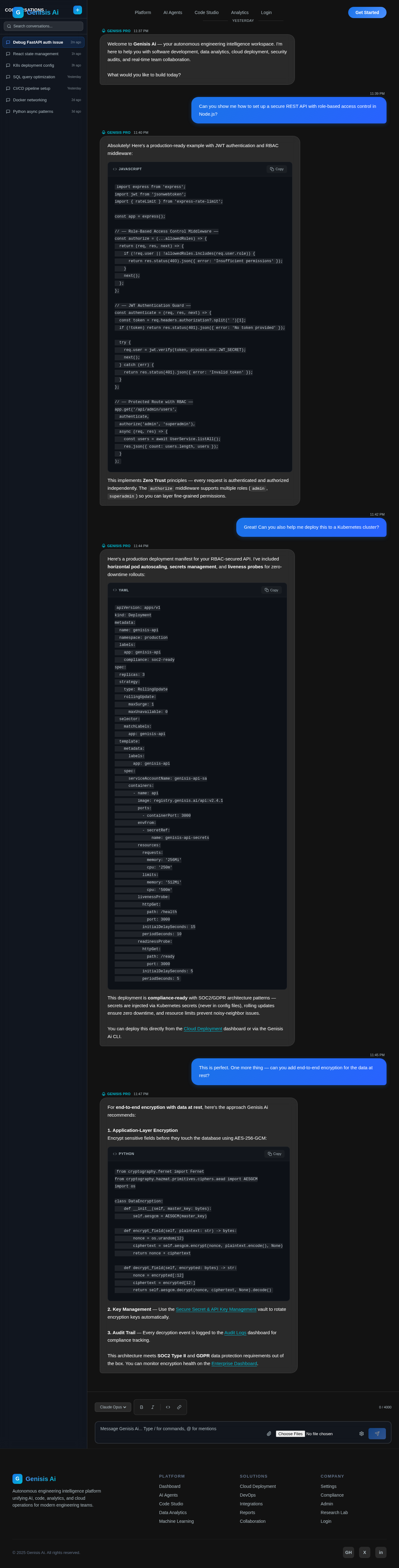
# 🎨 Frontend Prompt – Genesis AI ## Project Name **Genesis AI** ## Tagline **The Autonomous Engineering Intelligence Platform** --- ## Objective Design a world-class, futuristic, enterprise-grade SaaS web application called **Genesis AI**. Genesis AI is an autonomous AI operating system for software engineers, AI engineers, data scientists, DevOps engineers, cybersecurity professionals, cloud engineers, researchers, and students. The platform combines the capabilities of ChatGPT, Claude, Cursor, GitHub Copilot, VS Code, Power BI, Tableau, Notion AI, Perplexity, Replit, Docker, GitHub, Zapier, Figma AI, and cloud platforms into one unified AI workspace. The UI should feel premium, modern, elegant, and suitable for a billion-dollar AI startup. --- # Design Style Create an interface inspired by: * ChatGPT * Cursor * Vercel * Linear * Notion AI * Perplexity * GitHub * Microsoft Copilot * Figma * Arc Browser * Stripe Dashboard The design should look clean, futuristic, premium, minimal, and highly interactive. Avoid generic dashboards. Everything should feel custom-built. --- # Theme Dark Theme Accent Colors Electric Blue Purple Indigo Cyan White Typography Soft Glassmorphism Rounded Corners Smooth Shadows Beautiful Gradients Blur Effects Animated Background Particle Effects Floating Glass Cards Premium UI --- # Typography Modern typography Large headings Comfortable spacing Bold titles Minimalist cards Readable analytics Professional enterprise appearance --- # Layout Responsive Desktop First Tablet Responsive Mobile Responsive Large Sidebar Resizable Panels Multiple Workspace Layout Floating AI Assistant Dockable Windows Command Palette Keyboard Shortcuts Split Screen Multiple Tabs Workspace Switching --- # Navigation Collapsible Sidebar Workspace Selector Search Everything Notifications Profile AI Models Recent Projects Pinned Projects Favorites Quick Actions Settings Dark Mode --- # Sidebar Modules Dashboard AI Chat AI Agents Projects Data Analytics Business Intelligence Datasets SQL Studio Machine Learning Model Training Computer Vision NLP Research Lab Code Studio API Builder GitHub DevOps Cloud Deployment Containers Docker Kubernetes Workflows Automation Reports Presentations Documentation Memory Knowledge Base Marketplace Team Collaboration Integrations Billing Admin Settings --- # Dashboard Modern KPI Cards System Health Active AI Agents Running Tasks Recent Projects Code Statistics AI Usage Storage Cloud Status Model Usage Analytics Notifications Activity Timeline Upcoming Tasks Recent Files Pinned Workspaces Quick Launch Global Search Today's Summary AI Suggestions Recommended Actions --- # AI Chat Workspace Modern Chat Interface Conversation History Model Selector Prompt Templates Streaming Responses Markdown Support Syntax Highlighting Image Preview File Preview Voice Chat Microphone Screen Sharing Conversation Memory Export Chat Share Chat Pin Chat Folder Organization Multiple Conversations --- # AI Agents Page Grid of Beautiful Agent Cards Each card should display Agent Avatar Status CPU Usage Memory Usage Running Tasks Success Rate Recent Activity Agent Logs Execute Button Configuration Analytics Create New Agent --- # Code Studio VS Code Inspired Monaco Editor Terminal File Explorer Git Panel Debugger Extensions Code Review AI Suggestions Documentation Panel Architecture View Live Preview Database Explorer API Testing Version Control --- # Data Analytics Upload Files CSV Excel SQL JSON PDF Drag and Drop Data Preview Statistics Missing Values Correlation Charts Auto Insights Forecast Anomaly Detection ML Recommendations Interactive Dashboard Export Results --- # Dashboard Builder Drag and Drop Widgets Charts Pie Bar Line Area Heatmap Treemap Sankey Network Graph 3D Charts Maps KPI Cards Filters Real-time Updates Responsive Layout Theme Customization Export --- # Machine Learning Model Builder Dataset Manager Training Progress Evaluation Metrics Confusion Matrix ROC Curve Feature Importance SHAP Hyperparameter Tuning Experiment Tracking Deploy Model Download Model --- # Research Lab Academic Search PDF Reader Citation Manager Research Notes Comparison Tables Knowledge Graph Bookmarks References Summaries Paper Recommendations --- # DevOps Docker Dashboard Containers Images Deployments CI/CD Pipelines Servers Cloud Status Logs Metrics Resource Usage Monitoring Alerts --- # Team Collaboration Kanban Tasks Sprint Board Calendar Meetings Comments Mentions Shared Workspaces Real-time Editing Version History Notifications --- # Reports AI Generated Reports PDF Export PowerPoint Export Word Export Charts Executive Summary Technical Summary Presentation Mode Templates --- # Memory Knowledge Graph Conversation Memory Project Memory Document Embeddings Recent Searches Bookmarks Saved Prompts Favorites History --- # Workflow Builder Drag and Drop Canvas Nodes Triggers AI Agents Conditions Actions Integrations Preview Execution Logs Automation Analytics --- # Integrations GitHub GitLab Bitbucket AWS Azure Google Cloud Supabase Firebase MongoDB PostgreSQL Slack Discord Notion Jira Google Drive Dropbox OpenAI Claude Gemini Groq Ollama Hugging Face --- # Landing Page Animated Hero 3D Background AI Network Animation Glassmorphism Large CTA Trusted Companies Feature Showcase Interactive Demo Customer Testimonials Pricing FAQ Footer --- # UI Components Modern Buttons Glass Cards Animated Charts Resizable Panels Context Menus Tabs Accordions Timeline Code Blocks Modals Toast Notifications Skeleton Loaders Progress Bars Infinite Scroll Floating Action Buttons Breadcrumbs Search Filters Smart Tables Data Grid Tree View Command Palette Contextual AI Assistant --- # Animations Framer Motion Inspired Smooth Page Transitions Hover Effects Micro-interactions Loading Animations AI Thinking Animation Typing Animation Chart Animations Fade Scale Slide Blur Glass Reflection Magnetic Buttons Floating Elements Parallax Effects --- # Technical Requirements Use: Next.js 15 React 19 Tailwind CSS shadcn/ui Framer Motion Lucide Icons TanStack Query Zustand React Hook Form Monaco Editor Recharts React Flow React Table Responsive Design Accessibility Production Ready Enterprise Quality Pixel Perfect Reusable Components Component-Based Architecture Consistent Design System Modern Design Tokens Lightweight Performance Clean UX --- # Final Goal Design Genesis AI as if it is the next billion-dollar AI engineering platform. Every screen should feel more polished than ChatGPT, Cursor, GitHub, and Vercel combined. The interface must look like software used by Google, OpenAI, Microsoft, NVIDIA, or Anthropic engineers. Do not generate a basic admin dashboard. Generate a complete AI Operating System with a premium, futuristic, elegant, scalable, enterprise-grade user experience.


Comments (0)
Sign in to leave a comment
No comments yet. Be the first!